Facial Recognition with Python and the face_recognition library
TL;DR
This tutorial provides an overview of facial recognition using the face recognition package and demonstrates how to use it for face detection and identification.
Transcript
what's going on everybody and welcome to a tutorial on facial recognition with the face recognition package so to get started you should be able to just do a pip install face recognition but depending on your operating system and depending on whether or not you want to use CUDA and so forth there's many different paths that you could take for the i... Read More
Key Insights
- 😀 The face recognition package requires three main calls for face detection and identification.
- 😫 Setting up the directories and images for known and unknown faces is essential for the tutorial.
- ⚖️ The tolerance value can be adjusted to balance between accuracy and false positives/negatives.
- 😀 Face recognition can be applied to video analysis by processing each frame individually.
- 😀 Having a larger dataset of known faces can improve the accuracy of the face recognition system.
- 😀 The success of face recognition depends on the quality of input images and the diversity of the dataset.
- 😀 The face recognition package integrates with other Python libraries such as OpenCV for image processing.
Install to Summarize YouTube Videos and Get Transcripts
Explore YouTube Video Summarizer or Get YouTube Transcript Extractor
Questions & Answers
Q: What is the difference between face detection and facial recognition?
Face detection involves finding a face in an image, while facial recognition identifies the person in the face by comparing it to known faces. Facial recognition goes a step further than face detection.
Q: How does the tolerance value affect the face recognition accuracy?
The tolerance value determines the threshold for making matches. A lower tolerance value increases the chance of false negatives, while a higher tolerance value increases the chance of false positives.
Q: Can the face recognition package be used for video analysis?
Yes, the face recognition package can be used for video analysis by applying the face detection and recognition techniques to each frame of the video.
Q: How can I improve the accuracy of face recognition?
To improve the accuracy of face recognition, it is recommended to have a larger dataset of known faces, including images with different lighting conditions and angles. Increasing the number of images for each known face can help reduce false negatives.
Summary & Key Takeaways
-
The face recognition package is simple to use and requires three main calls to the package for face detection and identification.
-
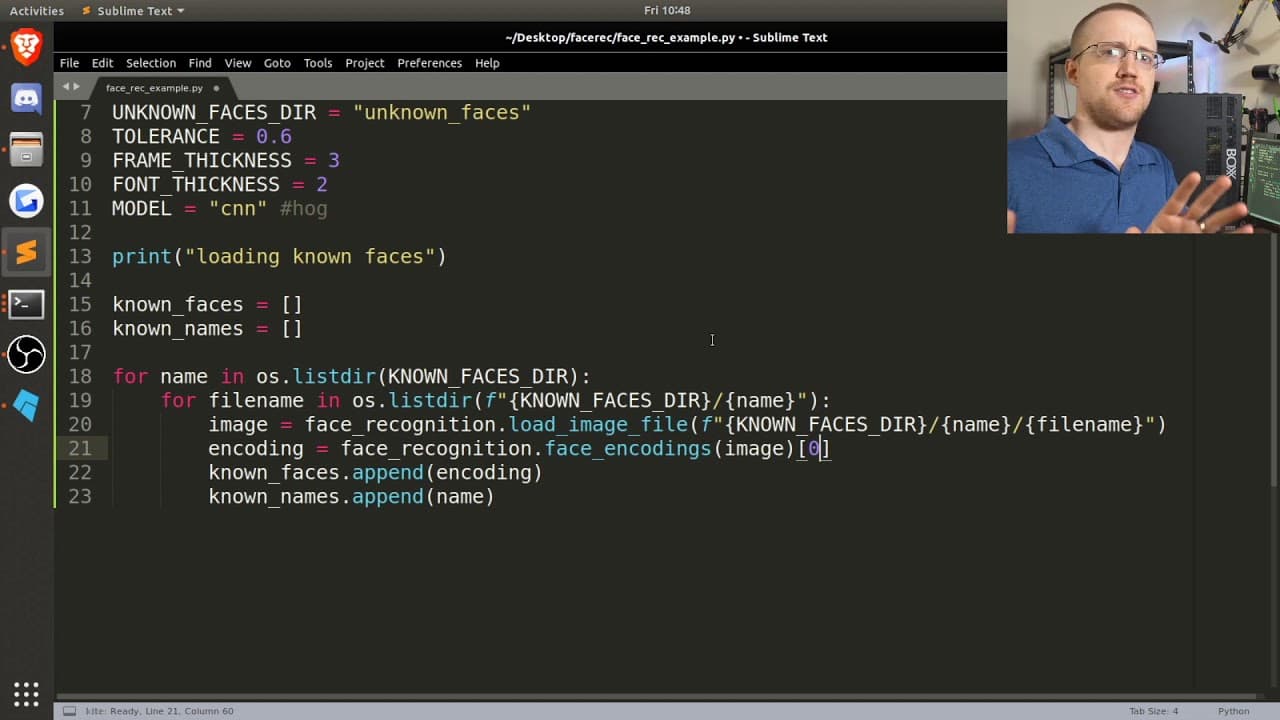
The tutorial provides step-by-step instructions on setting up the necessary directories and images for known faces and unknown faces.
-
The tutorial covers how to load known faces, detect faces in unknown images, compare the unknown faces to the known faces, and draw rectangles and labels on the images.
Read in Other Languages (beta)
Share This Summary 📚
Summarize YouTube Videos and Get Video Transcripts with 1-Click
Try YouTube Summary with ChatGPT & Claude or YouTube Transcript Generator
Explore More Summaries from sentdex 📚






Summarize YouTube Videos and Get Video Transcripts with 1-Click
Try YouTube Summary with ChatGPT & Claude or YouTube Transcript Generator