Blender 3.0 Pose Library and Asset Browser are INCREDIBLE
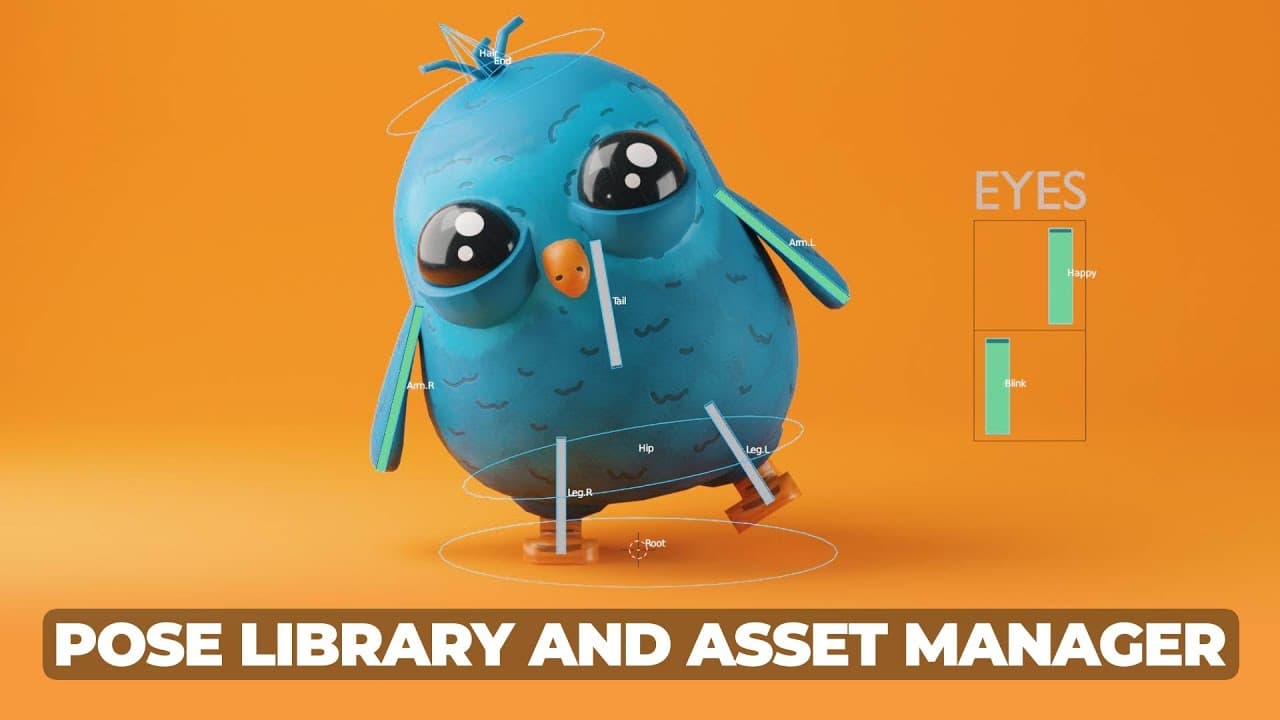
TL;DR
Explore Blender 3.0's Asset Browser and Pose Library features.
Transcript
yes our browser is an incredible time saving tool let's learn about it this video is sponsored by microcenter first up i'm giving away free copies to my new class on modeling and texturing to enter for a chance to win comment your computer specs in the comments below and comments will be chosen at random for winners the asset browse... Read More
Key Insights
- The Asset Browser in Blender 3.0 allows users to save and organize assets into preset categories, enhancing workflow efficiency.
- Users can save objects, environments, shaders, animations, and even pose libraries within the Asset Browser for easy reuse.
- The interface offers thumbnail options, search functionalities, and filtering features to streamline asset management.
- Materials, mesh models, lighting presets, and more can be dragged into the Asset Browser, maintaining their properties for consistent application.
- The Pose Library feature enables users to save and blend between character poses, facilitating animation workflows.
- Pose Library supports saving poses for specific bone groups, aiding in detailed animation tasks like facial expressions and hand poses.
- Users can pull poses directly from animations, providing a method to preserve and reuse successful animation poses.
- The video is sponsored by Micro Center, highlighting their role in providing affordable computer parts essential for 3D work.
Install to Summarize YouTube Videos and Get Transcripts
Explore YouTube Video Summarizer or Get YouTube Transcript Extractor
Questions & Answers
Q: What is the Asset Browser in Blender 3.0?
The Asset Browser in Blender 3.0 is a tool that allows users to save and categorize various assets, such as objects, environments, shaders, and animations, into preset categories. This functionality enhances workflow efficiency by making it easier to organize, retrieve, and apply assets across different projects.
Q: How can users benefit from the Pose Library feature?
The Pose Library feature in Blender 3.0 allows users to save character poses and blend smoothly between them, facilitating animation workflows. It supports saving poses for specific bone groups, which is particularly useful for animating detailed movements like facial expressions and hand poses, ultimately saving time and effort in animation projects.
Q: What are some key interface features of the Asset Browser?
The Asset Browser interface includes thumbnail options for viewing assets, a search function for easy retrieval, and filtering options to display specific asset types. These features help users efficiently manage and organize assets, making it simpler to find and apply the desired elements in their projects.
Q: How does the video suggest using the Asset Browser for materials?
The video suggests using the Asset Browser to save and organize materials, allowing users to drag and drop them into scenes easily. This includes creating material presets, such as lighting setups or environmental textures, which can be reused across different projects, maintaining consistency and saving time in the setup process.
Q: What role does Micro Center play in the video?
Micro Center sponsors the video, highlighting its role as a provider of computer parts essential for 3D work. The sponsor segment emphasizes Micro Center's affordability, sales, and customer service, encouraging viewers to consider them for building or purchasing computers tailored for Blender and other 3D applications.
Q: Can users pull poses from existing animations in Blender 3.0?
Yes, users can pull poses directly from existing animations in Blender 3.0. This feature allows animators to save successful poses from animations, preserving them for future use and facilitating a more efficient workflow by reusing poses that have already been refined and tested in previous projects.
Q: What additional resources does the video offer to viewers?
The video offers additional resources such as free texture packs and asset libraries available on platforms like Patreon and Gumroad. These resources are designed to enhance Blender projects by providing users with ready-made materials and assets that can be easily integrated into their workflows, saving time and effort.
Q: How does the video suggest organizing assets in the Asset Browser?
The video suggests organizing assets in the Asset Browser by creating specific libraries and using features like tagging and filtering. This organization method allows users to categorize assets by type, such as nature or city elements, making it easier to manage large collections and quickly find the necessary components for different projects.
Summary & Key Takeaways
-
Blender 3.0 introduces an Asset Browser, a tool designed to save and categorize assets, enhancing user efficiency in managing objects, environments, and more. The tutorial guides users through the interface, showcasing features like thumbnail options, search, and filtering, which streamline asset organization and retrieval.
-
The video emphasizes the Pose Library's capabilities, a powerful feature for animators. It allows saving of poses, blending between them, and applying them to specific bone groups. This functionality is crucial for animating detailed movements, such as facial expressions or hand poses, and facilitates a smoother animation process.
-
The tutorial is sponsored by Micro Center, which provides valuable resources for building or purchasing computers tailored for Blender use. The video also mentions additional resources, including free texture packs and asset libraries available on platforms like Patreon and Gumroad, encouraging viewers to explore and enhance their Blender projects.
Read in Other Languages (beta)
Share This Summary 📚
Summarize YouTube Videos and Get Video Transcripts with 1-Click
Try YouTube Summary with ChatGPT & Claude or YouTube Transcript Generator
Explore More Summaries from SouthernShotty 📚
Summarize YouTube Videos and Get Video Transcripts with 1-Click
Try YouTube Summary with ChatGPT & Claude or YouTube Transcript Generator