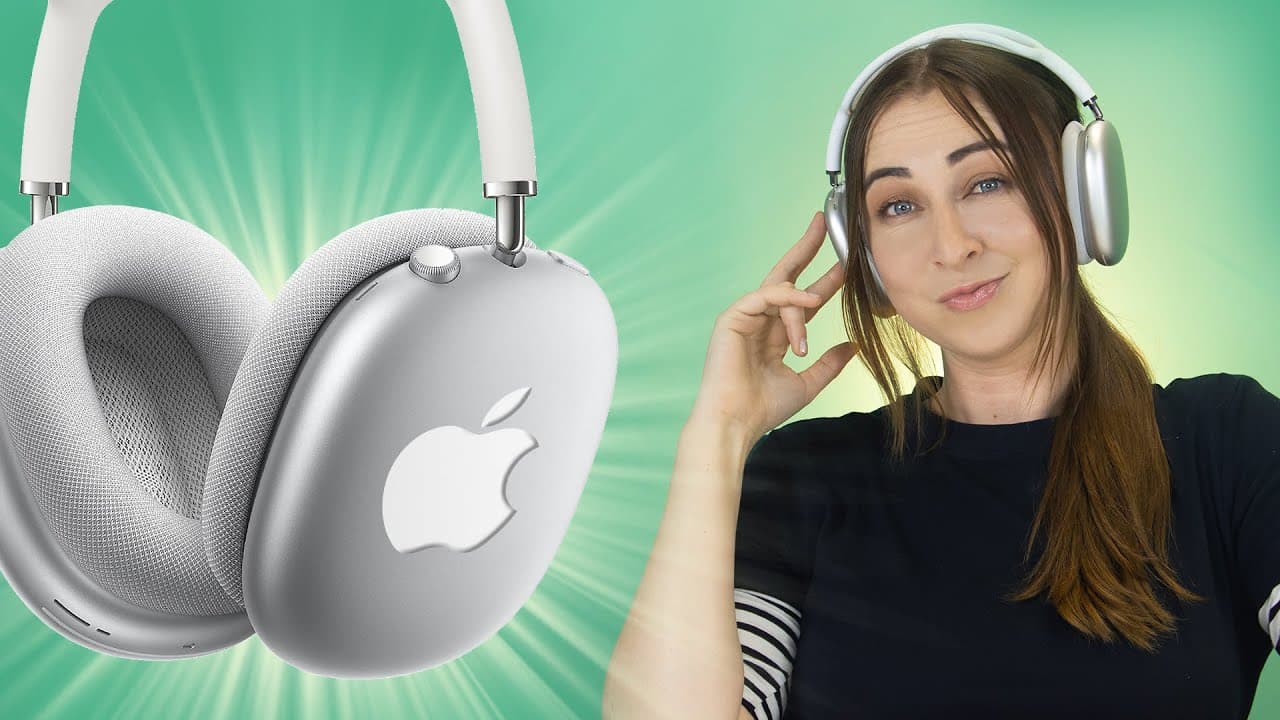
AirPods Max - TOP Features, Tips & Tricks - NO ONE SHOWS YOU!
TL;DR
Learn about the various features of AirPods Max, including gestures, controls, accessories, and audio settings.
Transcript
hey guys welcome back to hale's world and i have some really cool things to show you about the airpods max quickly starting off with some nifty gestures and controls if you click this little button right over here it actually toggles between noise cancellation and transparency mode you'll also hear a sound in your ears when that happens then to adj... Read More
Key Insights
- 📲 AirPods Max offers convenient gestures and controls for easy management of noise cancellation, transparency mode, volume, playback, and phone calls.
- 💘 The headphones' build quality allows for easy removal of ear cups and potentially the headband, indicating potential customization options in the future.
- 🧍 Affordable accessories like silicone bumpers, cases, and stands help protect and display the AirPods Max.
- 🎮 Sharing audio with friends who have AirPods is simple and can be controlled individually.
- 👻 Custom audio settings and headphone accommodations allow for personalized audio experiences.
- 🔋 Various methods are available to check the battery percentage of the AirPods Max.
- 🎙️ The Live Listen feature enables sneaky audio monitoring using the iPhone's microphone.
Install to Summarize YouTube Videos and Get Transcripts
Explore YouTube Video Summarizer or Get YouTube Transcript Extractor
Questions & Answers
Q: How can I toggle between noise cancellation and transparency mode?
By clicking a button on the AirPods Max, you can switch between noise cancellation and transparency mode, indicated by a sound and change in ambient audio perception.
Q: Can I control playback and answer calls on the AirPods Max?
Yes, by clicking the crown dial, you can pause/play music, answer phone calls, and hang up. The build quality of the headphones ensures excellent call and audio quality.
Q: Can I share audio with friends who have AirPods?
Yes, by connecting both AirPods to an iPhone and tapping on their names in the Control Center, you can share audio and control the volume of each pair separately.
Q: How can I customize the volume adjustment direction on AirPods Max?
In the Settings app, under Bluetooth, you can access the digital crown settings for AirPods Max and choose between back to front or front to back volume adjustment.
Q: How can I check the battery percentage of AirPods Max?
You can check the battery percentage through widgets on the home screen, when removing the headphones from the smart case, on an Apple Watch, and by plugging them in to charge.
Q: Is there a way to listen to audio captured by the iPhone's microphone with AirPods Max?
Using the Live Listen feature in the Control Center, you can wirelessly listen to audio picked up by your iPhone's microphone, which can be a helpful and sneaky trick.
Q: Can I find my AirPods Max if I misplace them?
Yes, through the Find My app, you can play a sound on the AirPods Max if they are out of the smart case, helping you locate them easily.
Q: What is spatial audio on AirPods Max?
Spatial audio provides a more immersive listening experience by creating a sense of depth and dimension, making it feel like you're in the room where the audio was recorded.
Summary & Key Takeaways
-
AirPods Max offers nifty gestures and controls, such as toggling between noise cancellation and transparency mode and adjusting the volume with a crown dial.
-
The headphones have a magnetic design that allows for easy removal of ear cups and even speakers, potentially indicating future headband replacements and customization options.
-
Affordable accessories like silicone bumpers, silicone cases, and headphone stands can protect and display the AirPods Max, while a hard shell case is recommended for travel.
Read in Other Languages (beta)
Share This Summary 📚
Summarize YouTube Videos and Get Video Transcripts with 1-Click
Try YouTube Summary with ChatGPT & Claude or YouTube Transcript Generator
Explore More Summaries from Hayls World 📚





Summarize YouTube Videos and Get Video Transcripts with 1-Click
Try YouTube Summary with ChatGPT & Claude or YouTube Transcript Generator