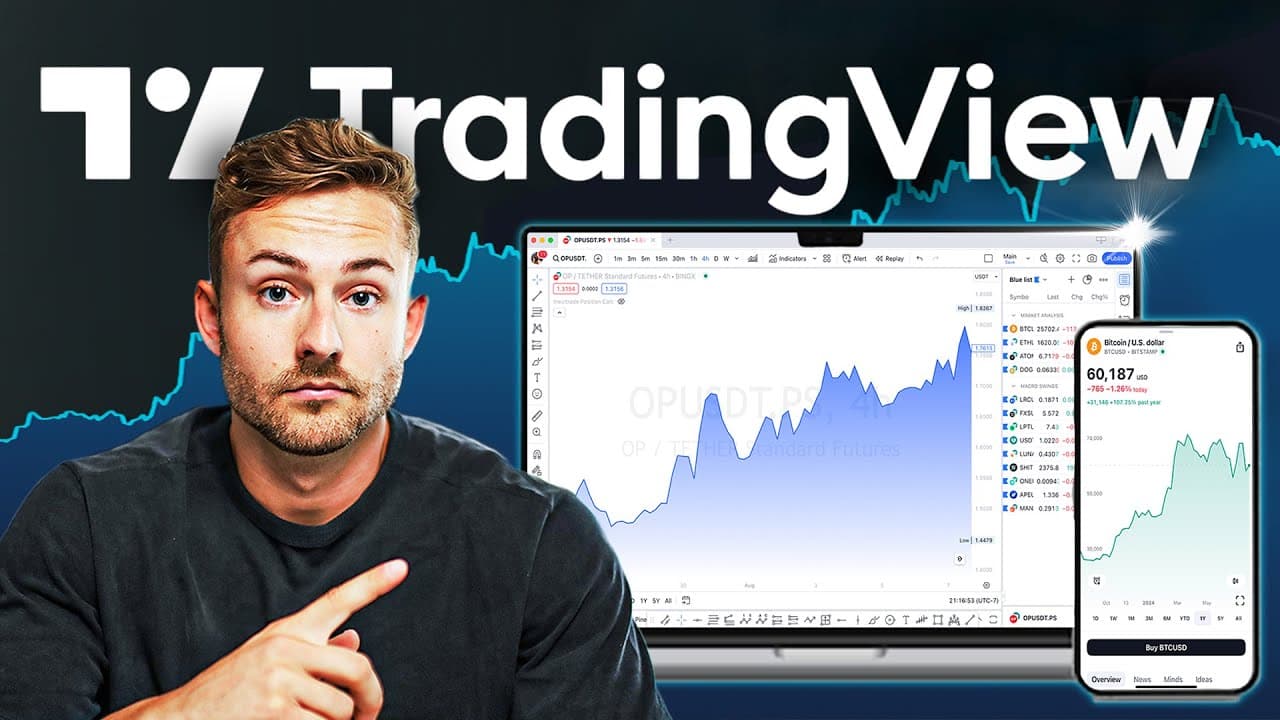
How To Use TradingView For Beginners (FULL Tutorial 2024)
TL;DR
Learn to set up TradingView like a pro with expert tips.
Transcript
today in this video I'm going to show you everything that you need to know to start trading like a pro on trading View and some of you might be coming with moderate experience but are looking for a gold standard professional setup but whatever stage you're at by the end of this video my goal is to turn you into a fullblown master at... Read More
Key Insights
- The tutorial aims to equip viewers with a professional setup on TradingView, offering insights from over 8 years of trading experience.
- A comprehensive setup includes customizing the general layout, color theme, and chart style, as well as understanding all available features.
- Viewers are guided on creating an organized trading workflow, utilizing tools, indicators, and keyboard shortcuts for efficiency.
- The importance of the economic calendar and news overview in TradingView is highlighted to monitor market-affecting events.
- The video emphasizes the utility of the bar replay feature for practicing trading strategies and improving decision-making skills.
- Customizing chart settings, such as dark or light mode and grid line opacity, can enhance visual comfort and focus during analysis.
- The use of the Fibonacci retracement tool is explained for predicting potential market reversals and trend continuations.
- An organized watchlist and flagging system are recommended for efficiently managing and prioritizing trading opportunities.
Install to Summarize YouTube Videos and Get Transcripts
Explore YouTube Video Summarizer or Get YouTube Transcript Extractor
Questions & Answers
Q: What is the main objective of the video tutorial?
The main objective of the video tutorial is to transform viewers into proficient users of TradingView by providing a comprehensive setup guide. It aims to equip them with a professional trading workflow, leveraging the creator's extensive 8-year trading experience to offer valuable tips and tricks for efficient trading.
Q: How does the video suggest using the economic calendar?
The video suggests using the economic calendar to monitor events that could potentially affect the markets and create volatility. By focusing on high-importance events, traders can anticipate market movements and adjust their strategies accordingly, ensuring they are prepared for significant market changes.
Q: What is the bar replay feature and its significance?
The bar replay feature allows traders to practice their strategies by simulating past market conditions. It enables users to test their trading systems over historical data, helping them refine their decision-making skills and improve their trading performance without waiting for real-time market developments.
Q: How can traders customize their chart settings for better analysis?
Traders can customize their chart settings by adjusting the color theme, grid line opacity, and candle colors to suit their visual preferences. These customizations can enhance focus and comfort during analysis, allowing traders to better interpret market data and make informed trading decisions.
Q: What role does the Fibonacci retracement tool play in trading?
The Fibonacci retracement tool is used to predict potential market reversals and trend continuations. By identifying key levels based on the Fibonacci ratio, traders can anticipate where the market might experience support or resistance, aiding in the planning of entry and exit points for trades.
Q: How does the video recommend managing a watchlist?
The video recommends managing a watchlist using a flagging system to categorize and prioritize trading opportunities. This approach allows traders to efficiently organize their watchlist by different asset types or trading strategies, ensuring they can quickly access relevant trading ideas during their sessions.
Q: Why is it important to have an organized trading workflow?
An organized trading workflow is crucial for maintaining efficiency and focus during trading sessions. By having a streamlined process for analyzing markets, managing trades, and tracking performance, traders can reduce errors, make more informed decisions, and ultimately improve their trading outcomes.
Q: What resources does the video offer for further learning?
The video offers several resources for further learning, including links to a free trading course, a private crypto trading team, and a Discord community. These resources provide additional educational content and community support to help traders enhance their skills and stay updated with market developments.
Summary & Key Takeaways
-
This video provides a detailed guide on setting up TradingView for beginners and those with moderate experience. It covers layout customization, feature overviews, and workflow organization to enhance trading efficiency.
-
Key tools and indicators are introduced, including the economic calendar, bar replay feature, and Fibonacci retracement, to aid in market analysis and decision-making.
-
The tutorial also emphasizes the importance of an organized watchlist and flagging system for managing trading opportunities and maintaining a streamlined workflow.
Read in Other Languages (beta)
Share This Summary 📚
Summarize YouTube Videos and Get Video Transcripts with 1-Click
Try YouTube Summary with ChatGPT & Claude or YouTube Transcript Generator
Explore More Summaries from Craig Percoco 📚

![How To Use TradingView For BEGINNERS [Full 2025 Tutorial] thumbnail](/_next/image?url=https%3A%2F%2Fi.ytimg.com%2Fvi%2FrJj4ZbnzEGs%2Fhqdefault.jpg&w=750&q=75)
![How To Invest In Crypto As A BEGINNER In 2025 [Full Tutorial] thumbnail](/_next/image?url=https%3A%2F%2Fi.ytimg.com%2Fvi%2FaaMFEk5Zuq4%2Fhqdefault.jpg&w=750&q=75)

Summarize YouTube Videos and Get Video Transcripts with 1-Click
Try YouTube Summary with ChatGPT & Claude or YouTube Transcript Generator