Sony WH-1000XM4 Best Custom Settings!
TL;DR
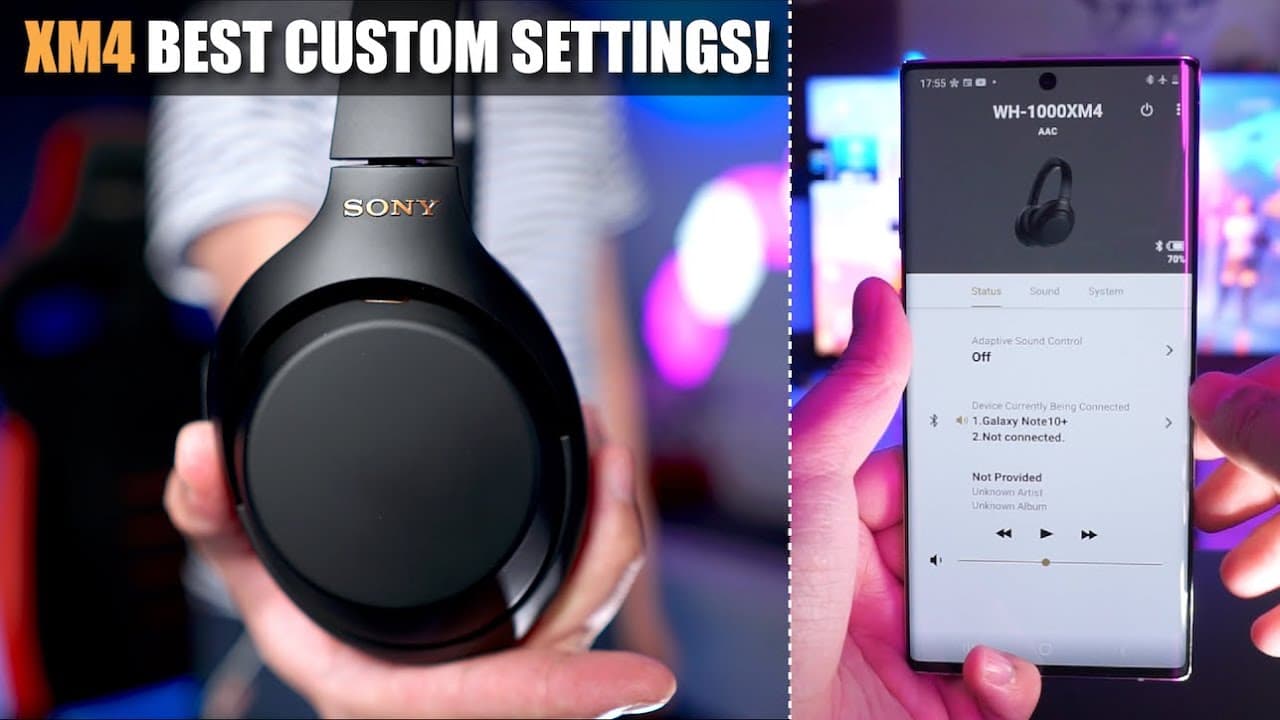
Learn the best custom settings to maximize Sony WH-1000XM4 headphone performance.
Transcript
hey what's up guys welcome back to another video today i'm going to show you what my best custom settings are for the sony wh xm4 now i believe many of you may have just gotten the xm4s recently and you're probably wondering what is the best way to optimize these headphones for your personal use i'm going to show you how to do this step by step and... Read More
Key Insights
- 👏 Custom settings via the Sony Headphones Connect app allow for tailored headphone use, enhancing personal audio experiences.
- 👂 Adaptive sound control promotes awareness and safety by adjusting noise cancellation based on active situations or locations.
- 👂 The graphic equalizer offers significant flexibility in terms of sound preference, accommodating various listening styles and preferences.
- 🙊 Speak to chat facilitates easy conversations without headphone removal, increasing convenience for users engaging in social interactions.
- 🪡 Multitasking with multi-point pairing can come at the expense of audio resolution, highlighting the need for prioritization based on user needs.
- 👂 DSE Extreme enhances sound fidelity for compressed files, making casual listening more enjoyable, but requires battery consideration.
- 🚙 Location and action-based settings can be programmed to improve the utility of headphones in everyday scenarios.
Install to Summarize YouTube Videos and Get Transcripts
Explore YouTube Video Summarizer or Get YouTube Transcript Extractor
Questions & Answers
Q: How does adaptive sound control enhance the headphone experience?
Adaptive sound control helps headphones automatically adjust between noise cancellation and ambient sound based on user actions or location. For example, if you're walking, the headphones can allow some ambient noise to pass through, helping you stay aware of your surroundings, which is vital for safety, especially in busy environments.
Q: What is the importance of setting ambient sound levels for activities like running or using public transport?
Setting appropriate ambient sound levels is critical for safety. When running, a higher pass-through level like 20 ensures that sounds from vehicles or approaching hazards can be heard. Similarly, on public transport, adjusting to low ambient sound levels ensures human voices and critical announcements are audible while still blocking out background noise.
Q: What features does the speak to chat function offer?
The speak to chat feature allows headphones to automatically switch to ambient sound mode when the user begins speaking, making it easy to engage in conversations without removing the headphones. This feature includes settings for voice detection sensitivity and can be adjusted to focus on the speaker while minimizing ambient distractions.
Q: How does the graphic equalizer contribute to sound customization?
The graphic equalizer enables users to adjust sound frequencies to their liking, providing various presets and the option for manual customization across different bands. This feature is essential for users who prefer a tailored listening experience, allowing adjustments for bass, treble, and overall sound signature to suit individual taste.
Q: Can multi-point pairing affect audio quality on the Sony WH-1000XM4?
Yes, enabling multi-point pairing allows the headphones to connect to two devices at once but may limit audio quality by disabling the LDAC high-resolution codec on Android devices. If prioritizing audio quality is important, users might choose to forgo multi-point pairing.
Q: What role does the DSE Extreme feature play in audio playback?
The DSE Extreme feature enhances the audio quality by upscaling lower-resolution music files, improving their clarity and richness through AI processing. This function is beneficial for users who regularly stream or listen to compressed audio, ensuring a better listening experience, though it can impact battery life.
Summary & Key Takeaways
-
The video provides a step-by-step guide on customizing the Sony WH-1000XM4 headphones using the Sony Headphones Connect app, highlighting features such as adaptive sound control and ambient sound levels.
-
Key functionalities include automatic noise cancellation switching based on location or actions, with specific recommendations for different activities like walking or using public transport to ensure user safety.
-
Additional features discussed encompass the graphic equalizer, speak to chat feature, and high-resolution audio capabilities, allowing users to tailor their audio experience according to personal preferences.
Read in Other Languages (beta)
Share This Summary 📚
Summarize YouTube Videos and Get Video Transcripts with 1-Click
Try YouTube Summary with ChatGPT & Claude or YouTube Transcript Generator
Explore More Summaries from Aaron X Loud and Wireless 📚




Summarize YouTube Videos and Get Video Transcripts with 1-Click
Try YouTube Summary with ChatGPT & Claude or YouTube Transcript Generator