Products
Features
YouTube Video Summarizer
Summarize YouTube videos
Web & PDF Highlighter
Highlight web pages & PDFs
Chat with PDF
Ask any PDF questions with AI
Ask AI Clone
Chat with your highlights & memories
Audio Transcriber
Transcribe audio files to text
Glasp Reader
Read and highlight articles
Kindle Highlight Export
Export your Kindle highlights
Idea Hatch
Hatch ideas from your highlights
Integrations
Obsidian Plugin
Notion Integration
Pocket Integration
Instapaper Integration
Medium Integration
Readwise Integration
Snipd Integration
Hypothesis Integration
Apps & Extensions
Chrome Extension
Safari Extension
Edge Add-ons
Firefox Add-ons
iOS App
Android App
Discover
Discover
Ideas
Discover new ideas and insights
Articles
Curated articles and insights
Books
Book recommendations by great minds
Posts
Essays and notes from readers
Quotes
Inspiring quotes collection
Videos
Curated videos and summaries
Explore Glasp
Glasp Story
How we grew from 0 to 3 million users
Glasp Newsletter
Weekly insights and updates
Glasp Talk
Interview series with great minds
Glasp Blog
Latest news and articles
Glasp Use Cases
Learn how others use Glasp
Build & Support
Glasp API
Access Glasp's API for developers
MCP Connector
Connect Glasp to Claude & ChatGPT
Community
Glasp Reddit Community
Students
Student discount and benefits
FAQs
Frequently Asked Questions
AboutPricing
DashboardLog inSign up

The Windows update that encrypts your files! | Fantom Ransomware
September 12, 2016
by
The PC Security Channel
YouTube video player
The Windows update that encrypts your files! | Fantom Ransomware

TL;DR

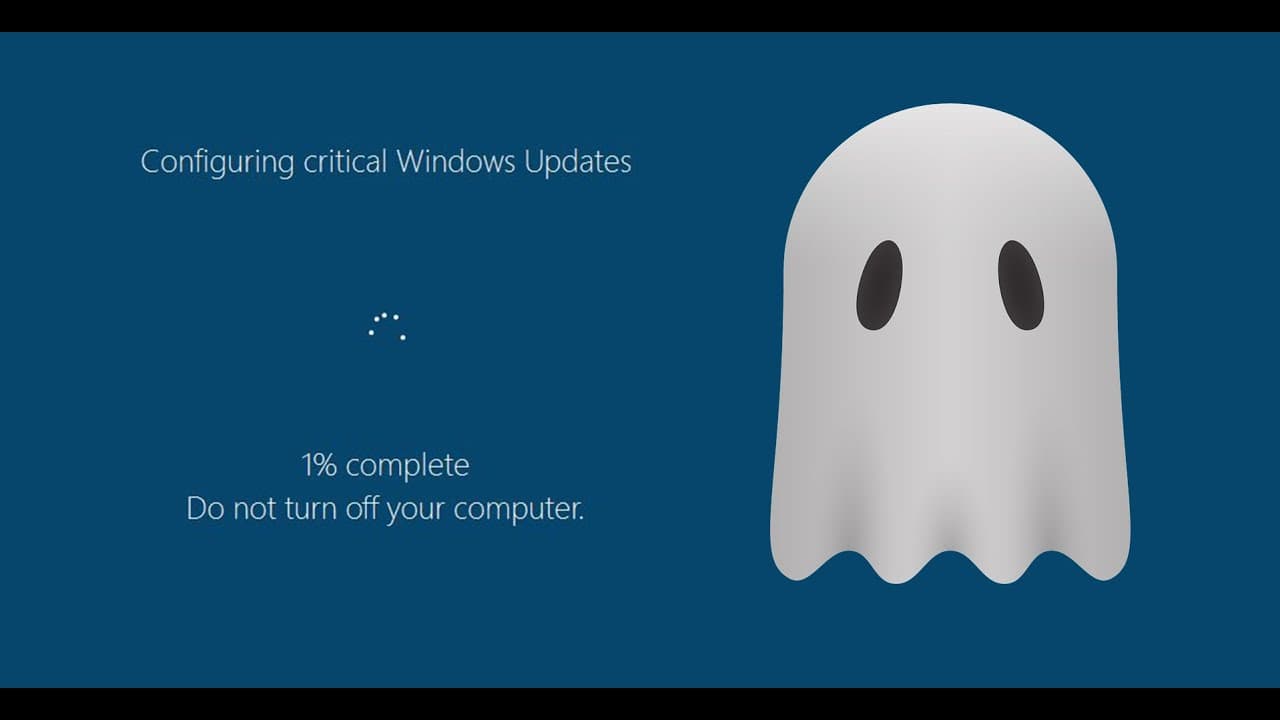
A recent critical Windows update disguises itself as a fake windows update, encrypting user files.

Transcript

these days it is not uncommon for Windows updates to screw up your computer but here is a particularly interesting case so let's say you get a fall called critical windows update and you're a novice user you probably run it right cuz all these security experts and enthusiasts and a guy at the PC security channel recommend that you do your critical ... Read More

Key Insights

  • 👋 Windows updates can sometimes cause more harm than good, as demonstrated by the Phantom ransomware.
  • 🥸 Novice users are particularly vulnerable to falling for the disguise of the ransomware, as it perfectly imitates a legitimate Windows update.
  • 👶 Antivirus companies have different levels of effectiveness in detecting and identifying new ransomware threats like Phantom.
  • 😒 The ransomware uses advanced encryption techniques, making file decryption a difficult task.
  • ✋ Rebooting the computer does not stop the encryption process; users must take precautionary measures to prevent the ransomware from executing.
  • 🥸 Ransomware developers constantly create new disguises and techniques to deceive users and encrypt their files.
  • 😚 The potential impact of the ransomware can be devastating, causing users to lose access to important files.

Install to Summarize YouTube Videos and Get Transcripts

Explore YouTube Video Summarizer or Get YouTube Transcript Extractor

Questions & Answers

Q: How does the Phantom ransomware disguise itself?

The ransomware disguises itself as a critical Windows update, appearing as a legitimate file with a copyright from Microsoft.

Q: Can the ransomware be detected by antivirus software?

Some antivirus companies have identified the ransomware as a trojan ransom trojan malware, but others, such as Trend Micro and Baidu, still lack a signature for it.

Q: What happens when the ransomware is executed?

Once executed, the ransomware displays a fake loading screen and encrypts user files in the background. It demands users to send an ID and key to an email address for file decryption.

Q: Can rebooting the computer stop the ransomware?

Rebooting the computer does not stop the ransomware. The encryption process continues even after a reboot. However, terminating the ransomware prematurely may prevent it from changing the computer's background.

Summary & Key Takeaways

  • A new form of ransomware, known as "Phantom," disguises itself as a fake Windows update and encrypts user files.

  • The ransomware uses a 128-bit AES cipher, making decryption difficult.

  • Many antivirus companies have identified the ransomware, but some still lack a signature for it.


Read in Other Languages (beta)

English

Share This Summary 📚

Summarize YouTube Videos and Get Video Transcripts with 1-Click

Download browser extensions on:

Try YouTube Summary with ChatGPT & Claude or YouTube Transcript Generator

Explore More Summaries from The PC Security Channel 📚

Security Talk 6: Bleeping Computer sued for a negative review and more thumbnail
Security Talk 6: Bleeping Computer sued for a negative review and more
The PC Security Channel
What Is Petya Ransomware and How Dangerous Is It? thumbnail
What Is Petya Ransomware and How Dangerous Is It?
The PC Security Channel
DynA-Crypt Ransomware | feat. Karsten from G Data thumbnail
DynA-Crypt Ransomware | feat. Karsten from G Data
The PC Security Channel
NordVPN Hacked! How secure is VPN Really? thumbnail
NordVPN Hacked! How secure is VPN Really?
The PC Security Channel
G Data Internet Security 2017 Review thumbnail
G Data Internet Security 2017 Review
The PC Security Channel
MGM & Defcon Venue hack: BlackCat Ransomware thumbnail
MGM & Defcon Venue hack: BlackCat Ransomware
The PC Security Channel

Summarize YouTube Videos and Get Video Transcripts with 1-Click

Download browser extensions on:

Try YouTube Summary with ChatGPT & Claude or YouTube Transcript Generator

Apps & Extensions

  • Chrome Extension
  • Safari Extension
  • Edge Add-ons
  • Firefox Add-ons
  • iOS App
  • Android App

Key Features

  • YouTube Video Summarizer
  • Web & PDF Summarizer
  • Web & PDF Highlighter
  • Chat with PDF
  • Ask AI Clone
  • Audio Transcriber
  • Glasp Reader
  • Kindle Highlight Export
  • Idea Hatch

Integrations

  • Obsidian Plugin
  • Notion Integration
  • Pocket Integration
  • Instapaper Integration
  • Medium Integration
  • Readwise Integration
  • Snipd Integration
  • Hypothesis Integration

More Features

  • APIs
  • MCP Connector
  • Blog & Post
  • Embed Links
  • Image Highlight
  • Personality Test
  • Quote Shots
  • Open Graph Checker

Company

  • About us
  • Our Story
  • Blog
  • Community
  • FAQs
  • Job Board
  • Newsletter
  • Pricing
Terms

•

Privacy

•

Guidelines

© 2026 Glasp Inc. All rights reserved.




