Full MERN Website React Nodejs w/ GraphQL Tailwind and Docker From Zero To Deployment + GIVEAWAY
TL;DR
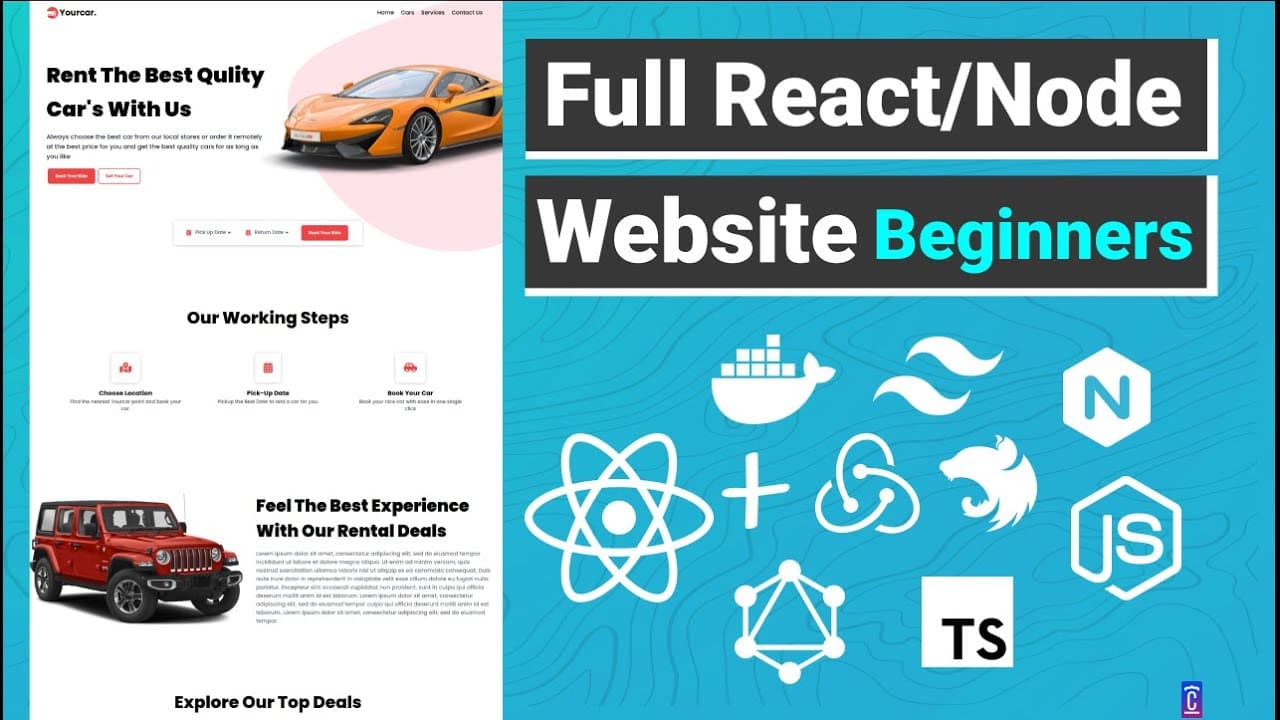
This video tutorial demonstrates the process of building a complete web application, including front-end and back-end development, database integration, deployment, and hosting.
Transcript
hi everyone in this video we're going to create a full web application from start to finish yes you are hearing right we're going to just start with a simple basic project and we're going to create a front-end application using react we're going to create a back-end application using node.js and sjs with express and i'm going to build it with a dat... Read More
Key Insights
- 🔮 Mobile-first approach: The web developer is following a mobile-first approach, designing the web application for mobile devices and gradually scaling up to larger screens.
- 🎥 Comprehensive tutorial: The video tutorial aims to guide viewers through the entire process of creating a web application, starting from scratch and covering front-end development with React, back-end development with Node.js, and deployment on a hosting server.
- 💡 Giveaway: The video mentions a giveaway where viewers have a chance to win a fully dedicated VPS hosting plan from Hostinger for 12 months.
- ✨ Technology stack: The web application will be built using React, Node.js, TypeScript, Express, GraphQL, MySQL, and Tailwind CSS. The developer also mentions using the Hostinger hosting service.
- 🌐 Website overview: The web application being built is called "Your Car" and is a rental and selling cars website. It showcases good design, features date selectors, and uses a database to fetch car information in real-time.
- 🏢 Deployment: The developer plans to deploy the web application to a Hostinger dedicated VPS server, and the video shows the steps involved in deploying the application to the production environment.
- 🖥 Front-end development: The tutorial covers setting up the front-end application using Create React App with Redux and TypeScript. The developer also installs Tailwind CSS and configures it to work with the project.
- 🍔 Hamburger menu: The developer uses the React Burger Menu package to create a responsive hamburger menu for mobile devices, which appears when the screen width is below a certain threshold. When the menu is opened, the navigation links are displayed in a slide-out menu.
Install to Summarize YouTube Videos and Get Transcripts
Explore YouTube Video Summarizer or Get YouTube Transcript Extractor
Questions & Answers
Q: What technologies are used in this video tutorial?
The video tutorial uses React for the front-end, Node.js and Express for the back-end, and a database for data storage. Additionally, hosting is done on a VPS server provided by Hostinger.
Summary & Key Takeaways
-
The video tutorial covers the process of creating a full web application from start to finish.
-
It includes building a front-end application using React, a back-end application using Node.js and Express, and integrating a database.
-
The tutorial also covers deployment to a hosting server and includes a giveaway for a free VPS plan.
Read in Other Languages (beta)
Share This Summary 📚
Summarize YouTube Videos and Get Video Transcripts with 1-Click
Try YouTube Summary with ChatGPT & Claude or YouTube Transcript Generator
Explore More Summaries from CoderOne 📚
Summarize YouTube Videos and Get Video Transcripts with 1-Click
Try YouTube Summary with ChatGPT & Claude or YouTube Transcript Generator