How to Build AI Agents with ADK
TL;DR
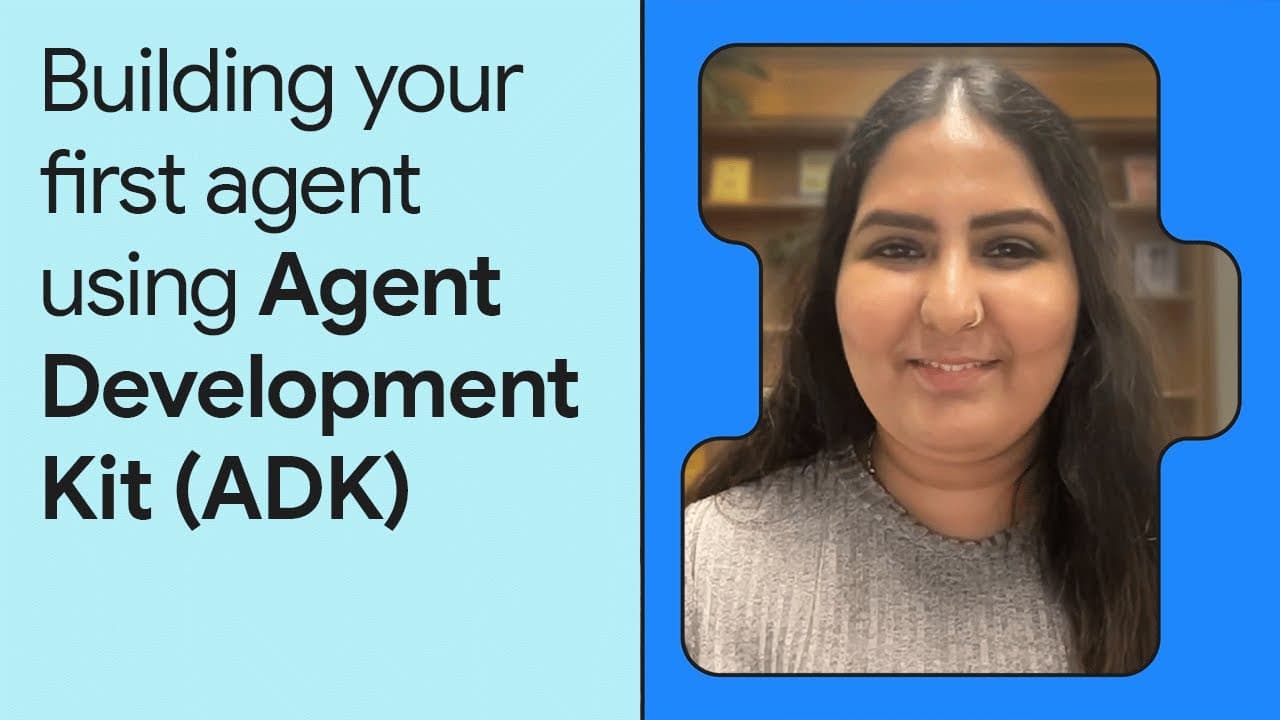
The video introduces Google's open-source Agent Development Kit (ADK), a framework for building AI agents using a code-first approach. It demonstrates creating a sample YouTube Shorts agent with three sub-agents: ScriptWriter, Visualizer, and Formatter. ADK supports various agent types and offers flexibility in deploying and debugging agents through CLI and web UI.
Transcript
[MUSIC PLAYING] SITA SANGAMESWARAN: If you build multi-agents, you know how complex they are. Today, let's simplify that using Z Agent Development Kit, an open-source framework to build AI agents. We'll not only build and run our agent, but we'll also see how to spin up a client UI to debug our agent within a few minutes. Let's go. Agent Developmen... Read More
Key Insights
- ADK is an open-source framework for building AI agents with a focus on code-first development.
- The framework allows seamless deployment and evaluation of agents across different providers.
- ADK supports both config-based and code-based agent development, with code-based offering more control.
- The sample agent created is a YouTube Shorts agent with ScriptWriter, Visualizer, and Formatter sub-agents.
- ADK provides three types of agents: LLM agents, workflow agents, and custom agents.
- Workflow agents like LoopAgent allow deterministic control over sub-agent execution.
- ADK's Runner, Services, and Event loop are key components in programmatically running agents.
- Agents can be run via CLI, web UI, or programmatically, offering flexibility in development and debugging.
Install to Summarize YouTube Videos and Get Transcripts
Explore YouTube Video Summarizer or Get YouTube Transcript Extractor
Questions & Answers
Q: How to build AI agents using ADK?
To build AI agents using ADK, start by defining your agent's architecture, including any sub-agents required. Use ADK's code-first approach for granular control over agent behavior. You can run agents using CLI commands like adk run, or spin up a web UI with adk web for interactive development and debugging.
Q: What is the Agent Development Kit (ADK)?
ADK is an open-source framework by Google designed for building AI agents. It emphasizes a code-first development approach, allowing developers to create, run, and debug agents across different platforms and providers. ADK supports various agent types, including LLM agents, workflow agents, and custom agents.
Q: What are the types of agents in ADK?
ADK offers three main types of agents: LLM agents, which use language models and tools; workflow agents, which allow deterministic control over sub-agent execution (e.g., LoopAgent); and custom agents, which combine different elements like sequential and loop agents for complex workflows.
Q: How does the LoopAgent work in ADK?
The LoopAgent in ADK is a type of workflow agent that runs its sub-agents iteratively. It can execute sub-agents in a loop until a specified condition is met or a maximum number of iterations is reached. This approach is useful for refining outputs through repeated processing.
Q: What are the key components of ADK's programmatic execution?
ADK's programmatic execution relies on the Runner, Services, and Event loop. The Runner acts as the execution engine, invoking the parent agent and managing sub-agent execution. Services provide memory, session, and artifact storage, while the Event loop streams asynchronous events during agent execution.
Q: How to run ADK agents using CLI and web UI?
To run ADK agents using CLI, use the adk run command to execute agents directly in the command line. For a graphical interface, use adk web to spin up a web UI, allowing interactive development and debugging of agents with multimodal capabilities like voice and video interaction.
Q: What is the role of sub-agents in ADK?
Sub-agents in ADK perform specific tasks within a larger agent architecture. For example, in the YouTube Shorts agent, the ScriptWriter sub-agent generates scripts, the Visualizer creates visuals, and the Formatter combines elements into a markdown format. Sub-agents enhance modularity and task specialization.
Q: How does ADK handle model and deployment agnosticism?
ADK is model and deployment agnostic, meaning it can integrate with any language model or cloud provider. This flexibility allows developers to use various models and deploy agents across different platforms without being tied to specific technologies, enhancing interoperability and scalability.
Summary & Key Takeaways
-
ADK is an open-source framework simplifying AI agent development with code-first flexibility. It supports multiple agent types and deployment options, allowing seamless integration with various models and providers. The video demonstrates creating a YouTube Shorts agent with sub-agents for script writing, visualization, and formatting.
-
The framework supports LLM agents, workflow agents like LoopAgent, and custom agents, providing flexibility in agent orchestration. ADK's Runner, Services, and Event loop facilitate programmatic agent execution, making it versatile for developers.
-
ADK allows agents to be run via CLI, web UI, or programmatically, enhancing the development and debugging experience. The video showcases the creation and execution of a sample agent, highlighting ADK's capabilities and ease of use.
Read in Other Languages (beta)
Share This Summary 📚
Summarize YouTube Videos and Get Video Transcripts with 1-Click
Try YouTube Summary with ChatGPT & Claude or YouTube Transcript Generator
Explore More Summaries from Google for Developers 📚

Summarize YouTube Videos and Get Video Transcripts with 1-Click
Try YouTube Summary with ChatGPT & Claude or YouTube Transcript Generator