New Canva Features Business Owners Will LOVE
TL;DR
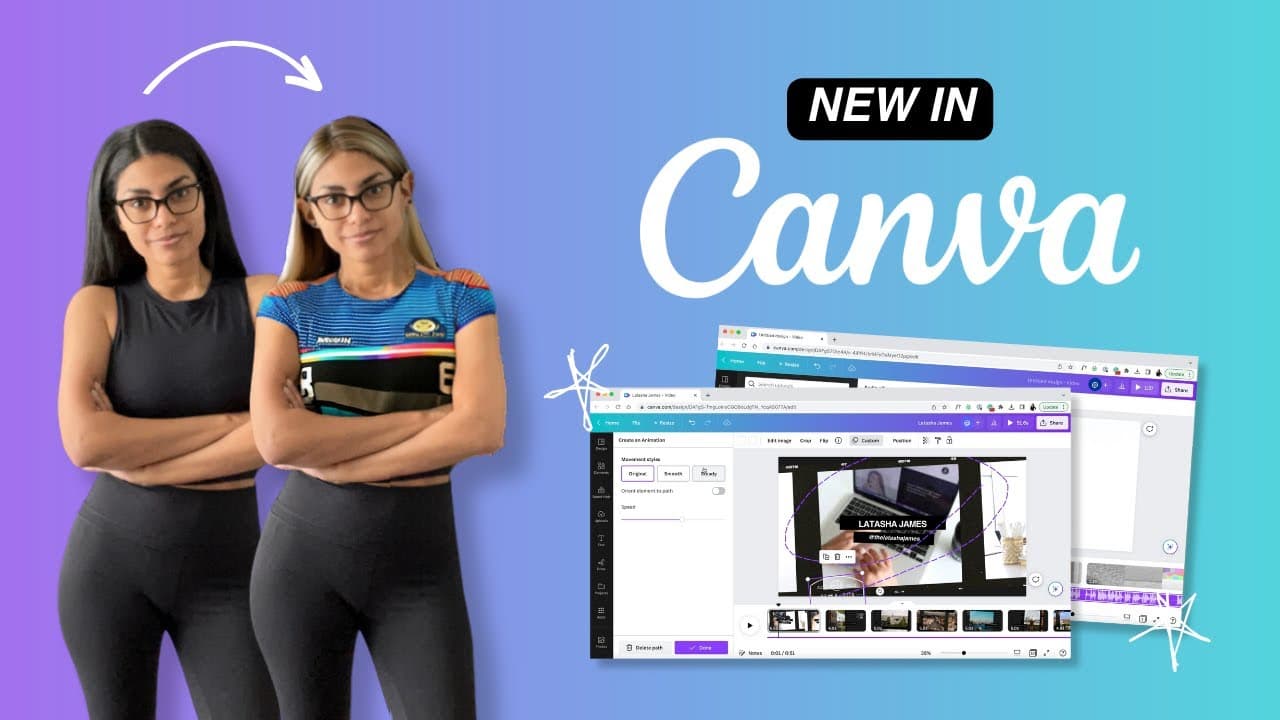
Explore five exciting new Canva features for content creation.
Transcript
Canva is already a must have in most business owners arsenals, and they recently announced a bunch of new features that take the photo editing app to completely new heights. So today, let's talk about the five that I'm most excited about. Starting with magic edit, this feature uses AI to edit elements of a photo. Think covering up an outlet on your... Read More
Key Insights
- Magic Edit uses AI to modify photo elements, like changing clothing colors or hiding unwanted objects, though results vary in quality.
- The Translate feature helps educators by making content more accessible globally, automatically adjusting text containers for minimal reformatting.
- The Draw tool allows users to add simple hand-drawn elements to designs, though it lacks the advanced features of dedicated art apps like Procreate.
- Canva's Beat Sync feature simplifies video editing by automatically syncing video clips to the beat of an audio track, similar to TikTok's functionality.
- Create an Animation lets users design custom animation paths for elements in videos, offering a simple alternative for quick intros or titles.
- Despite the simplicity of Canva's animation features, they provide an easy way for content creators to add dynamic elements to their projects.
- The video editing capabilities in Canva have significantly improved, making it a viable option for basic video projects and storytelling.
- While Canva's new features are promising, some, like Magic Edit and Draw, still have room for improvement to compete with specialized tools.
Install to Summarize YouTube Videos and Get Transcripts
Explore YouTube Video Summarizer or Get YouTube Transcript Extractor
Questions & Answers
Q: How does the Magic Edit feature work in Canva?
Magic Edit in Canva uses AI to modify specific elements within a photo, such as changing the color of clothing or hiding unwanted objects. Users brush over the area they wish to change and input their desired modification. While the tool can produce varying results, it offers a quick solution for basic edits.
Q: What is the purpose of Canva's Translate feature?
Canva's Translate feature is designed to make content more accessible to a global audience by translating text within designs. It automatically adjusts text containers to accommodate the translated content, minimizing the need for manual reformatting. This feature is particularly beneficial for educators and content creators aiming to reach diverse audiences.
Q: How does the Draw tool in Canva compare to Procreate?
Canva's Draw tool allows users to add simple hand-drawn elements like hearts or stars to their designs. However, it lacks the advanced features and variety of brushes available in Procreate, a dedicated art app. While Canva's tool is suitable for basic additions, Procreate remains the preferred choice for detailed digital art.
Q: What is Beat Sync, and how does it enhance video editing in Canva?
Beat Sync is a feature in Canva that simplifies the video editing process by automatically syncing video clips to the beats of an audio track. This tool is particularly useful for creators looking to quickly assemble videos without manually adjusting clip timing to match the music, similar to TikTok's syncing feature.
Q: How can users create animations in Canva?
Users can create animations in Canva by using the 'Create an Animation' feature. This allows them to design custom paths for elements to follow on screen, adjusting timing and steadiness. While not as advanced as professional animation software, it provides a simple and fun way for creators to enhance their video projects.
Q: What improvements have been made to Canva's video editing capabilities?
Canva's video editing capabilities have improved significantly, offering features like Beat Sync for audio synchronization and custom animations for dynamic content. These enhancements make Canva a viable option for basic video projects, providing tools that simplify the editing process for content creators and entrepreneurs.
Q: Are there any limitations to Canva's new features?
While Canva's new features like Magic Edit and Draw offer exciting possibilities, they still have limitations. Magic Edit's results can vary, and the Draw tool lacks the advanced capabilities of specialized apps like Procreate. These features are promising but require further development to fully compete with dedicated tools.
Q: What types of users would benefit most from these new Canva features?
Content creators, educators, and entrepreneurs are likely to benefit most from Canva's new features. Tools like Translate and Beat Sync enhance accessibility and ease of use, while Magic Edit and Create an Animation offer creative solutions for quick edits and dynamic content, catering to users seeking efficient and affordable design tools.
Summary & Key Takeaways
-
Canva has introduced five new features aimed at enhancing the creative process for content creators and entrepreneurs. These include Magic Edit, which uses AI for photo modifications, and Translate, which aids in making content accessible globally by adjusting text containers automatically.
-
The Draw feature allows users to add simple hand-drawn elements to their designs, although it lacks the advanced capabilities of apps like Procreate. Canva's Beat Sync feature simplifies video editing by syncing clips to audio beats, offering a quick solution for storytelling.
-
Create an Animation provides users the ability to design custom animation paths for video elements, making it a useful tool for creating intros or titles. Overall, Canva's video editing features have improved, but some new tools still require enhancements to compete with specialized applications.
Read in Other Languages (beta)
Share This Summary 📚
Summarize YouTube Videos and Get Video Transcripts with 1-Click
Try YouTube Summary with ChatGPT & Claude or YouTube Transcript Generator
Explore More Summaries from Latasha James 📚


Summarize YouTube Videos and Get Video Transcripts with 1-Click
Try YouTube Summary with ChatGPT & Claude or YouTube Transcript Generator