Unboxing and Installing NVIDIA RTX 3090: The BFGPU
TL;DR
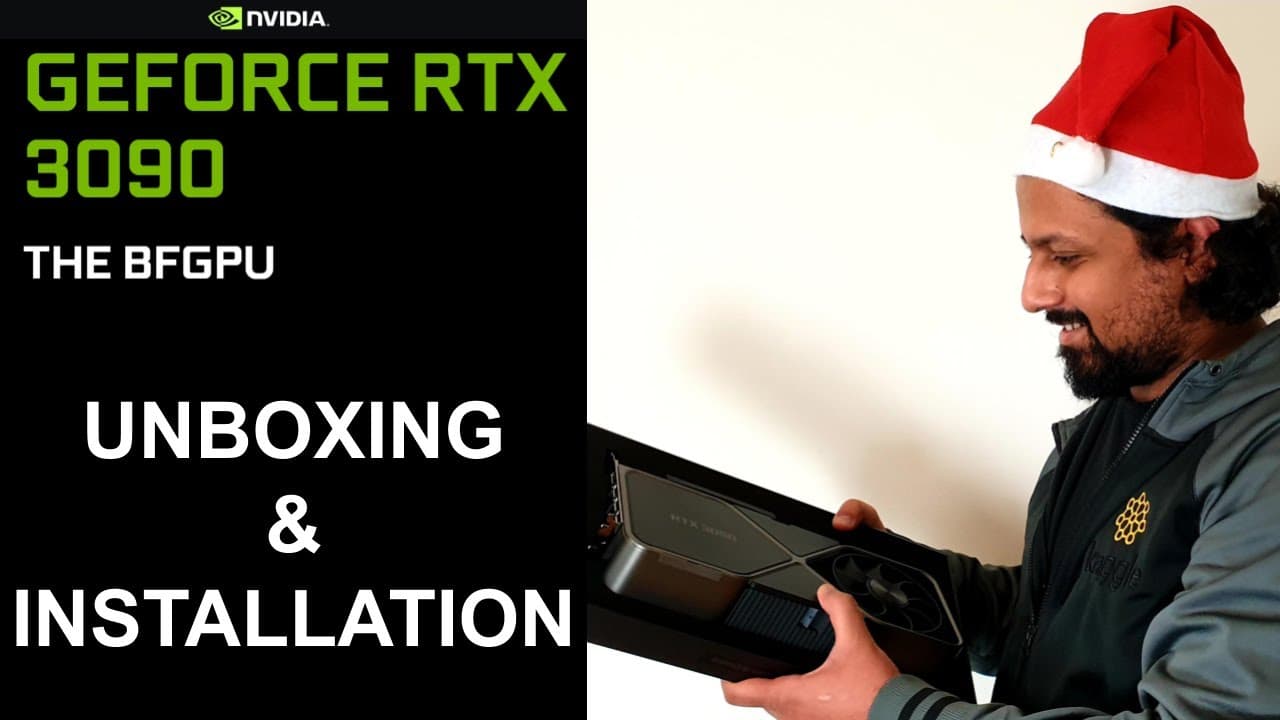
Unboxing and installing the NVIDIA RTX 3090 GPU, a powerful graphics card for gaming and deep learning purposes.
Transcript
hello everyone and welcome to my youtube channel in this video today i'm going to unbox rtx 3090 gpu and install it on my machine so it all started when i tweeted that this christmas i'm going to gift myself something and nvidia saw this tweet and they decided to gift me uh rtx 3090. so i had plans to buy the 30 90 gpu for christmas but nvidia has ... Read More
Key Insights
- ✋ The NVIDIA RTX 3090 GPU is a high-performance graphics card known for its advanced features.
- 😒 The presenter plans to use the GPU for deep learning purposes instead of gaming.
- ❣️ The unboxing process reveals a sleek and heavy GPU with impressive specifications.
- 👶 The installation process involves removing the existing GPU and securely installing the new GPU.
- 🎮 The presenter intends to create a benchmarking video comparing the RTX 3090 to other GPUs for deep learning purposes.
- 👾 The importance of having a sufficient power supply and space for proper GPU installation is highlighted.
- 💝 The presenter acknowledges the generosity of NVIDIA for gifting them the RTX 3090 GPU.
Install to Summarize YouTube Videos and Get Transcripts
Explore YouTube Video Summarizer or Get YouTube Transcript Extractor
Questions & Answers
Q: What is the NVIDIA RTX 3090 GPU known for?
The NVIDIA RTX 3090 GPU is known for its high performance, large memory capacity, and advanced architectural features, such as second-generation ray tracing and third-generation tensor cores.
Q: How does the presenter plan to use the GPU?
The presenter plans to use the NVIDIA RTX 3090 GPU for deep learning purposes.
Q: What is the difference between the NVIDIA RTX 3090 and the presenter's previous GPU, the Titan RTX?
The NVIDIA RTX 3090 is larger in size and has more memory capacity compared to the previous GPU, the Titan RTX. The RTX 3090 has 10,496 CUDA cores and 24 gigabytes of memory.
Q: What does the unboxing process entail?
The unboxing process involves opening the sleek black box of the NVIDIA RTX 3090 GPU, which includes the GPU itself, a cable for PSU connection, a quick start guide, and a support guide.
Q: How does the presenter install the GPU in their computer?
The presenter first removes the power supply and the existing GPU from their computer. They then insert the RTX 3090 GPU into the proper slot, secure it with screws, and connect the necessary cables.
Summary & Key Takeaways
-
The content is about unboxing and installing the NVIDIA RTX 3090 GPU, which was gifted to the presenter by NVIDIA.
-
The GPU is known for its high performance, large memory capacity, and advanced architectural features.
-
The presenter plans to use the GPU for deep learning purposes and will create a benchmarking video comparing it to other GPUs.
Read in Other Languages (beta)
Share This Summary 📚
Summarize YouTube Videos and Get Video Transcripts with 1-Click
Try YouTube Summary with ChatGPT & Claude or YouTube Transcript Generator
Explore More Summaries from Abhishek Thakur 📚



Summarize YouTube Videos and Get Video Transcripts with 1-Click
Try YouTube Summary with ChatGPT & Claude or YouTube Transcript Generator