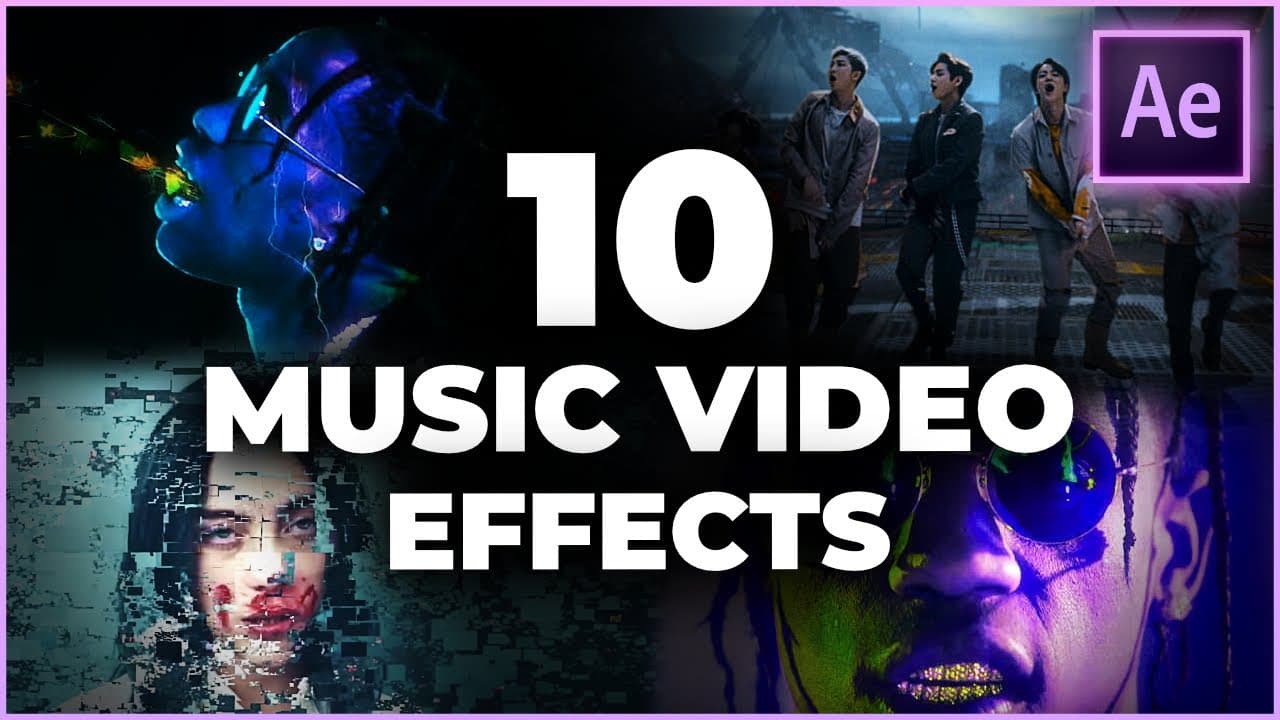
10 EASY Music Video Effects To Use in 2022
TL;DR
Learn 10 effects in After Effects to enhance your music videos and make them look more professional and dynamic.
Transcript
today we're going to learn 10 effects to level up your music video in after effects how is it going guys and welcome to the olufemi channel we're a group of teachers that want to shore up your video production skills in as little time as possible yo it's herman here on the olympia channel and if you're just scratching your head wondering why your m... Read More
Key Insights
- 💥 The use of speed ramps in music videos can create dramatic effects, making certain moments feel more intense or impactful. Keyframes in After Effects can be used to manipulate the speed and duration of clips, allowing for smooth transitions between fast and slow motion.
- 🎤 Adding animated lyrics behind the artist or an object in a music video can create a sense of depth and style. By using the rotobrush tool in After Effects, it is possible to cut out the artist or object and animate the lyrics to appear behind them, similar to onomatopoeias in films like "Scott Pilgrim vs. the World."
- 🔥 The wiggle effect in After Effects is a great way to add energy and vibrancy to a shot. By applying the wiggle expression to keyframes, it is possible to create dynamic and shaky movements that draw attention to specific moments in the video.
- 📽️ The punch zoom effect is commonly used in music videos, especially during dance sequences, to add energy and impact to the shots. By keyframing scale and position, it is possible to zoom in and out on specific moments, highlighting the artist's movements and creating a dynamic visual.
- 🎆 The strobe effect is often used in hip hop music videos to create a glitchy and psychedelic feel. By adjusting the opacity with the wiggle expression, it is possible to create a strobe-like effect that adds excitement and intensity to the footage.
- 🌈 Using lens flares can add a polished and stylish look to music videos. Stock lens flares from platforms like Envato Elements can be easily applied and blended with the footage, creating vibrant and eye-catching visuals.
- ⚡ The displacement burst effect can be used to create impact around specific moments in a music video. By using a displacement map and keyframes, it is possible to create a ripple-like effect that distorts the background, drawing attention to the artist or the central focus of the shot.
- 🌈 The chromatic aberration effect can give music videos a glitchy and glitchy feel. By splitting the footage into three layers and applying the shift channels effect, it is possible to create a distorted and out-of-focus look around the edges, while keeping the center clean and focused on the artist.
- 🔒 The lock on effect can be used to keep the artist or a specific object in the center of the frame, while the rest of the footage moves around it. By tracking the face or object using mocha or a tracker in After Effects, and then applying the data to a null object, it is possible to create a locked on effect that keeps the focus on the central subject.
- 🔮 The echo effect can add a trippy and disorienting feel to music videos. By duplicating the footage and adjusting the echo effect with multiple echoes and decay, it is possible to create a visual effect that creates a sense of repetition and distortion.
Install to Summarize YouTube Videos and Get Transcripts
Explore YouTube Video Summarizer or Get YouTube Transcript Extractor
Questions & Answers
Q: How can you use time remapping to create speed ramps in After Effects?
To create speed ramps, you can enable time remapping for a clip, set keyframes at different points in time to control the speed, and manipulate the duration between keyframes to make the clip playback faster or slower.
Q: What is the purpose of adding animated lyrics behind the artist in a music video?
Adding animated lyrics behind the artist or object adds depth and style to the music video. It creates a more interactive way to highlight certain moments of the song and makes the video visually appealing.
Q: How can you create a punch zoom effect in After Effects?
To create a punch zoom effect, you can set keyframes for position and scale at the desired moment in your footage. By adjusting the scale and position values, you can create a zoom-in effect that highlights impactful moments.
Q: How can you create a strobe effect in a music video?
To create a strobe effect, you can use an adjustment layer and apply the wiggle expression to the opacity parameter. This will make the opacity flicker rapidly, creating a strobe-like effect in the video.
Q: What is the purpose of adding lens flares to a music video?
Adding lens flares can enhance the visual appeal of a music video and give it a polished and stylistic look. Lens flares can create a sense of depth and add a professional touch to the overall visual composition.
Q: How can you use the displacement map effect to add impact to a specific moment in a music video?
The displacement map effect can be used to add impact to a specific moment by creating a displacement map animation. By applying this effect to a footage layer, you can distort the surrounding areas of the frame, creating a burst effect around the subject.
Q: How can you create the lock-on effect in a music video?
The lock-on effect can be created by tracking a specific element, such as the artist's face, using a tracking software like Mocha. Once the tracking data is applied to the footage, you can use a null object to control the position and scale of the footage, keeping the tracked element centered.
Q: How can you create a chromatic aberration effect in After Effects?
To create a chromatic aberration effect, you can duplicate the footage layer and apply color channel shifts to each duplicated layer. By adjusting the position and scale of each layer, you can create a split effect while keeping the focus on the center of the frame.
Summary & Key Takeaways
-
Learn how to use time remapping to create speed ramps and slow motion effects in your music videos.
-
Discover how to add animated lyrics behind the artist or object to create a sense of depth and style.
-
Explore the wiggle effect to add energy and movement to your shots, and learn how to smoothen out the motion with the speed graph editor.
-
Learn how to create punch zoom effects to highlight impactful moments in your music videos.
-
Add lens flares and light leaks to give your videos a polished and stylistic look.
-
Use the displacement map effect to create a burst effect around your subject for added impact.
-
Create a strobe effect in post-production to give your music videos a flashy and glitchy vibe.
-
Add chromatic aberration to create a split effect and draw attention to the center of the frame.
-
Use the lock-on effect to keep the focus on the artist's face while the background moves dynamically.
-
Explore the use of the echo effect to create a psychedelic and disorienting effect in your music videos.
Read in Other Languages (beta)
Share This Summary 📚
Summarize YouTube Videos and Get Video Transcripts with 1-Click
Try YouTube Summary with ChatGPT & Claude or YouTube Transcript Generator
Explore More Summaries from Olufemii 📚
Summarize YouTube Videos and Get Video Transcripts with 1-Click
Try YouTube Summary with ChatGPT & Claude or YouTube Transcript Generator