How to Connect Facebook & WordPress Plugins : WordPress Lessons
TL;DR
Learn how to connect your WordPress site with Facebook using the Jetpack plugin.
Transcript
hey there vom blert here again so the topic we're going to talk about today is how to connect Facebook and WordPress we're going to talk about using jetpack it's a multifaceted plugin developed and maintained by automatic the publisher of Wordpress while jetpack has a whole host of Cool Tools built into supercharge your WordPress site we're only go... Read More
Key Insights
- 🔨 Jetpack is a powerful plugin developed by Automatic, the publisher of WordPress, with numerous tools to enhance WordPress sites.
- 👻 Connecting your WordPress site to Facebook using Jetpack allows you to automatically publish your posts on Facebook.
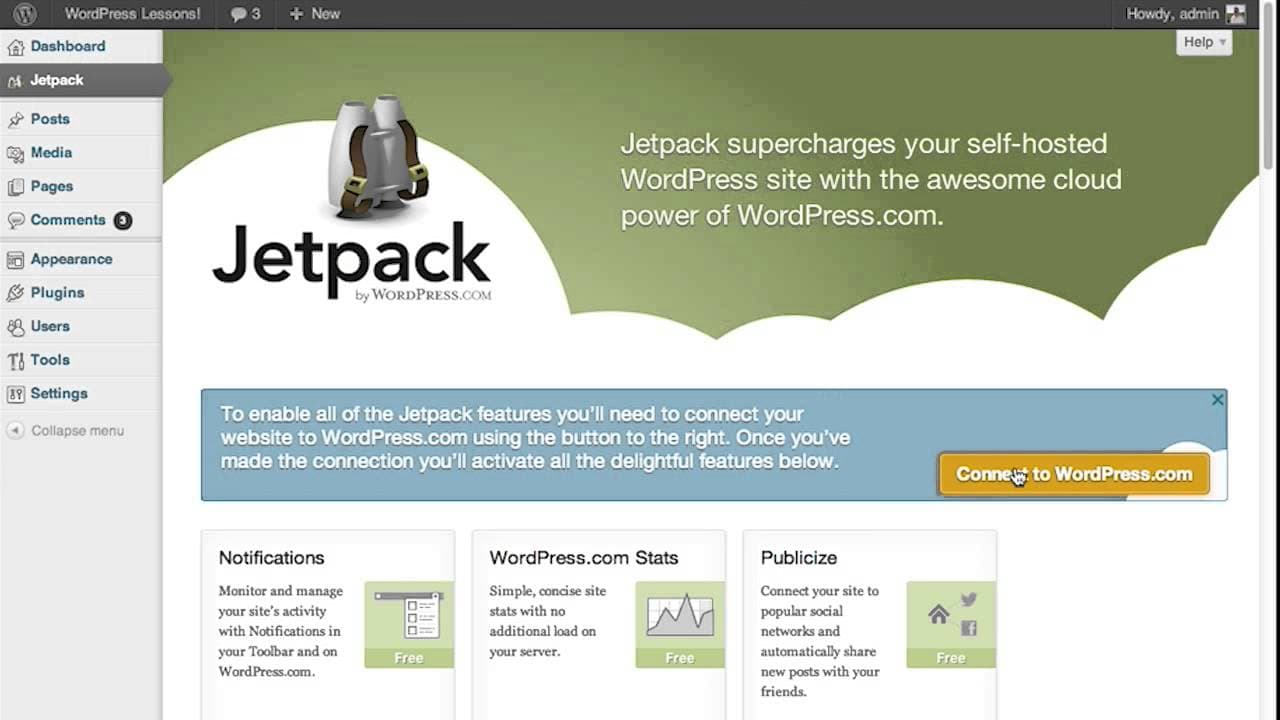
- 🪡 To establish the connection, you need to download, activate, and authorize the Jetpack plugin, as well as connect your site to WordPress.com.
- 🤙 The Jetpack Facebook module, called "publicize," enables seamless sharing of WordPress posts on Facebook.
- 🥶 Occasionally, the connection token may expire, disrupting the Facebook integration. To fix this, delete the old connection and reauthorize the WordPress SL Facebook connection.
- 👤 Following these steps, users can easily connect their WordPress site to Facebook and enjoy the benefits of increased visibility and engagement.
- ❓ The content creator, Von Buard, provides additional WordPress lessons on ehow.com.
Install to Summarize YouTube Videos and Get Transcripts
Explore YouTube Video Summarizer or Get YouTube Transcript Extractor
Questions & Answers
Q: What is the Jetpack plugin used for?
The Jetpack plugin is a multifaceted plugin for WordPress that enhances your site with various tools, including the Facebook module.
Q: How can I download and activate the Jetpack plugin?
You can download the Jetpack plugin from the WordPress plugins repository by searching for "Jetpack" and clicking the install button. After installation, activate the plugin in the WordPress Administration Pages.
Q: How do I connect my WordPress site to WordPress.com?
To connect your site to WordPress.com, you need to set up a WordPress.com account and click the authorize button in the Jetpack menu of the WordPress Administration Pages.
Q: How do I connect my Facebook profile and Pages to Jetpack?
In the Jetpack menu, go to the sharing settings page and click "add new Facebook connection." A box will pop up with your Facebook profile and Pages. Choose the desired connection to link with Jetpack.
Summary & Key Takeaways
-
The content explains how to connect Facebook and WordPress using the Jetpack plugin.
-
It requires downloading and activating the Jetpack plugin from the WordPress plugin repository.
-
Once activated, users need to connect their site to WordPress.com, set up a WordPress.com account, and authorize the connection to access the Jetpack tools.
Read in Other Languages (beta)
Share This Summary 📚
Summarize YouTube Videos and Get Video Transcripts with 1-Click
Try YouTube Summary with ChatGPT & Claude or YouTube Transcript Generator
Explore More Summaries from ehow 📚

Summarize YouTube Videos and Get Video Transcripts with 1-Click
Try YouTube Summary with ChatGPT & Claude or YouTube Transcript Generator