How to Fix RTX 3070 Black Screen Issue
TL;DR
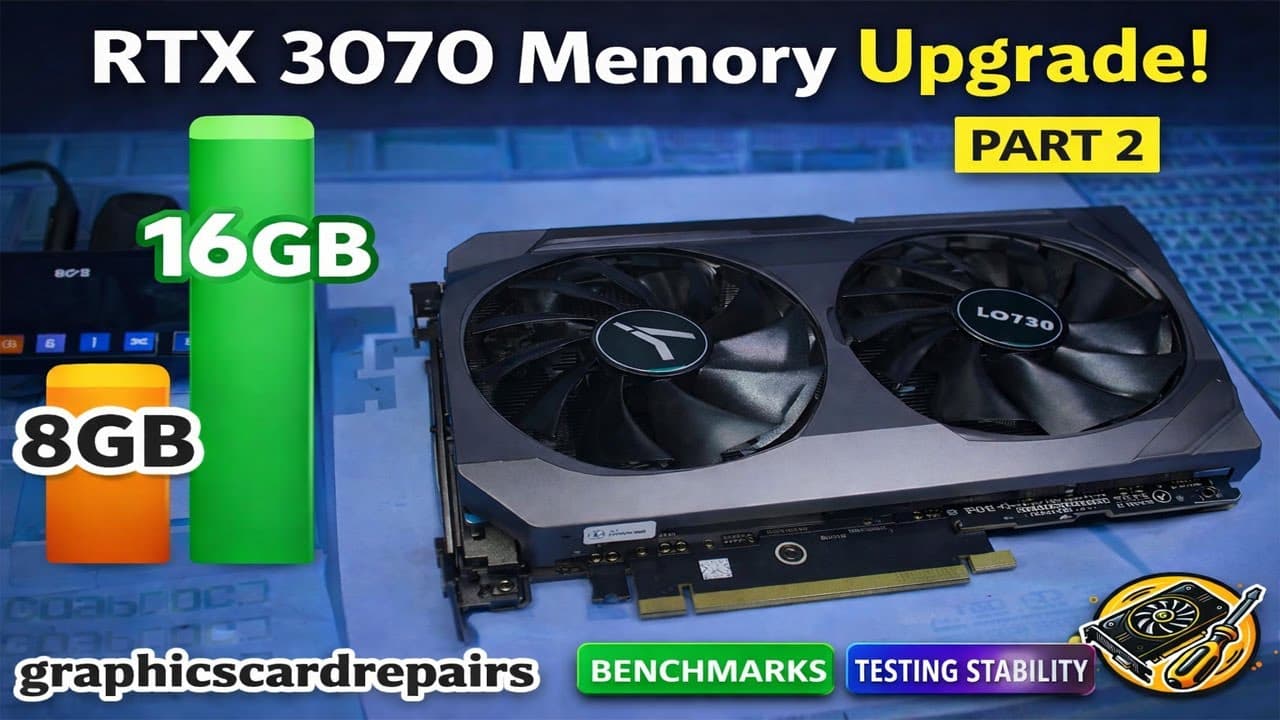
To resolve the black screen issue after upgrading an RTX 3070 to 16GB, change the power management mode in the Nvidia control panel to 'Maximum Performance'. This adjustment prevents the black screen from occurring during stress tests or high memory usage scenarios, ensuring the GPU operates smoothly with the increased VRAM.
Transcript
hi welcome to GPU Solutions my name is Fraser and uh this is part two of the upgrade series of the RTX 3070 from 8 GB to 16 GB in the last video we checked uh I showed you uh rather how to upgrade the memory from 8 GB to 16 and so I showed you in detail as to how exactly it's done in this particular video we are going to take care of the black scre... Read More
Key Insights
- Changing the power management mode in the Nvidia control panel to 'Maximum Performance' resolves the black screen issue.
- RTX 3070 upgraded to 16GB VRAM can perform well under stress tests without crashing.
- The upgraded GPU can utilize up to 95% of its 16GB VRAM during tests.
- Benchmarks and real-world gaming tests show the GPU handles memory-intensive tasks smoothly.
- Not all games will utilize the full 16GB VRAM, but those that do, run without issues.
- The upgrade process requires careful configuration and testing to ensure stability.
- User suggestions and community input can be crucial in troubleshooting and resolving hardware issues.
- Future upgrades on other GPU models are planned, pending availability of resources and components.
Install to Summarize YouTube Videos and Get Transcripts
Explore YouTube Video Summarizer or Get YouTube Transcript Extractor
Questions & Answers
Q: How to resolve the black screen issue on an upgraded RTX 3070?
To resolve the black screen issue on an upgraded RTX 3070 with 16GB VRAM, change the power management mode in the Nvidia control panel to 'Maximum Performance'. This setting prevents the GPU from experiencing black screens during high memory usage or stress tests, ensuring stable and smooth operation.
Q: What changes were made to fix the RTX 3070 black screen issue?
The key change made to fix the RTX 3070 black screen issue was adjusting the power management mode in the Nvidia control panel to 'Maximum Performance'. This change ensures that the GPU operates at optimal power levels, preventing black screens during intensive tasks or when the VRAM usage is high.
Q: How does the RTX 3070 perform after the memory upgrade?
After upgrading the RTX 3070 to 16GB, the GPU performs well in various benchmarks and gaming tests. It can utilize up to 95% of its VRAM without experiencing black screens, demonstrating stability and efficiency in memory-intensive applications. The upgrade allows the GPU to handle tasks that exceed the original 8GB limit smoothly.
Q: What benchmarks were used to test the upgraded RTX 3070?
The upgraded RTX 3070 was tested using various benchmarks, including OCCT, Superposition, and 3DMark. These tests assessed the GPU's ability to handle high memory usage and stress conditions. Additionally, real-world gaming scenarios, such as Red Dead Redemption 2 and Far Cry 6, were used to evaluate performance.
Q: What are the potential issues with upgrading the RTX 3070's memory?
Potential issues with upgrading the RTX 3070's memory include compatibility problems, such as black screens or crashes, if the power management settings are not adjusted. Additionally, not all games or applications may fully utilize the increased VRAM, and there might be challenges in sourcing compatible memory modules for the upgrade.
Q: How does the upgraded RTX 3070 handle gaming scenarios?
In gaming scenarios, the upgraded RTX 3070 handles tasks efficiently, even when VRAM usage exceeds 8GB. Games like Far Cry 6 and Plague Tale: Requiem demonstrate the GPU's ability to run smoothly without black screens, thanks to the 'Maximum Performance' power management setting in the Nvidia control panel.
Q: What community feedback helped resolve the RTX 3070 issue?
Community feedback, particularly suggestions to change the Nvidia control panel's power management mode to 'Maximum Performance', was instrumental in resolving the RTX 3070's black screen issue. This collaborative input highlighted the importance of engaging with the user community for effective troubleshooting and problem-solving.
Q: What are the future plans for GPU upgrades in the series?
Future plans for GPU upgrades in the series include experimenting with other models like the RTX 3080 and 3080 Ti, contingent on the availability of resources and components. The creator aims to explore similar memory upgrades and performance enhancements, supported by community contributions and feedback.
Summary & Key Takeaways
-
Changing the Nvidia control panel's power management mode to 'Maximum Performance' resolves the black screen issue in an upgraded RTX 3070. This adjustment ensures stable operation during stress tests and high memory usage scenarios, allowing the GPU to utilize its full 16GB VRAM effectively.
-
The video demonstrates the upgraded RTX 3070's performance in various benchmarks and games, confirming that it can handle memory-intensive tasks smoothly. Community feedback was instrumental in identifying the power management setting as the solution to the black screen problem.
-
Future plans include experimenting with other GPU models for similar upgrades, though these projects depend on the availability of resources. The video encourages viewer interaction and support to facilitate further hardware experimentation and content creation.
Read in Other Languages (beta)
Share This Summary 📚
Summarize YouTube Videos and Get Video Transcripts with 1-Click
Try YouTube Summary with ChatGPT & Claude or YouTube Transcript Generator
Explore More Summaries from GPU Solutions 📚
Summarize YouTube Videos and Get Video Transcripts with 1-Click
Try YouTube Summary with ChatGPT & Claude or YouTube Transcript Generator