How to tell if you're getting hacked: File Visualizer
TL;DR
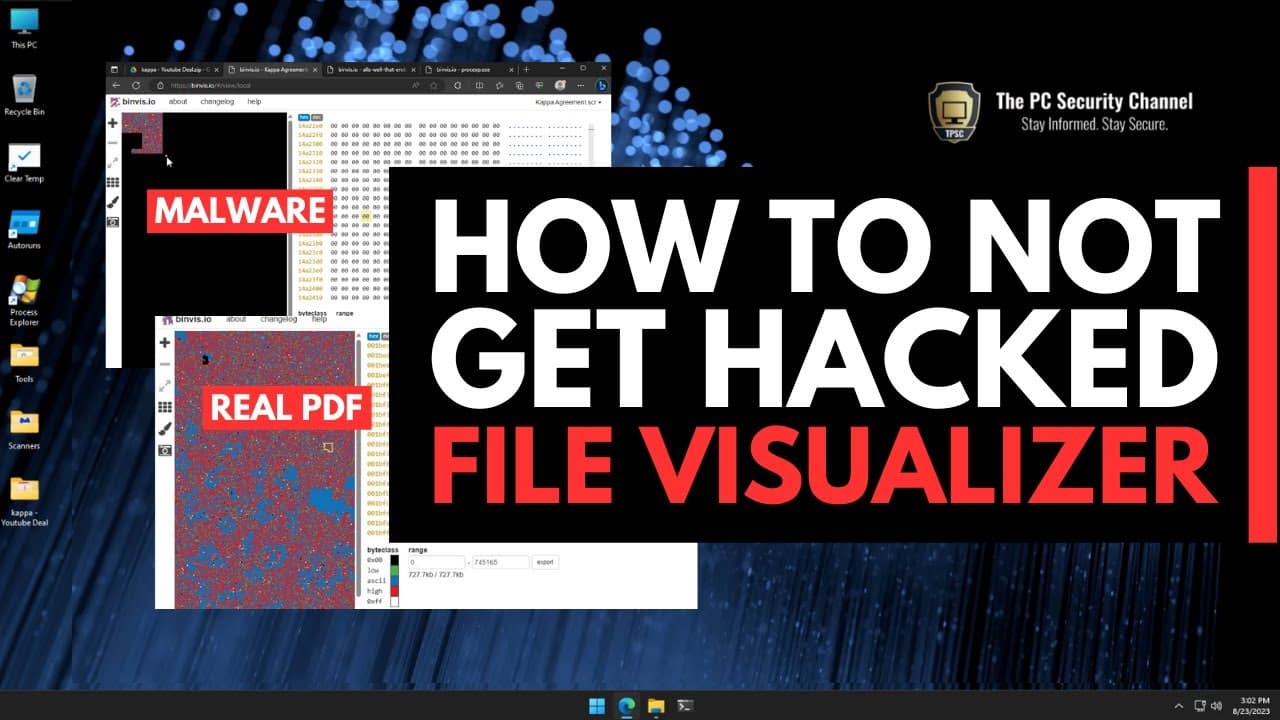
Malware posing as a PDF is analyzed using a tool called binvis.io to reveal its true structure and identify any obfuscation techniques used.
Transcript
so in the last video we looked at fake emails being sent to YouTubers like myself pretending to be a sponsor offer which of course this is not when you go ahead and try to download the file which is supposed to be an offer or a PDF document turns out it's actually an info stealer now in the last video we tried to analyze this on platforms like fire... Read More
Key Insights
- 🥸 Fake emails pretending to be sponsor offers often contain malware disguised as legitimate files, such as PDFs.
- 😒 Malware authors use techniques like file enlargement, obfuscation, and extension manipulation to avoid detection.
- 💨 Binary visualizer, like binvis.io, provides a powerful way to visually compare and analyze file contents, revealing inconsistencies and potential malware presence.
- 📁 The structure and concentration of colors in malware-infected files often differ significantly from legitimate files.
- 👊 Identifying irregularities in file structure can help detect and mitigate malware attacks.
- 📜 Binary visualizer can analyze both Windows executable files and PDF documents, comparing them side by side.
- 📁 Visualization tools like binary visualizer offer a valuable perspective in the analysis of malware and other files.
Install to Summarize YouTube Videos and Get Transcripts
Explore YouTube Video Summarizer or Get YouTube Transcript Extractor
Questions & Answers
Q: How does binary visualizer help in analyzing malware files?
Binary visualizer allows analysts to visualize file contents, making it easier to identify inconsistencies and irregularities that might indicate malware presence. It helps in understanding the structure and possible obfuscation techniques used by the attacker.
Q: What are some visual indicators that suggest a file is malware-infected?
In the video, the malware file appears as a large black hole with empty spaces scattered throughout. This stark difference in structure compared to legitimate files raises suspicions. Additionally, the concentration of different colors and patterns can also reveal irregularities.
Q: Can binary visualizer be used to analyze files of any size?
Yes, binary visualizer has the capability to analyze files of any size. In the video, a 674 megabyte malware sample is analyzed without any issue. There is no need for trickery or manipulation to analyze such large files.
Q: What benefits does binary visualizer offer over other analysis tools?
Binary visualizer provides a bird's eye view of file contents, allowing analysts to quickly identify abnormalities and understand the structure of a file. Unlike other analysis tools, visualizations cannot be easily deceived by obfuscation techniques, making it an effective method in identifying malware.
Summary & Key Takeaways
-
The video explores the use of binary visualizer to compare a malware-infected file posing as a PDF with an actual PDF document.
-
By examining the visual representation of the files, it becomes evident that the malware file has an abnormal structure.
-
The analysis highlights the importance of visualizing file contents to identify inconsistencies and potential malware presence.
Read in Other Languages (beta)
Share This Summary 📚
Summarize YouTube Videos and Get Video Transcripts with 1-Click
Try YouTube Summary with ChatGPT & Claude or YouTube Transcript Generator
Explore More Summaries from The PC Security Channel 📚






Summarize YouTube Videos and Get Video Transcripts with 1-Click
Try YouTube Summary with ChatGPT & Claude or YouTube Transcript Generator