How Apple Devices Seamlessly Integrate Together
TL;DR
Apple devices and apps offer seamless integration through features like Universal Clipboard, Handoff, and AirDrop, enhancing productivity and convenience. These features allow users to switch tasks between devices effortlessly, share files instantly, and maintain continuity across their Apple ecosystem. The integration eliminates common technological frictions, making daily tasks more efficient and enjoyable.
Transcript
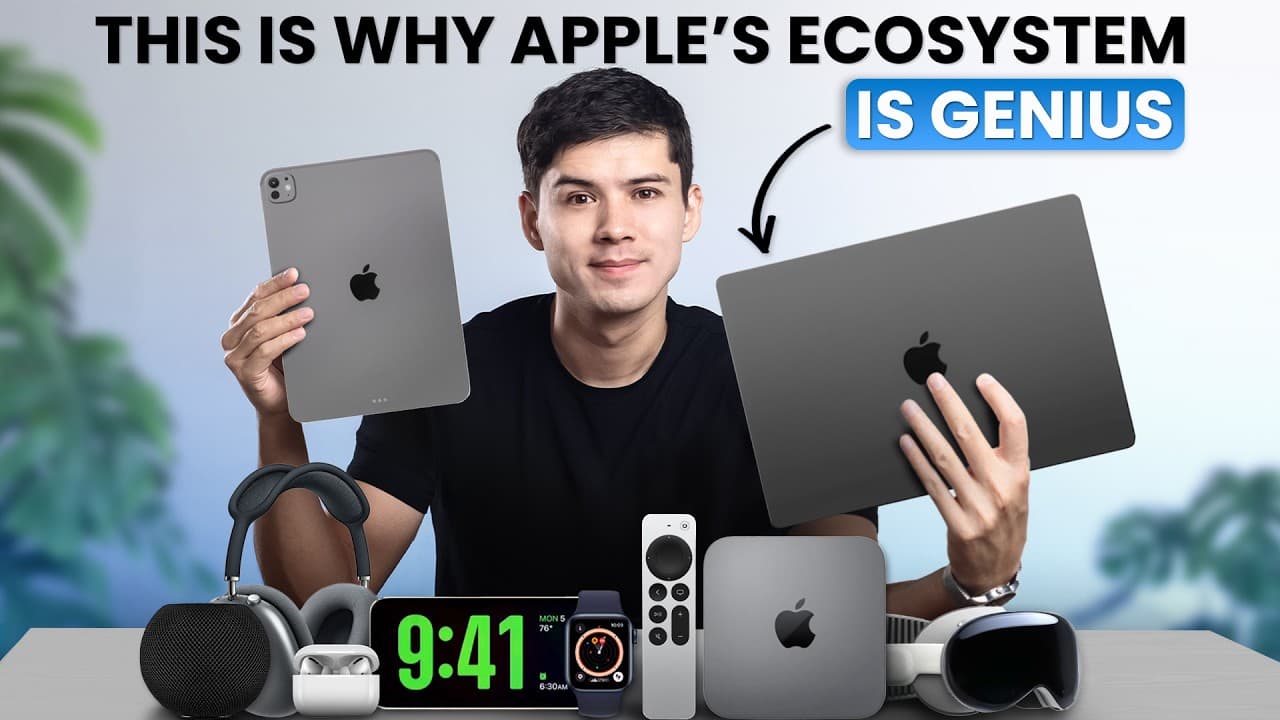
For 20 years, I used only Windows and Android devices. Four years ago, all that changed when I bought this MacBook Pro. And now I'm surrounded by iPhones, iPads, AirPods, Apple Watch, and more. And I love the Apple ecosystem more than I ever thought that I would. Mainly because of how Apple's devices and apps talk with each other. And that's becaus... Read More
Key Insights
- Universal Clipboard allows copying text on one Apple device and pasting it on another without extra steps, saving time and effort.
- Handoff enables users to start tasks on one device and continue them on another, enhancing productivity across multiple Apple devices.
- AirDrop facilitates instant file transfers between Apple devices in proximity, eliminating the need for traditional file transfer methods.
- Continuity Camera uses an iPhone as a high-quality webcam for MacBooks, providing better video call quality and additional features like desk view.
- Sidecar turns an iPad into a second screen for a MacBook, expanding workspace and maintaining touch functionality.
- Universal Control allows a single mouse and keyboard to control multiple Apple devices, enabling seamless interaction and file sharing.
- AirPods automatically switch between devices based on user activity, providing a seamless audio experience without manual Bluetooth adjustments.
- Focus mode syncs across all Apple devices, creating a distraction-free environment tailored to specific tasks and times.
Install to Summarize YouTube Videos and Get Transcripts
Explore YouTube Video Summarizer or Get YouTube Transcript Extractor
Questions & Answers
Q: How does Universal Clipboard work between Apple devices?
Universal Clipboard allows users to copy text or data on one Apple device and paste it directly onto another device without additional steps. This feature works seamlessly across iPhones, iPads, and MacBooks, syncing clipboard content instantly and saving users time by eliminating the need for manual transfers or third-party apps.
Q: What is the Handoff feature in Apple's ecosystem?
Handoff is a feature that allows users to start a task, like drafting an email or browsing a webpage, on one Apple device and continue it on another. It works with apps like Safari, Mail, and Maps, enabling seamless transitions between devices and enhancing productivity by maintaining task continuity across the Apple ecosystem.
Q: How does AirDrop facilitate file transfers?
AirDrop enables instant file transfers between Apple devices that are in close proximity. It uses Bluetooth and Wi-Fi to detect nearby devices, allowing users to send photos, videos, documents, and links without the need for email or cloud services. This feature simplifies file sharing and is known for its speed and ease of use.
Q: What is Continuity Camera and how is it used?
Continuity Camera allows users to use their iPhone as a webcam for their MacBook, providing significantly better quality than built-in webcams. The feature activates automatically when an iPhone is nearby, enhancing video call quality and offering additional capabilities like desk view for demonstrations, making it ideal for professional and personal use.
Q: How does Sidecar enhance the Apple ecosystem experience?
Sidecar transforms an iPad into a second screen for a MacBook, expanding the user's workspace. It maintains the iPad's touch functionality and supports the use of Apple Pencil for precise input. This feature is particularly useful for multitasking, allowing users to reference documents or keep communication apps visible while focusing on a main task.
Q: What is Universal Control in the Apple ecosystem?
Universal Control allows users to control multiple Apple devices with a single mouse and keyboard. By placing devices next to each other, users can seamlessly move the cursor between screens, drag files across devices, and type on any device without changing their setup. This feature enhances workflow efficiency and device interaction.
Q: How do AirPods switch between Apple devices automatically?
AirPods automatically switch between Apple devices based on the user's current activity. They connect to the device that is actively playing audio or receiving a call, without requiring manual Bluetooth settings adjustments. This intelligent switching prioritizes important tasks like phone calls over background music, ensuring a seamless audio experience.
Q: What benefits does Focus mode synchronization offer?
Focus mode synchronization across Apple devices creates a distraction-free environment tailored to specific tasks and times. By activating Focus mode on one device, it automatically applies to all devices, silencing notifications and customizing settings. This feature supports deep work, meetings, and personal time, enhancing productivity and focus by minimizing interruptions.
Summary & Key Takeaways
-
Apple's ecosystem offers seamless integration across devices, enhancing user productivity and convenience through features like Universal Clipboard and Handoff. These innovations allow for effortless task switching and file sharing, streamlining daily activities.
-
AirDrop and Continuity Camera are standout features, enabling instant file transfers and using an iPhone as a high-quality webcam, respectively. This integration eliminates traditional tech barriers, offering a frictionless user experience.
-
The Apple ecosystem's seamless device interaction, exemplified by Universal Control and automatic AirPods switching, showcases Apple's commitment to creating a cohesive and efficient digital environment for its users.
Read in Other Languages (beta)
Share This Summary 📚
Summarize YouTube Videos and Get Video Transcripts with 1-Click
Try YouTube Summary with ChatGPT & Claude or YouTube Transcript Generator
Explore More Summaries from Mike Dee 📚

Summarize YouTube Videos and Get Video Transcripts with 1-Click
Try YouTube Summary with ChatGPT & Claude or YouTube Transcript Generator