How to Build a MERN Stack Todo App with SWR
TL;DR
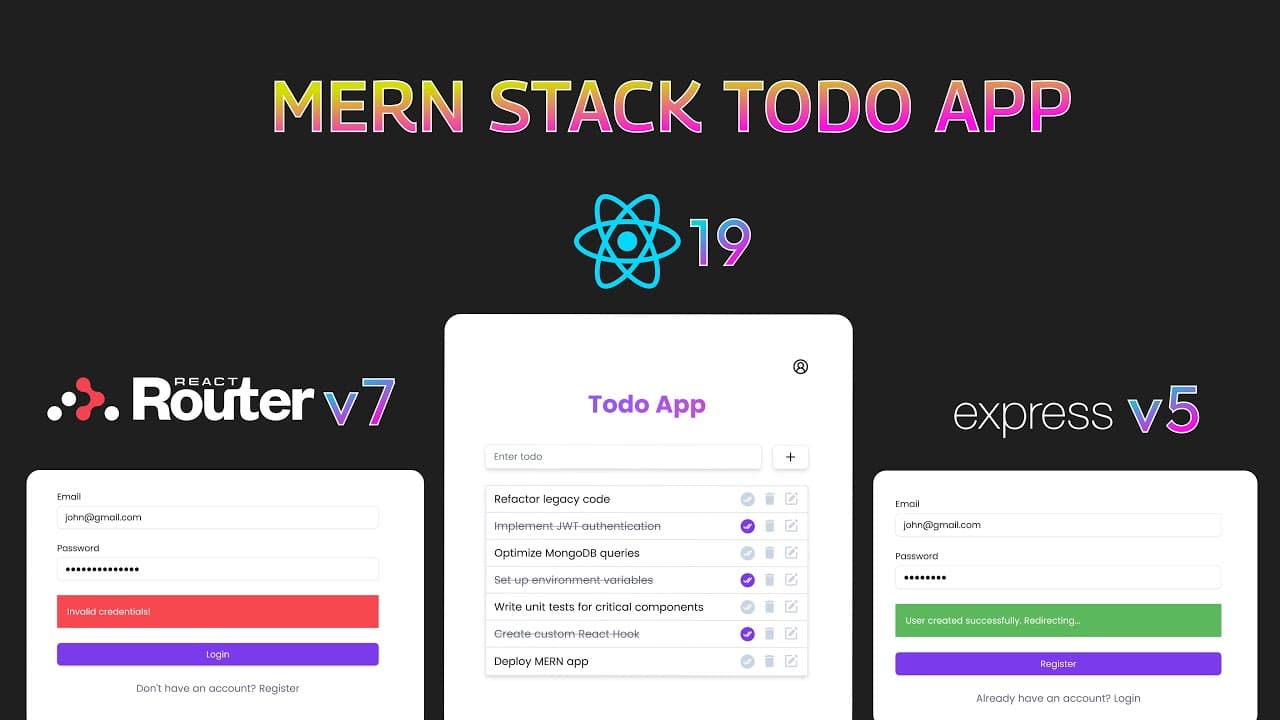
Learn to build a full-stack MERN application with a focus on a Todo list app using React 19, Express v5, MongoDB, Node.js, and SWR. The video covers setting up backend dependencies, routing, user authentication, and CRUD operations. It also demonstrates frontend setup using Shadcn, React Router Dom, and SWR for data fetching and optimistic UI updates.
Transcript
in this video we will be building a full stack mon too app if a user is not logged in they will be redirected to the login page let's start by registering a new account we will enter the email John at gmail.com and the password John at123 now when I click the register button it will be disabled and the button text will change to registering after t... Read More
Key Insights
- MERN stack consists of MongoDB, Express, React, and Node.js, offering a full-stack JavaScript solution.
- SWR is a React Hooks library for data fetching, enabling efficient and optimized UI updates.
- User authentication is implemented using cookies, allowing secure login and logout functionalities.
- Optimistic UI updates enhance user experience by updating the UI instantly before database confirmation.
- Express v5 is used for routing and middleware, providing a robust backend structure.
- React 19 is utilized for building the frontend, offering modern hooks and component-based architecture.
- Error handling is crucial in full-stack applications, ensuring smooth user interactions and debugging.
- CORS configuration is necessary to allow frontend and backend communication in different domains.
Install to Summarize YouTube Videos and Get Transcripts
Explore YouTube Video Summarizer or Get YouTube Transcript Extractor
Questions & Answers
Q: How to set up a MERN stack application?
To set up a MERN stack application, initialize a Node.js project and install Express for backend routing. Use MongoDB as the database and connect it using Mongoose. For the frontend, set up a React application. Integrate all components to create a full-stack application, ensuring proper routing and data flow between frontend and backend.
Q: What is SWR and how is it used in the application?
SWR is a React Hooks library for data fetching, which stands for 'stale-while-revalidate.' It is used in the application to fetch data efficiently, allowing for automatic revalidation and optimized UI updates. SWR enables optimistic UI updates, where the UI is updated instantly before the actual database update, enhancing user experience.
Q: How does the authentication process work in the application?
The authentication process uses cookies to manage user sessions. When a user logs in, a JWT token is generated and stored in a cookie. This token is sent with each request to verify the user's identity. Logout functionality clears the cookie, ending the session. This method ensures secure and efficient user authentication.
Q: What are optimistic UI updates and how are they implemented?
Optimistic UI updates are a technique where the UI is updated immediately, assuming the operation will succeed. This is implemented using SWR, where changes are reflected in the UI before the server confirms them. If the server operation fails, the UI reverts to its previous state, ensuring a seamless user experience.
Q: How is error handling managed in the application?
Error handling is managed using try-catch blocks and a global error handler in Express. This setup captures errors during backend operations and sends appropriate responses to the frontend. Proper error messages are displayed to users, and errors are logged for debugging, ensuring a robust and user-friendly application.
Q: Why is CORS configuration necessary in a full-stack application?
CORS (Cross-Origin Resource Sharing) configuration is necessary to allow the frontend and backend, which may reside on different domains, to communicate securely. It enables the server to specify who can access its resources, thus preventing unauthorized access and ensuring secure data exchanges between the frontend and backend.
Q: How are CRUD operations implemented in the Todo app?
CRUD operations in the Todo app are implemented using Express routes for the backend and SWR for the frontend. The backend handles requests to create, read, update, and delete todos in the MongoDB database. The frontend uses SWR to fetch and display data, providing real-time updates and interactions for the user.
Q: What role does React Router Dom play in the application?
React Router Dom is used for client-side routing in the application. It allows for navigation between different pages, such as login, register, and the main Todo list, without refreshing the page. This provides a seamless and dynamic user experience, essential for modern single-page applications like the Todo app.
Summary & Key Takeaways
-
The video guides viewers through building a full-stack MERN Todo app, utilizing React 19 for the frontend and Express v5 for the backend. It covers setting up MongoDB for data storage and SWR for efficient data fetching and UI updates.
-
User authentication is implemented using cookies, allowing secure login and logout functionalities. The video demonstrates how to handle user registration, login, and CRUD operations for todos with optimistic UI updates.
-
The frontend is set up using Shadcn for UI components and React Router Dom for navigation. The video also emphasizes the importance of error handling and CORS configuration for seamless frontend-backend communication.
Read in Other Languages (beta)
Share This Summary 📚
Summarize YouTube Videos and Get Video Transcripts with 1-Click
Try YouTube Summary with ChatGPT & Claude or YouTube Transcript Generator