Color Correction Tips in Adobe Lightroom 5
TL;DR
Learn how to adjust and manipulate white balance in Lightroom to enhance the colors in your images.
Transcript
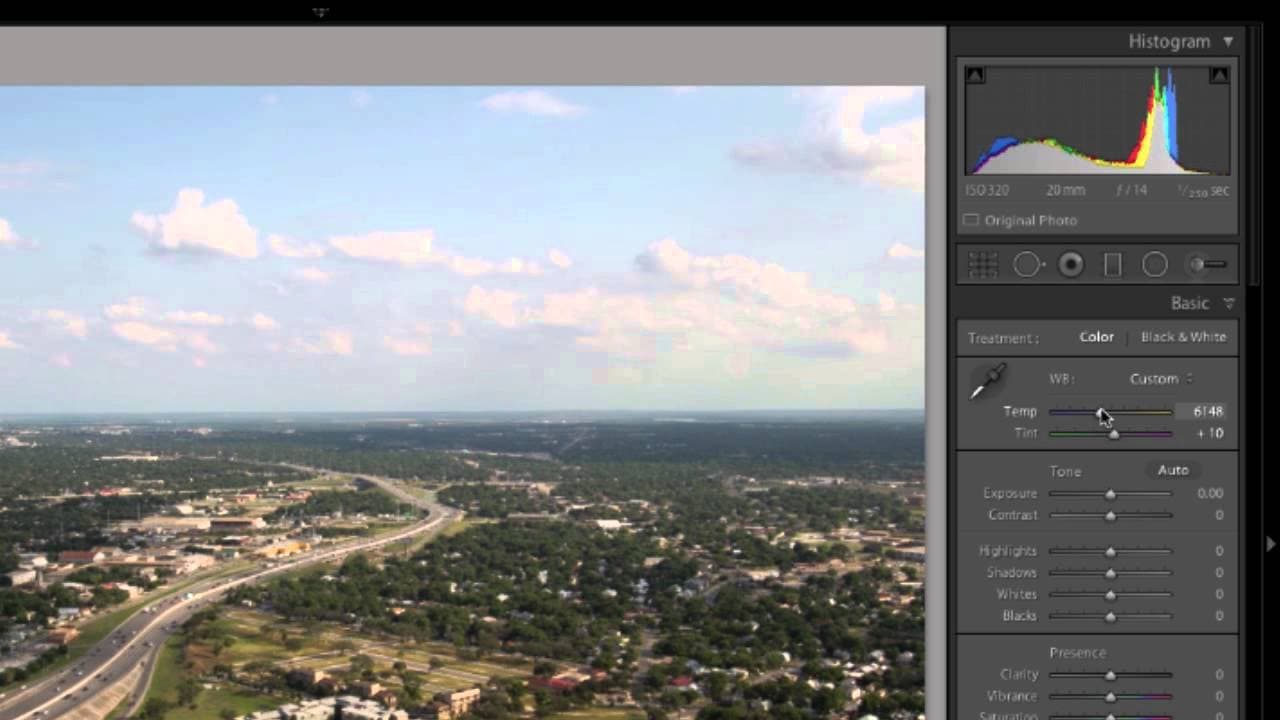
okay now we're going to talk about manipulating your white balance let's open up the basic panel over here on the right and you can see right at the top that you can either work in color or black and white and then right below that you see an area that's going to allow you to manipulate the white balance in the image so few different ways you can d... Read More
Key Insights
- 🤍 Manipulating white balance in Lightroom can drastically change the appearance and mood of your photos.
- 🤍 Using presets can quickly adjust the white balance to match different shooting conditions.
- 👻 Making manual adjustments with the sliders allows for fine-tuning the white balance to achieve the desired look.
- 😐 The dropper tool is handy for setting a target neutral and maintaining accurate color representation.
- 😎 Experimenting and finding the right balance between warm and cool tones can give your photos a unique and personal touch.
- 🤍 Comparing the before and after versions of your edited image helps you assess the effectiveness of your white balance adjustments.
- 💨 The visual representation of before and after images in Lightroom provides a convenient way to see the changes made.
Install to Summarize YouTube Videos and Get Transcripts
Explore YouTube Video Summarizer or Get YouTube Transcript Extractor
Questions & Answers
Q: What is white balance in photography, and why is it important?
White balance refers to the color temperature of an image, affecting how warm or cool the colors appear. It is essential in photography because it dictates the overall mood and feel of the photo.
Q: How can I use presets to manipulate white balance in Lightroom?
Lightroom offers presets like auto, shade, or daylight that automatically adjust the white balance based on shooting conditions. You can choose the preset that best matches the lighting situation to improve the color temperature of your image.
Q: Can I manually adjust the white balance in Lightroom?
Yes, you can manually adjust the white balance in Lightroom by using the sliders. Moving the sliders towards blue will cool down the colors, while moving them towards yellow will warm up the colors. Experimenting with these sliders allows you to customize the white balance to your preference.
Q: How can I use the dropper tool to set a target neutral in Lightroom?
The dropper tool in Lightroom helps you set a target neutral for white balance. Look for an area in the photo that should be a light neutral gray, and click on it with the dropper tool. Lightroom will adjust the white balance based on that selection.
Summary & Key Takeaways
-
In Lightroom, you can manipulate white balance by applying presets, adjusting sliders, or using the dropper tool.
-
White balance presets like auto, shade, or daylight can change the color temperature of your image based on shooting conditions.
-
Adjusting the sliders allows you to manually fine-tune the white balance, making it warmer or cooler.
Read in Other Languages (beta)
Share This Summary 📚
Summarize YouTube Videos and Get Video Transcripts with 1-Click
Try YouTube Summary with ChatGPT & Claude or YouTube Transcript Generator
Explore More Summaries from Skillshare 📚






Summarize YouTube Videos and Get Video Transcripts with 1-Click
Try YouTube Summary with ChatGPT & Claude or YouTube Transcript Generator