Products
Features
YouTube Video Summarizer
Summarize YouTube videos
Web & PDF Highlighter
Highlight web pages & PDFs
Chat with PDF
Ask any PDF questions with AI
Ask AI Clone
Chat with your highlights & memories
Audio Transcriber
Transcribe audio files to text
Glasp Reader
Read and highlight articles
Kindle Highlight Export
Export your Kindle highlights
Idea Hatch
Hatch ideas from your highlights
Integrations
Obsidian Plugin
Notion Integration
Pocket Integration
Instapaper Integration
Medium Integration
Readwise Integration
Snipd Integration
Hypothesis Integration
Apps & Extensions
Chrome Extension
Safari Extension
Edge Add-ons
Firefox Add-ons
iOS App
Android App
Discover
Discover
Ideas
Discover new ideas and insights
Articles
Curated articles and insights
Books
Book recommendations by great minds
Posts
Essays and notes from readers
Quotes
Inspiring quotes collection
Videos
Curated videos and summaries
Explore Glasp
Glasp Story
How we grew from 0 to 3 million users
Glasp Newsletter
Weekly insights and updates
Glasp Talk
Interview series with great minds
Glasp Blog
Latest news and articles
Glasp Use Cases
Learn how others use Glasp
Build & Support
Glasp API
Access Glasp's API for developers
MCP Connector
Connect Glasp to Claude & ChatGPT
Community
Glasp Reddit Community
Students
Student discount and benefits
FAQs
Frequently Asked Questions
AboutPricing
DashboardLog inSign up

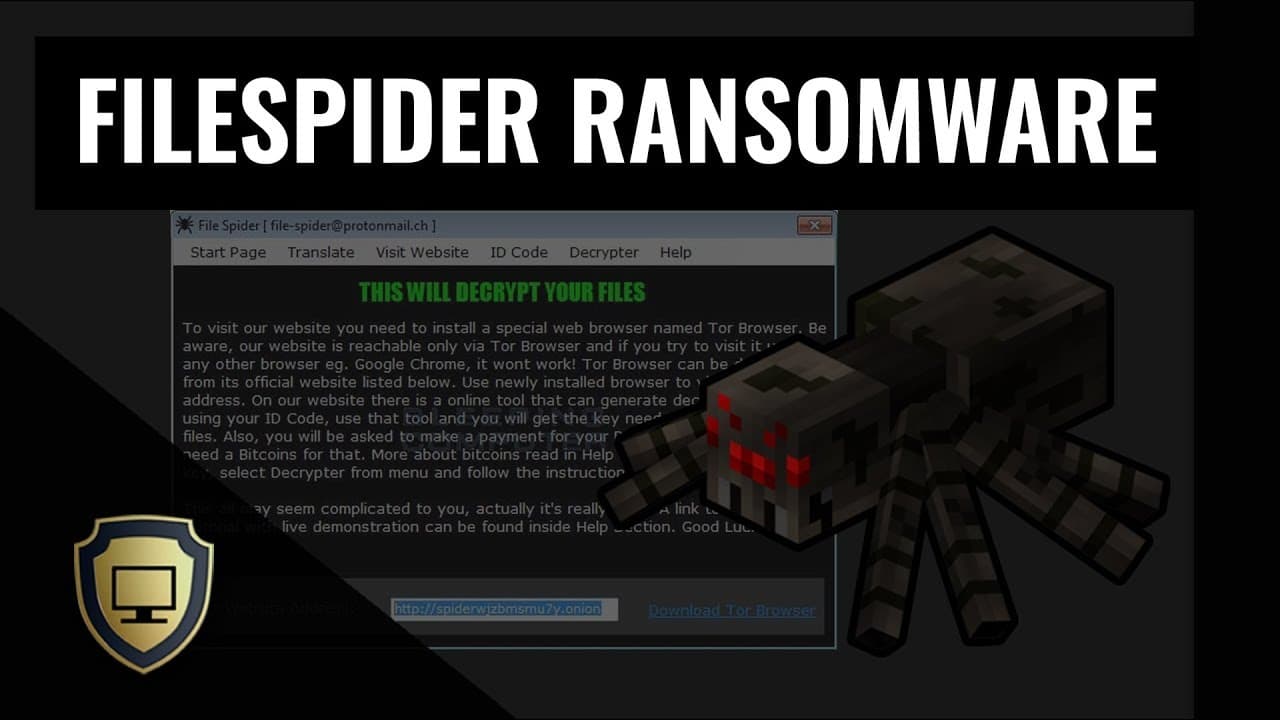
FileSpider Ransomware
December 14, 2017
by
The PC Security Channel
YouTube video player
FileSpider Ransomware

TL;DR

File Spider ransomware uses macros to infiltrate systems, encrypts files, and demands payment for decryption.

Transcript

hello and welcome to the PC security channel today we'll be looking at a brand new ransomware called file spider which has been attacking a lot of Eastern European nations lately as for the attack vector this one is the traditional kind of office based ransomware so it uses macros to infiltrate your system SDK here has a great break down of this in... Read More

Key Insights

  • 🏤 File Spider ransomware targets Eastern European nations using a traditional office-based attack vector.
  • 😒 The malware uses obfuscated macros in Word documents to deliver its payload and execute encryption processes.
  • 📁 Shared folders are also susceptible to encryption, leading to data loss and rendering the files inaccessible.
  • 🤩 Attackers use ransom notes and customer-oriented interfaces to demand payment for decryption keys.
  • 🤗 Enabling macros in unfamiliar documents and opening suspicious email attachments should be avoided to prevent infection.

Install to Summarize YouTube Videos and Get Transcripts

Explore YouTube Video Summarizer or Get YouTube Transcript Extractor

Questions & Answers

Q: How does File Spider ransomware infiltrate systems?

File Spider ransomware uses obfuscated macros in Word documents, enabling it to execute PowerShell scripts and download malicious files.

Q: What happens to files and shared folders after encryption?

Once encrypted, files and shared folders become inaccessible unless a ransom is paid for the decryption key provided by the attackers.

Q: How can users protect themselves from File Spider ransomware?

Users should avoid enabling macros in unfamiliar documents and exercise caution when opening email attachments with suspicious extensions. It is important to have a reliable security solution and regularly backup data to mitigate the risk.

Q: Can File Spider ransomware be decrypted without paying the ransom?

No, decryption without paying the ransom is not feasible. Victims must pay the ransom to obtain the decryption key and recover their files.

Summary & Key Takeaways

  • File Spider ransomware is a new threat targeting Eastern European nations using a traditional office-based attack vector.

  • The malware infiltrates systems through obfuscated macros in Word documents and downloads a JavaScript file to execute the encryption process.

  • Shared folders are also vulnerable to the attack, encrypting all data and displaying a ransom note with instructions for payment.


Read in Other Languages (beta)

English

Share This Summary 📚

Summarize YouTube Videos and Get Video Transcripts with 1-Click

Download browser extensions on:

Try YouTube Summary with ChatGPT & Claude or YouTube Transcript Generator

Explore More Summaries from The PC Security Channel 📚

What Is Petya Ransomware and How Dangerous Is It? thumbnail
What Is Petya Ransomware and How Dangerous Is It?
The PC Security Channel
Kaspersky Internet Security 2017 Review thumbnail
Kaspersky Internet Security 2017 Review
The PC Security Channel
NordVPN Hacked! How secure is VPN Really? thumbnail
NordVPN Hacked! How secure is VPN Really?
The PC Security Channel
Security Talk 6: Bleeping Computer sued for a negative review and more thumbnail
Security Talk 6: Bleeping Computer sued for a negative review and more
The PC Security Channel
Avast vs Ransomware thumbnail
Avast vs Ransomware
The PC Security Channel
DynA-Crypt Ransomware | feat. Karsten from G Data thumbnail
DynA-Crypt Ransomware | feat. Karsten from G Data
The PC Security Channel

Summarize YouTube Videos and Get Video Transcripts with 1-Click

Download browser extensions on:

Try YouTube Summary with ChatGPT & Claude or YouTube Transcript Generator

Apps & Extensions

  • Chrome Extension
  • Safari Extension
  • Edge Add-ons
  • Firefox Add-ons
  • iOS App
  • Android App

Key Features

  • YouTube Video Summarizer
  • Web & PDF Summarizer
  • Web & PDF Highlighter
  • Chat with PDF
  • Ask AI Clone
  • Audio Transcriber
  • Glasp Reader
  • Kindle Highlight Export
  • Idea Hatch

Integrations

  • Obsidian Plugin
  • Notion Integration
  • Pocket Integration
  • Instapaper Integration
  • Medium Integration
  • Readwise Integration
  • Snipd Integration
  • Hypothesis Integration

More Features

  • APIs
  • MCP Connector
  • Blog & Post
  • Embed Links
  • Image Highlight
  • Personality Test
  • Quote Shots
  • Open Graph Checker

Company

  • About us
  • Our Story
  • Blog
  • Community
  • FAQs
  • Job Board
  • Newsletter
  • Pricing
Terms

•

Privacy

•

Guidelines

© 2026 Glasp Inc. All rights reserved.




