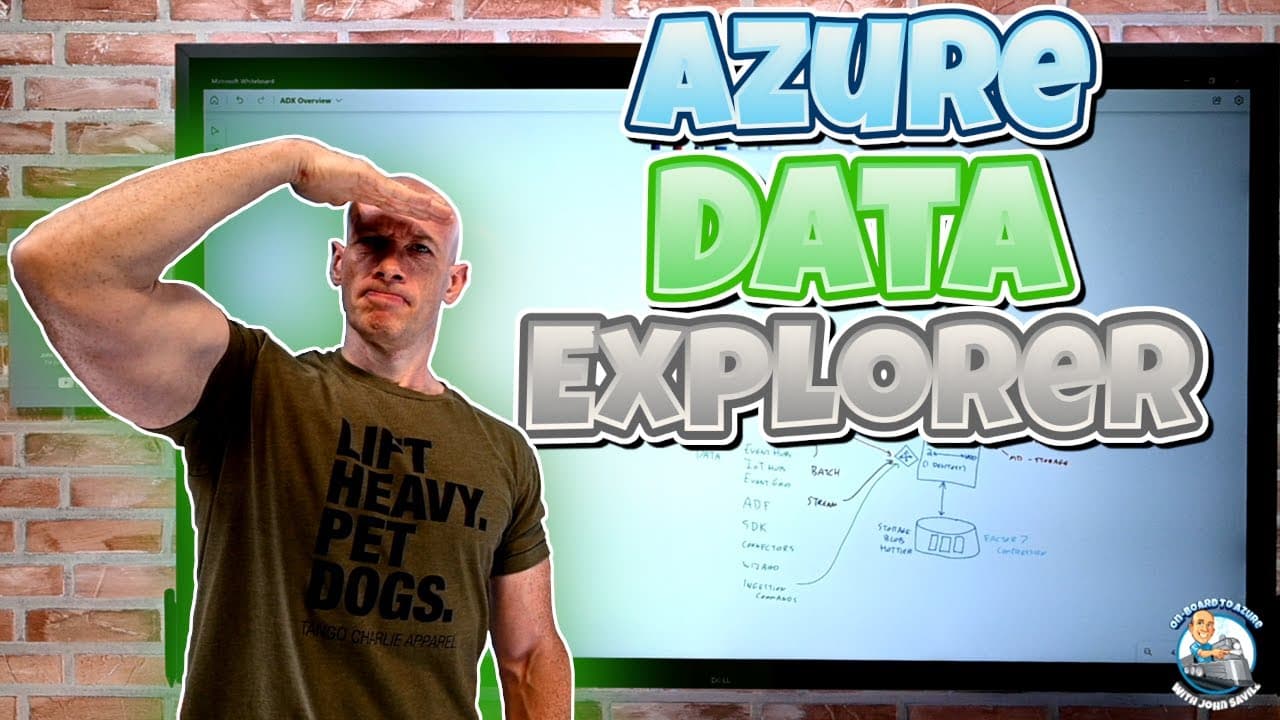
Azure Data Explorer (ADX) Overview
TL;DR
Azure Data Explorer is ideal for ingesting and analyzing large-scale data.
Transcript
Read and summarize the transcript of this video on Glasp Reader (beta).
Key Insights
- Azure Data Explorer (ADX) is a service designed to ingest and analyze vast amounts of data, particularly time-series data, providing insights using the Kusto Query Language (KQL).
- ADX supports both batch and streaming data ingestion, allowing for high throughput and near real-time data analysis, making it suitable for various data types and sources.
- Data ingestion in ADX can handle structured, semi-structured, and unstructured data, with special optimizations for indexing and query performance.
- The ADX architecture consists of a data management cluster and an engine cluster, with the latter responsible for data storage and query execution.
- ADX uses a combination of hot cache (SSD) and cold storage (Azure Blob) to manage data efficiently, with the ability to auto-scale based on cache requirements and query loads.
- Networking options for ADX include public endpoints, private endpoints, and managed private endpoints for secure data communication and integration with other Azure services.
- ADX can integrate with external data sources, allowing for queries on data stored outside the ADX environment, albeit with potential performance trade-offs.
- Azure offers a free ADX cluster for learning and experimentation, with options to upgrade to a full Azure cluster for production use.
Install to Summarize YouTube Videos and Get Transcripts
Explore YouTube Video Summarizer or Get YouTube Transcript Extractor
Questions & Answers
Q: What is Azure Data Explorer (ADX) primarily used for?
Azure Data Explorer (ADX) is primarily used for ingesting and analyzing large volumes of data, particularly time-series data. It provides insights using the Kusto Query Language (KQL) and supports both batch and streaming data ingestion. This makes it suitable for handling vast amounts of data from diverse sources, enabling users to perform complex queries and obtain actionable insights.
Q: How does ADX handle data ingestion and storage?
ADX handles data ingestion through a data management cluster that prepares ingestion commands and an engine cluster that executes these commands. It supports various data formats and sources, including structured, semi-structured, and unstructured data. For storage, ADX uses a combination of hot cache (SSD) for fast access and cold storage (Azure Blob) for long-term data retention, optimizing performance and cost.
Q: What are the networking options available for ADX?
ADX offers several networking options, including public endpoints for general access and private endpoints for secure access within a virtual network. Additionally, managed private endpoints can be used to connect ADX to other Azure services securely. These options provide flexibility in how users can access and integrate ADX with their existing infrastructure, ensuring data security and compliance.
Q: Can ADX query data from external sources?
Yes, ADX can query data from external sources by defining them as external tables. This allows ADX to access data stored in Azure Blob, ADLS Gen2, or SQL databases without ingesting it into ADX. While this provides flexibility in data analysis, it may come with performance trade-offs compared to querying data stored within ADX's optimized storage.
Q: What are the cost considerations when using ADX?
The cost of using ADX is primarily driven by the virtual machine skus used for the data management and engine clusters, as well as additional charges for Azure Data Explorer's intellectual property. Costs also depend on the amount of data ingested, the required hot cache size, and the number of concurrent queries. Users can optimize costs by understanding their data usage patterns and configuring ADX accordingly.
Q: What are the benefits of using the free ADX cluster?
The free ADX cluster allows users to experiment with Azure Data Explorer without incurring costs. It provides a way to learn about ADX's capabilities, try out different ingestion and query methods, and understand how ADX can fit into their data analysis needs. Although it comes with certain limitations, the free cluster is a valuable resource for gaining familiarity with ADX before committing to a paid plan.
Q: How does ADX optimize query performance?
ADX optimizes query performance through a combination of hot cache (SSD) storage, compressed column store data, and special indexing for semi-structured and unstructured data. It partitions data into shards for efficient ingestion and query execution, and it can auto-scale based on cache requirements and query loads. These features enable ADX to handle large-scale data analysis with high performance and low latency.
Q: What role does the Kusto Query Language (KQL) play in ADX?
The Kusto Query Language (KQL) is central to ADX's data analysis capabilities. It is a powerful, user-friendly language designed for interactive analysis of large datasets. KQL allows users to perform complex queries, aggregations, anomaly detection, and machine learning-based predictions on data stored in ADX. Its ease of use and integration with various tools make it a key component of ADX's value proposition.
Summary & Key Takeaways
-
Azure Data Explorer (ADX) is a powerful service for ingesting and analyzing large volumes of data, especially time-series data, using the Kusto Query Language (KQL). It supports both batch and streaming data ingestion, enabling high throughput and near real-time analysis.
-
ADX's architecture includes a data management cluster and an engine cluster, which together handle ingestion, storage, and query execution. The service uses a combination of hot cache (SSD) and cold storage (Azure Blob) to optimize data management and performance.
-
Networking options in ADX include public and private endpoints, with managed private endpoints for secure integration with other Azure services. ADX also supports querying external data sources, allowing for flexible data analysis across various environments.
Read in Other Languages (beta)
Share This Summary 📚
Summarize YouTube Videos and Get Video Transcripts with 1-Click
Try YouTube Summary with ChatGPT & Claude or YouTube Transcript Generator
Explore More Summaries from John Savill's Technical Training 📚



Summarize YouTube Videos and Get Video Transcripts with 1-Click
Try YouTube Summary with ChatGPT & Claude or YouTube Transcript Generator