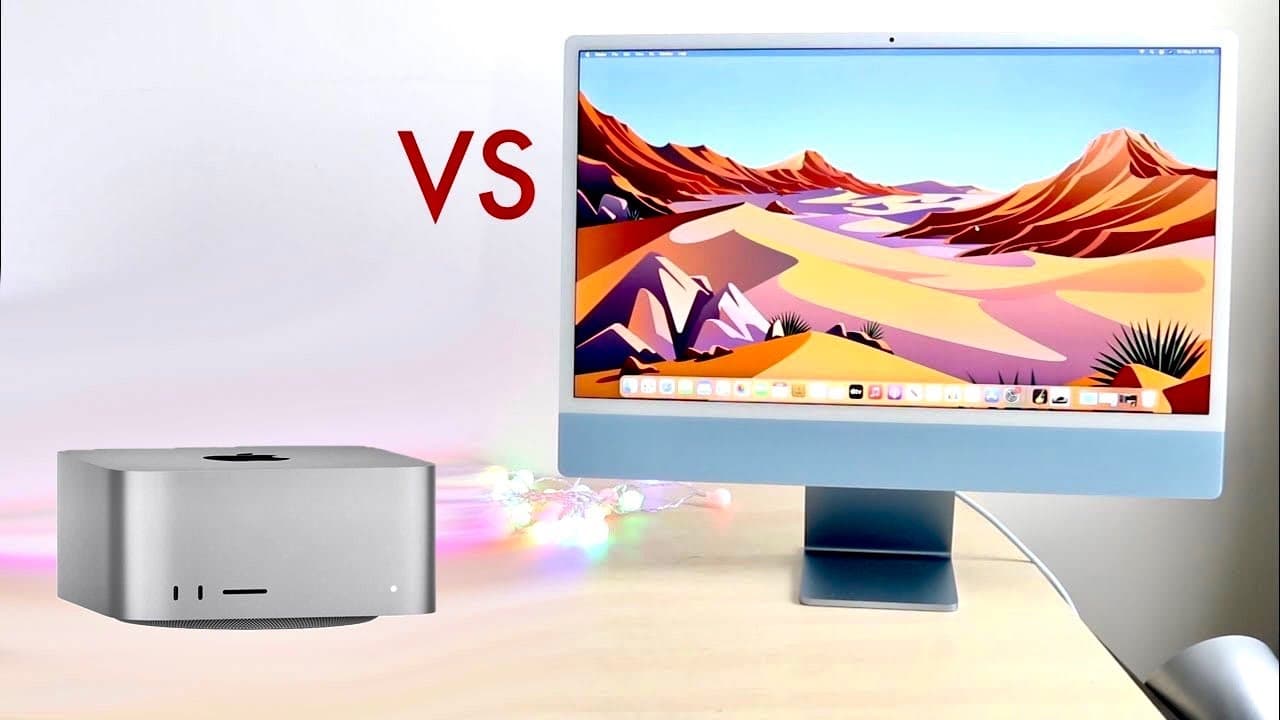
Mac Studio vs M1 iMac: Which One Should You Choose?
TL;DR
The Mac Studio is ideal for power users needing high performance and expandability, while the M1 iMac is a more budget-friendly option that combines a built-in display with sufficient performance for casual use. If you're not sure, starting with the M1 iMac is recommended to see if it meets your needs before upgrading to the more powerful Mac Studio.
Transcript
well everyone it's time for us to do a comparison between the mac studio that just came out and the m1 imac and pretty much see which specific mac you should go and buy now this is interesting because these two are kind of different products but a lot of people may be wondering you know should they go up and spend a little bit more money on a mac s... Read More
Key Insights
- 😘 The base price for the M1 iMac is significantly lower than that of the Mac Studio, making the iMac more accessible for budget-conscious consumers.
- 🫡 The Mac Studio excels in performance and has more powerful specs, catering to professional users who require heavy computing power.
- ✋ The M1 iMac integrates a high-resolution display and essential peripherals, positioning it as a convenient option for casual users.
- 🚙 Port availability is more robust in the Mac Studio, facilitating a wider array of devices for professional workflows.
- 👤 Connectivity limitations in the M1 iMac could hinder productivity for users who utilize multiple monitors and complex setups.
- 🥵 Cooling systems in both machines are designed to mitigate heat issues, ensuring reliable performance during intensive tasks.
- 👤 Modular capabilities of the Mac Studio provide flexibility in upgrading displays and components, appealing to users with changing needs.
Install to Summarize YouTube Videos and Get Transcripts
Explore YouTube Video Summarizer or Get YouTube Transcript Extractor
Questions & Answers
Q: What are the primary differences in terms of pricing between the Mac Studio and M1 iMac?
The base price of the Mac Studio starts at $1999, which is $700 more than the base model of the M1 iMac priced at $1299. However, while the initial investment may seem high for the Mac Studio, buyers should consider the additional power and performance it offers for tasks that demand more resources.
Q: How does the configurability of the Mac Studio compare to that of the M1 iMac?
The Mac Studio provides extensive configuration options, allowing users to upgrade the CPU, GPU, and memory significantly compared to the M1 iMac. For instance, the Mac Studio can be configured with up to a 20-core CPU and 128 GB of memory, whereas the iMac's configuration caps are lower, making the Mac Studio suitable for more demanding tasks.
Q: What can be said about the display options for both machines?
A distinctive feature of the M1 iMac is its built-in display, which is a high-quality 24-inch 4.5K panel. In contrast, the Mac Studio requires an external monitor, which offers flexibility for users who want to choose their display. However, this also means additional costs for purchasing a compatible monitor.
Q: Are there any limitations regarding external display connections for the M1 iMac?
Yes, the M1 iMac has limitations with external display connections, allowing users to connect only one additional display. This can be a downside for users who require more extensive workspace setups, as opposed to the Mac Studio, which can connect up to six displays based on the model chosen.
Q: What type of user should consider opting for the Mac Studio?
The Mac Studio is ideal for users who perform intensive tasks such as video editing in 8K, coding compilation, or other resource-heavy activities. For these workflows, the performance and customization offered by the Mac Studio provide a significant advantage over the M1 iMac.
Q: How do the ports and connectivity options differ between the two models?
The Mac Studio boasts superior connectivity with multiple Thunderbolt 4 ports, an HDMI port, and an SD card slot. On the other hand, the M1 iMac has limited connectivity with only a couple of USB-C ports, demonstrating a trade-off between convenience and expandability based on user needs.
Q: Can buyers expect certain accessories to be included with either machine?
Yes, the M1 iMac comes with a Magic Keyboard and Magic Mouse included in the package, which adds convenience for users right out of the box. Conversely, the Mac Studio does not include these accessories, requiring users to purchase them separately, which can be an additional expense.
Q: What is the recommendation for potential buyers unsure about which to choose?
Potential buyers are advised to consider trying the M1 iMac first, assessing if its capabilities meet their needs. If they find it insufficient after testing, they can then consider investing in the more powerful Mac Studio, making it a less risky choice based on their actual usage experience.
Summary & Key Takeaways
-
The comparison examines the price difference and overall power between the Mac Studio and M1 iMac, highlighting the higher cost of the Mac Studio. It emphasizes that while the Mac Studio offers superior power, the M1 iMac may suffice for casual users.
-
Users should consider their specific needs, as the Mac Studio excels in configuration options, expandability, and computing power, making it suitable for high-demand tasks. The M1 iMac, being more cost-effective, integrates a display and accessories.
-
Ultimately, potential buyers are encouraged to assess their usage and budget before deciding, with a recommendation to try the M1 iMac first before upgrading to the Mac Studio if necessary.
Read in Other Languages (beta)
Share This Summary 📚
Summarize YouTube Videos and Get Video Transcripts with 1-Click
Try YouTube Summary with ChatGPT & Claude or YouTube Transcript Generator
Explore More Summaries from Simple Alpaca 📚






Summarize YouTube Videos and Get Video Transcripts with 1-Click
Try YouTube Summary with ChatGPT & Claude or YouTube Transcript Generator