Products
Features
YouTube Video Summarizer
Summarize YouTube videos
Web & PDF Highlighter
Highlight web pages & PDFs
Chat with PDF
Ask any PDF questions with AI
Ask AI Clone
Chat with your highlights & memories
Audio Transcriber
Transcribe audio files to text
Glasp Reader
Read and highlight articles
Kindle Highlight Export
Export your Kindle highlights
Idea Hatch
Hatch ideas from your highlights
Integrations
Obsidian Plugin
Notion Integration
Pocket Integration
Instapaper Integration
Medium Integration
Readwise Integration
Snipd Integration
Hypothesis Integration
Apps & Extensions
Chrome Extension
Safari Extension
Edge Add-ons
Firefox Add-ons
iOS App
Android App
Discover
Discover
Ideas
Discover new ideas and insights
Articles
Curated articles and insights
Books
Book recommendations by great minds
Posts
Essays and notes from readers
Quotes
Inspiring quotes collection
Videos
Curated videos and summaries
Explore Glasp
Glasp Newsletter
Weekly insights and updates
Glasp Talk
Interview series with great minds
Glasp Blog
Latest news and articles
Glasp Use Cases
Learn how others use Glasp
Build & Support
Glasp API
Access Glasp's API for developers
MCP Connector
Connect Glasp to Claude & ChatGPT
Community
Glasp Reddit Community
Students
Student discount and benefits
FAQs
Frequently Asked Questions
AboutPricing
DashboardLog inSign up

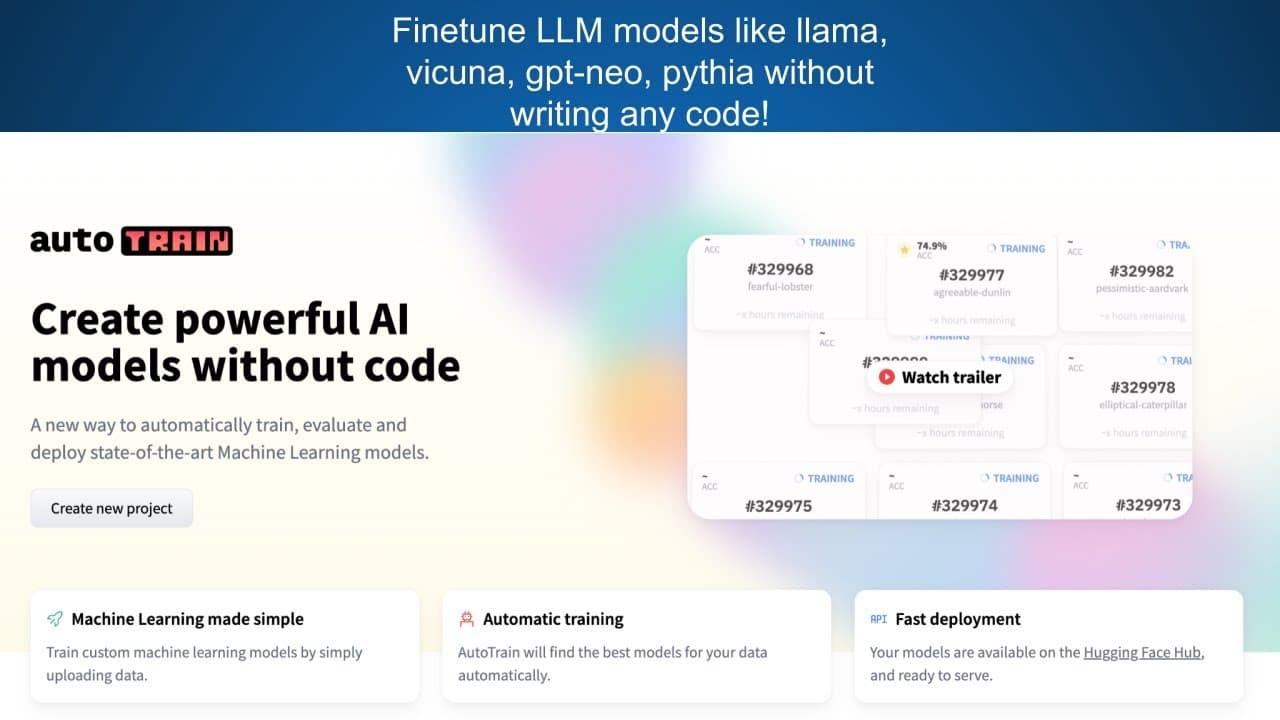
Finetune LLMs (llama, vicuna, gptneo, pythia) without any code!
May 15, 2023
by
Abhishek Thakur
YouTube video player
Finetune LLMs (llama, vicuna, gptneo, pythia) without any code!

TL;DR

Hugging Face's Auto Train Advanced allows users to fine-tune various models, such as LLM, Pythia, and GPT Neo, by creating an Auto Train space through their Hugging Face account.

Transcript

hello everyone in this video I'm going to show you how you can use hugging faces new Auto Train Advanced to fine tune any llm like llama 7B vikuna and you can also fine tune 13B models using autorain Advanced you can also find tune models like pythia and GPT Neo to use Auto Train Advance you have to log into your hugging face account and create a A... Read More

Key Insights

  • 👻 Hugging Face's Auto Train Advanced allows fine-tuning of models like LLM 7B, Pythia, and GPT Neo.
  • 👾 Creating an Auto Train space in the Hugging Face account is the initial step for utilizing Auto Train Advanced.
  • 👊 Users can select the appropriate training type, either generic or chat, based on their requirements.
  • 😀 It is crucial to mark the Auto Train space as private to protect the user's running face token.
  • 😫 Users can upload a validation set for training purposes, but it is optional.
  • ❓ The training process using Auto Train Advanced may vary in duration depending on the dataset's size.
  • 👤 Trained models are private and provide users with the flexibility to deploy them or access the model files for further use.

Install to Summarize YouTube Videos and Get Transcripts

Explore YouTube Video Summarizer or Get YouTube Transcript Extractor

Questions & Answers

Q: How can Hugging Face's Auto Train Advanced be used for model fine-tuning?

To use Auto Train Advanced, users need to log into their Hugging Face account and create an Auto Train space. They can then select the desired model, such as LLM 7B or Pythia, and upload the dataset for training.

Q: What types of training are available in Auto Train Advanced?

Auto Train Advanced offers two training types: generic and chat. For generic training, only one input is required, while chat training expects three inputs. Users can select the appropriate training type based on their needs.

Q: Can users upload a validation set for training?

Yes, users have the option to upload a validation set for training, although it is not mandatory. If no validation set is provided, one will be created from the training set automatically.

Q: Are the models trained using Auto Train Advanced private?

Yes, all models trained using Auto Train Advanced are private. Users are free to deploy the trained models using the provided inference endpoints or access the model files for further use.

Summary & Key Takeaways

  • Hugging Face's Auto Train Advanced enables the fine-tuning of models like LLM 7B and Pythia, as well as GPT Neo.

  • Users can create an Auto Train space through their Hugging Face account, selecting the Docker template and Auto Train flavor.

  • It is important to mark the Auto Train space as private to protect the user's running face token.


Read in Other Languages (beta)

English

Share This Summary 📚

Summarize YouTube Videos and Get Video Transcripts with 1-Click

Download browser extensions on:

Try YouTube Summary with ChatGPT & Claude or YouTube Transcript Generator

Explore More Summaries from Abhishek Thakur 📚
What Are Public and Private Leaderboards in Kaggle? thumbnail
What Are Public and Private Leaderboards in Kaggle?
Abhishek Thakur
What Is Target Encoding and How to Use It Effectively? thumbnail
What Is Target Encoding and How to Use It Effectively?
Abhishek Thakur
Song Popularity Prediction: EDA with Martin Henze (Part-2) thumbnail
Song Popularity Prediction: EDA with Martin Henze (Part-2)
Abhishek Thakur
Tips N Tricks #6: How to train multiple deep neural networks on TPUs simultaneously thumbnail
Tips N Tricks #6: How to train multiple deep neural networks on TPUs simultaneously
Abhishek Thakur
Talks # 15: Shubhadeep Roychowdhury; Applying Machine Learning  on  Source Code thumbnail
Talks # 15: Shubhadeep Roychowdhury; Applying Machine Learning on Source Code
Abhishek Thakur
Talks S2E5 (Luca Massaron): Hacking Bayesian Optimization thumbnail
Talks S2E5 (Luca Massaron): Hacking Bayesian Optimization
Abhishek Thakur

Summarize YouTube Videos and Get Video Transcripts with 1-Click

Download browser extensions on:

Try YouTube Summary with ChatGPT & Claude or YouTube Transcript Generator

Apps & Extensions

  • Chrome Extension
  • Safari Extension
  • Edge Add-ons
  • Firefox Add-ons
  • iOS App
  • Android App

Key Features

  • YouTube Video Summarizer
  • Web & PDF Summarizer
  • Web & PDF Highlighter
  • Chat with PDF
  • Ask AI Clone
  • Audio Transcriber
  • Glasp Reader
  • Kindle Highlight Export
  • Idea Hatch

Integrations

  • Obsidian Plugin
  • Notion Integration
  • Pocket Integration
  • Instapaper Integration
  • Medium Integration
  • Readwise Integration
  • Snipd Integration
  • Hypothesis Integration

More Features

  • APIs
  • MCP Connector
  • Blog & Post
  • Embed Links
  • Image Highlight
  • Personality Test
  • Quote Shots

Company

  • About us
  • Blog
  • Community
  • FAQs
  • Job Board
  • Newsletter
  • Pricing
Terms

•

Privacy

•

Guidelines

© 2026 Glasp Inc. All rights reserved.