Adobe Illustrator Tutorial: Align & Pathfinder Tools
TL;DR
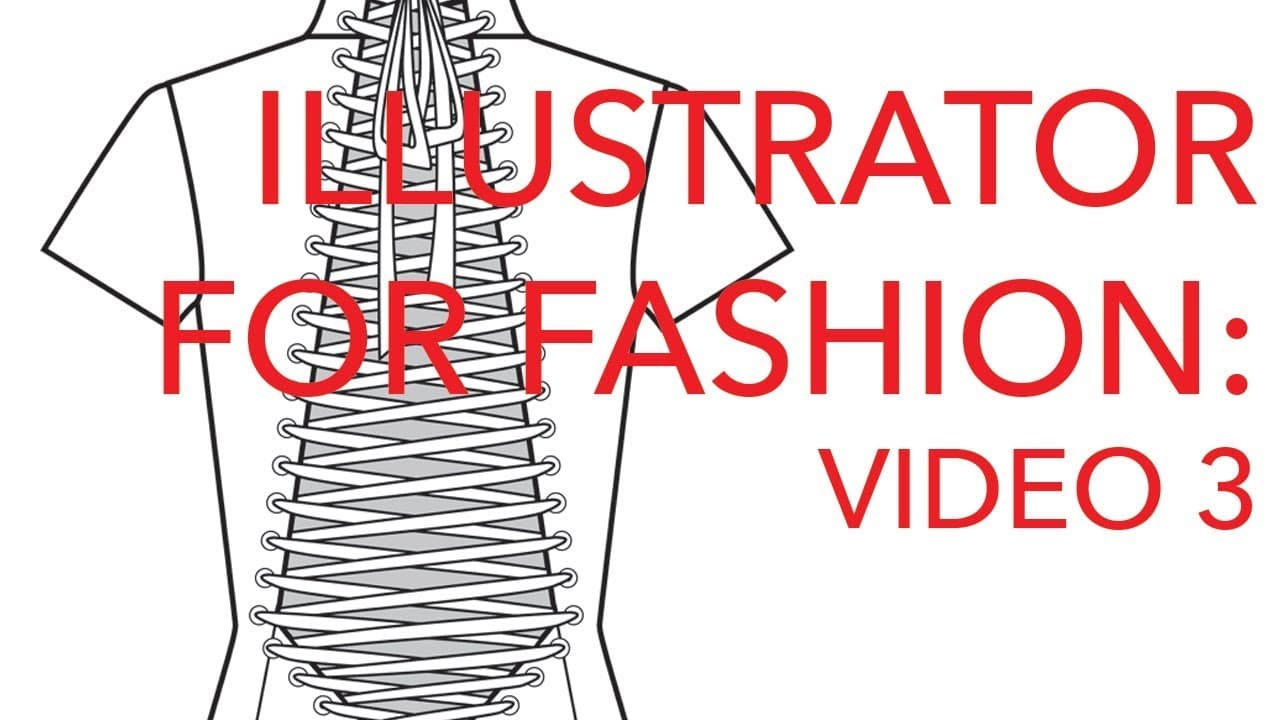
This tutorial teaches how to use the align, distribute, and pathfinder tools in Adobe Illustrator for fashion design purposes.
Transcript
hey party people welcome to Adobe Illustrator tutorial number three today we're going to go over a the align and distribute tools and a couple of my most frequently used Pathfinder tools and uh you know the thing is I quit doing the Adobe Illustrator tutorials because it didn't seem like a lot of you were interested but then they started picking up... Read More
Key Insights
- 🎨 The content focuses on using Adobe Illustrator for fashion design purposes.
- 😒 The tutorial emphasizes the use of aligning, distributing, and pathfinder tools.
- 🕳️ It demonstrates techniques for creating holes, monograms, grommets, eyelets, and lace patterns.
- 👾 The align and distribute tools are useful for achieving symmetry and even spacing.
- 👻 The pathfinder tool is essential for creating cutouts and allowing visibility of what is behind them.
- 🎨 Experimentation and practice are encouraged to improve design skills.
- 👾 The tutorial suggests saving vector files, as they take up minimal space.
Install to Summarize YouTube Videos and Get Transcripts
Explore YouTube Video Summarizer or Get YouTube Transcript Extractor
Questions & Answers
Q: What is the main purpose of using the Pathfinder tool in Adobe Illustrator?
The Pathfinder tool is mainly used for creating holes inside a shape, such as for a zipper pull or a monogram, allowing visibility of what is behind it.
Q: How can I align and distribute objects in Adobe Illustrator using the align and distribute tools?
To align objects, you can use the align objects tool and select the desired alignment option (e.g., left, center, right). To distribute objects evenly, use the distribute tools to align them horizontally or vertically.
Q: How can I create grommets and eyelets in Adobe Illustrator?
Use the ellipse tool to create two perfect circles, align them horizontally and vertically, and then use the minus front option in the Pathfinder tool to remove the inner circle, creating a grommet or eyelet shape.
Q: Can I create lace patterns using the align and distribute tools in Adobe Illustrator?
Yes, you can create lace patterns by drawing the holes, applying patterns or textures, aligning and distributing them, and using the pathfinder tools to create the holes in the fabric.
Summary & Key Takeaways
-
The content consists of an Adobe Illustrator tutorial on aligning and distributing objects, as well as using the pathfinder tools.
-
It focuses on fashion design purposes and includes examples such as creating holes in a shape for a zipper pull and designing monogrammed logos.
-
The tutorial also covers using the align and distribute tools to create grommets, eyelets, and lace patterns.
Read in Other Languages (beta)
Share This Summary 📚
Summarize YouTube Videos and Get Video Transcripts with 1-Click
Try YouTube Summary with ChatGPT & Claude or YouTube Transcript Generator
Explore More Summaries from Zoe Hong 📚


Summarize YouTube Videos and Get Video Transcripts with 1-Click
Try YouTube Summary with ChatGPT & Claude or YouTube Transcript Generator