The Guide on the New Xbox One Experience
TL;DR
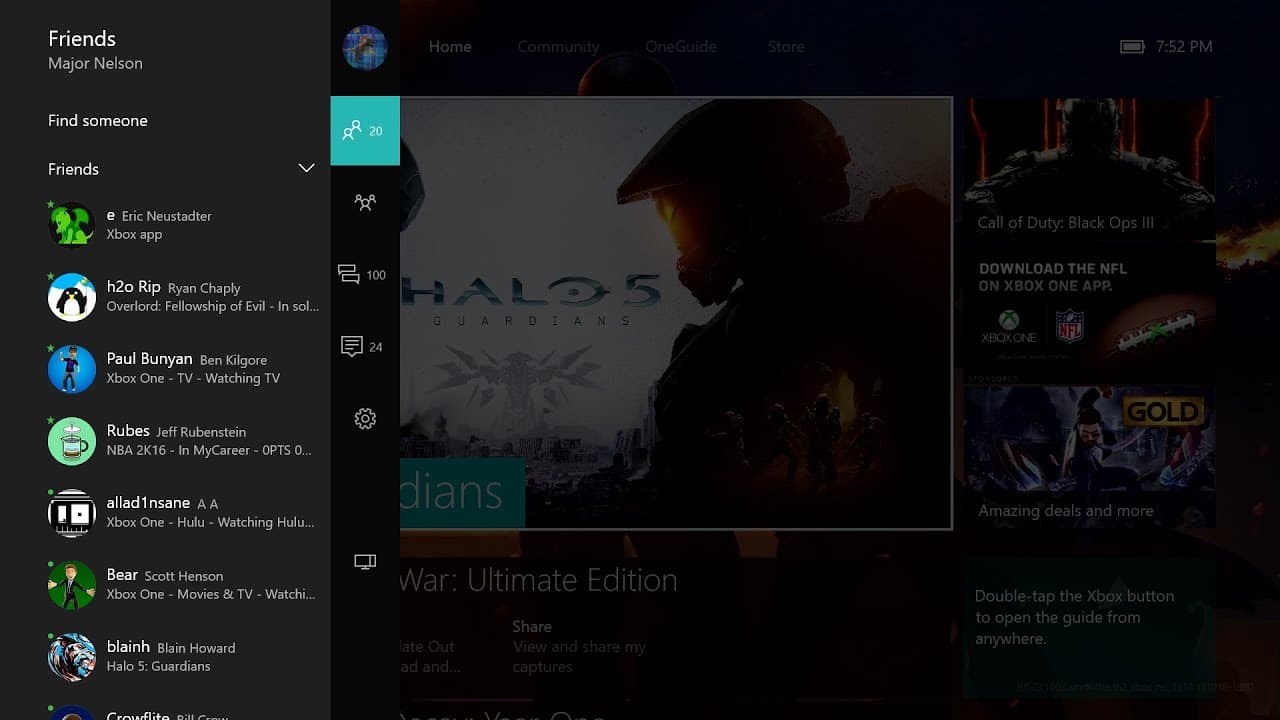
The new Xbox One experience features a revamped guide that is faster, more user-friendly, and includes new features like group text chat and improved notifications.
Transcript
hi it's Larry here Xbox lives Major Nelson here with Richard Irving from the engineering team hi Richard hello now Richard one of the big things about the new Xbox One experience is this brand new guide now folks on the Xbox 360 certainly remember the guide from those days but you kind of really made it a lot better here right uh that's right so we... Read More
Key Insights
- 💨 The new Xbox One guide is significantly faster than previous versions, optimizing gaming scenarios by up to 50%.
- 🥳 It includes features like friends list, active party management, group text chat, improved notifications, and in-game settings adjustments.
- 😵 The guide allows up to 12 participants in a group text chat and enables cross-platform communication between Xbox One and Windows 10 devices.
- 👥 Notifications are now grouped by type, making it easier to navigate and manage them.
- 🔂 Individual notifications can be deleted or cleared with a single button press.
- 🎮 In-game settings adjustments, such as muting the Kinect mic or controlling headset volumes, can be done through the guide.
- 🎮 The guide can be accessed quickly during gameplay by double-tapping the Xbox button on the controller.
Install to Summarize YouTube Videos and Get Transcripts
Explore YouTube Video Summarizer or Get YouTube Transcript Extractor
Questions & Answers
Q: How has the Xbox One guide improved compared to the Xbox 360 guide?
The Xbox One guide takes what was great about the Xbox 360 guide, such as quick access to necessary features, and enhances it for faster and more user-friendly navigation.
Q: What are the notable features of the new Xbox One guide?
The guide includes the friends list for checking who's online, active party management, group text chat for up to 12 participants, improved notifications grouped by type, and in-game settings adjustments.
Q: What are the benefits of the new group text chat feature?
The group text chat allows up to 12 people to chat across Xbox One and Windows 10 devices, enhancing multiplayer communication and coordination.
Q: Can individual notifications be managed easily?
Yes, the new guide includes the ability to delete individual notifications or clear all notifications with a single button press, making it easier to navigate and manage notifications.
Summary & Key Takeaways
-
The new Xbox One guide is a reimagined version of the Xbox 360 guide, making it easier to access all the necessary features quickly.
-
The guide is significantly faster, optimizing gaming scenarios by up to 50%.
-
It includes features like friends list, active party management, group text chat, improved notifications, and settings for in-game adjustments.
Read in Other Languages (beta)
Share This Summary 📚
Summarize YouTube Videos and Get Video Transcripts with 1-Click
Try YouTube Summary with ChatGPT & Claude or YouTube Transcript Generator