Premiere Pro Color Correction Tutorial with Fast Color Corrector | Adobe Premiere Pro CC 2015
TL;DR
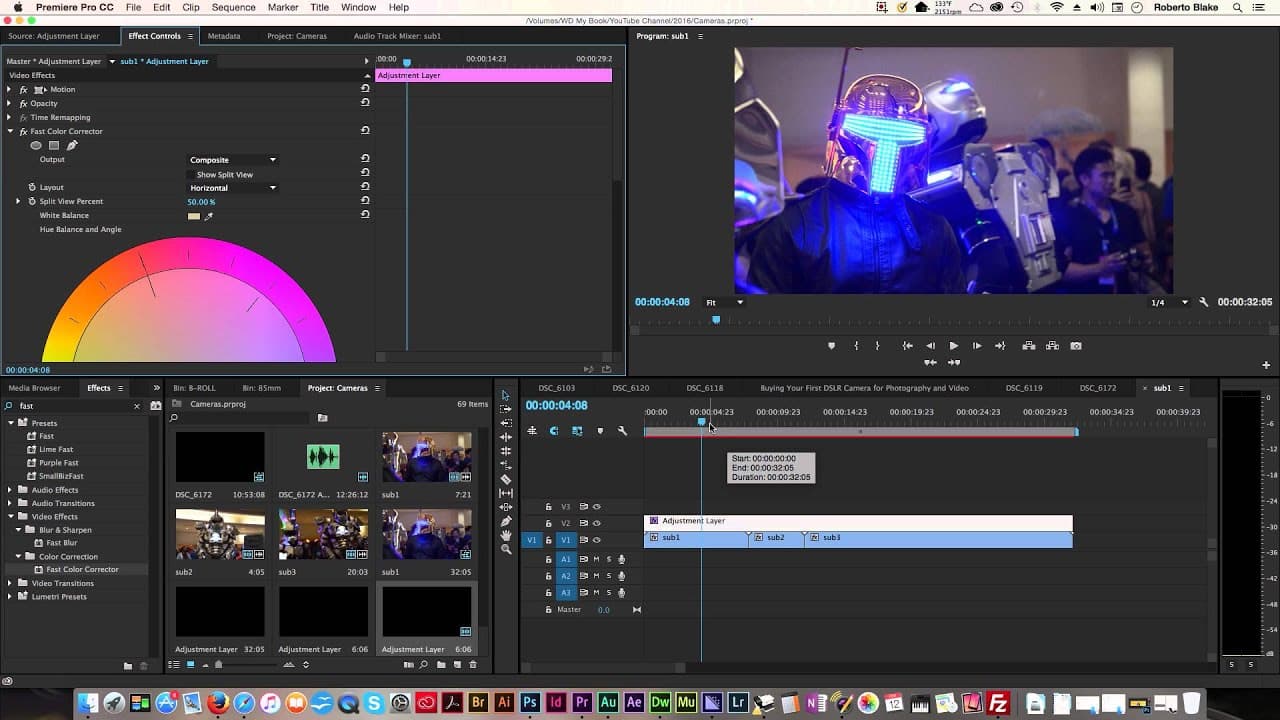
Learn how to use the fast color corrector in Adobe CC Premiere Pro 2015 to adjust white balance and add color grading to your video footage.
Transcript
hey everyone this is Roberto Blake of robertoblake.com helping you create something awesome today today we're doing an adobe CC uh tutorial we're going to be using Adobe CC Premiere Pro 2015 and we're going to be doing color grading with the fast color corrector I'm going to show you a simple method for adjusting the white balance in your video foo... Read More
Key Insights
- 👻 Adjustment layers in Adobe CC Premiere Pro allow for consistent color grading across multiple clips and subclips, creating a cohesive visual style throughout a video.
- ⚖️ The fast color corrector tool offers various parameters such as white balance, contrast, hue balance, and saturation to adjust the overall look and feel of the footage.
- 🤍 Selecting the right areas in the image for white balance and adjusting input levels can greatly improve the visual quality of video footage.
Install to Summarize YouTube Videos and Get Transcripts
Explore YouTube Video Summarizer or Get YouTube Transcript Extractor
Questions & Answers
Q: What is the benefit of using an adjustment layer for color grading in Adobe CC Premiere Pro?
Using an adjustment layer allows for consistent-looking footage across multiple clips and subclips, making it easier to apply color grading effects and maintain a cohesive visual style.
Q: What are the main parameters to focus on when using the fast color corrector?
The main parameters to focus on are white balance, contrast (input levels), hue balance and angle, and saturation. Adjusting these parameters can significantly impact the overall look and feel of the footage.
Q: How does white balance adjustment work in Adobe CC Premiere Pro?
By selecting an area of the image that should be pure white, the white balance tool adjusts the color temperature to make whites appear neutral. It is crucial to choose an area in the image that is supposed to be white for accurate white balance.
Q: Can color grading be applied to individual clips instead of using an adjustment layer?
Yes, color grading can be applied to individual clips by adding a fast color corrector directly to each clip. However, if the footage was shot under similar lighting conditions, using an adjustment layer provides a more efficient and consistent approach.
Summary & Key Takeaways
-
The tutorial demonstrates a simple method for adjusting white balance and adding color grading to video footage using Adobe CC Premiere Pro 2015 and the fast color corrector.
-
The use of an adjustment layer ensures consistent-looking footage across multiple clips and subclips.
-
The tutorial covers the process step-by-step, from creating an adjustment layer to applying the fast color corrector and adjusting various parameters.
Read in Other Languages (beta)
Share This Summary 📚
Summarize YouTube Videos and Get Video Transcripts with 1-Click
Try YouTube Summary with ChatGPT & Claude or YouTube Transcript Generator
Explore More Summaries from Roberto Blake 📚






Summarize YouTube Videos and Get Video Transcripts with 1-Click
Try YouTube Summary with ChatGPT & Claude or YouTube Transcript Generator