MOOZ Review - 3 in 1 printer
TL;DR
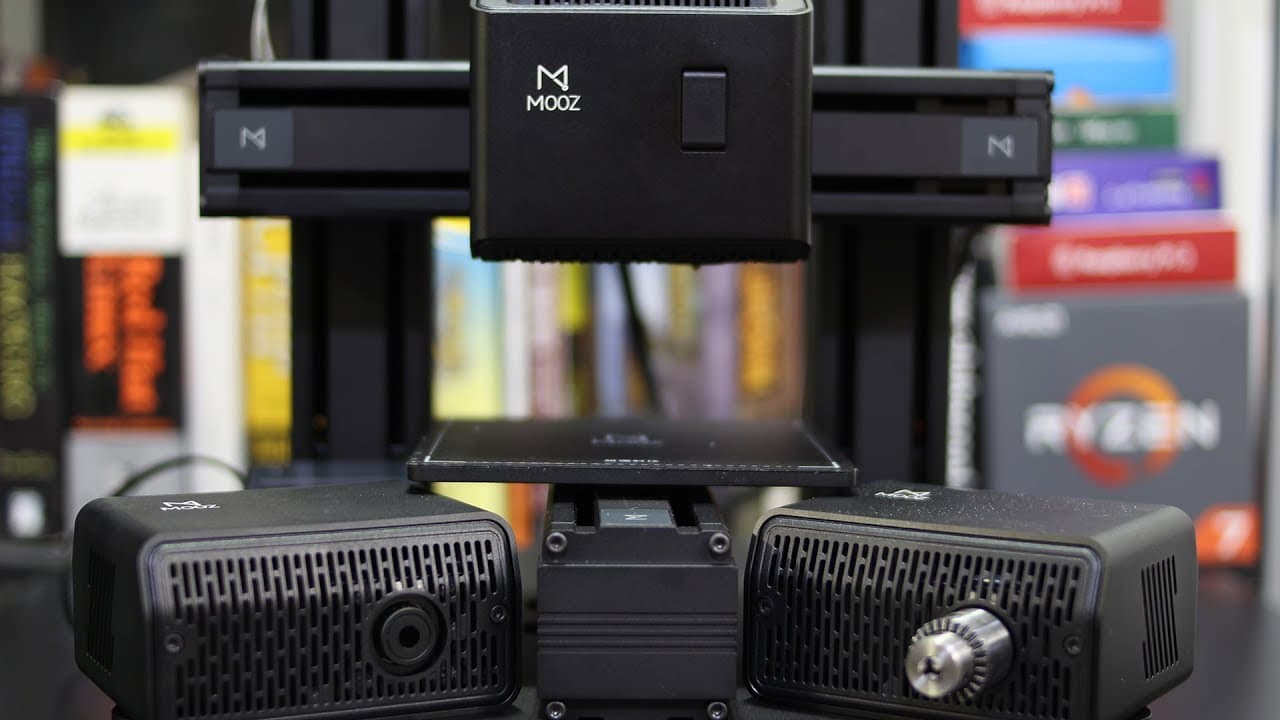
The Moose three-in-one printer enables 3D printing, laser etching, and CNC machining but has software issues.
Transcript
hey guys what's going on down here from Nova spirit Tech and I hope you guys are having a great week now I've got a really cool printer to show you guys which is this moose three-in-one printer so let's get started so before we begin I gotta say that this is a prototype unit and that things might change on the final production unit now this is cons... Read More
Key Insights
- 🖨️ The Moose printer offers a unique three-in-one capability, catering to makers and hobbyists seeking versatility.
- 🤕 The requirement to change heads for different operations, while innovative, may present a learning curve for some users.
- 🤪 The absence of auto leveling could present challenges, but it is designed to ensure proper Z height adjustments based on the material used.
- 👤 The printer can handle multiple file types using different software, showcasing its adaptability to user preferences.
- 👤 Observing upcoming software updates is crucial for users as the current limitations may affect functionality, especially in CNC mode.
- 👤 The product is still in prototype stages, meaning users should expect further improvements before the final release.
- 😒 Overall, the sturdiness of the hardware suggests potential for heavy use in various projects.
Install to Summarize YouTube Videos and Get Transcripts
Explore YouTube Video Summarizer or Get YouTube Transcript Extractor
Questions & Answers
Q: What functions does the Moose three-in-one printer offer?
The Moose three-in-one printer offers three main functions: 3D printing, laser etching, and CNC machining. This versatility allows users to perform multiple tasks on a single platform. Each mode requires the replacement of specific heads, making it crucial for users to follow the provided instructions carefully to switch between functionalities.
Q: How does the printer's design facilitate its functionality?
The printer is designed with a metal frame and a 130x130x130 mm print size for all three modes. Its modular structure means users replace head assemblies easily, ensuring a robust and stable performance. The included screen simplifies the user experience by helping with homing and adjustments, which is essential given the need to set different Z heights for each operation.
Q: What are the limitations in the Moose printer’s software?
The software, particularly for CNC operations, has significant limitations based on current versions. While it performs adequately in laser etching, the CNC cutting capabilities are hindered by how the software processes G-codes. This results in inconsistent and sloppy cuts, indicating a fundamental need for improvement before the final production versions are released.
Q: What feedback did the reviewer have regarding the printer's build quality?
The reviewer found the printer's build quality to be impressively sturdy, even mentioning that it could still function correctly if placed upside down. This durability is attributed to the metal frame structure, which is beneficial for long-term use and reliability, regardless of the functional mode it operates in.
Q: What options do users have for connecting to the printer?
Users can connect to the Moose printer in multiple ways: via an SD card, a USB thumb drive, or a direct USB connection to a computer. This flexibility enhances usability, allowing users to choose the method that best suits their workflow without being limited to a single connection type.
Q: How does the reviewer plan to showcase the printer’s capabilities further?
The reviewer intends to release a follow-up video demonstrating the printer’s capabilities by completing a project that integrates all three functionalities. This will include 3D printing a base item, laser etching designs onto it, and then using CNC machining to refine the final product, providing viewers with comprehensive insights into the printer’s versatility.
Summary & Key Takeaways
-
The Moose three-in-one printer is a versatile device that supports 3D printing, laser etching, and CNC operations, built on a sturdy metal frame.
-
Users must swap out heads for different functions, and although it lacks auto leveling, it has a user-friendly screen and clear wiring labels for ease of use.
-
While the hardware shows promise, the proprietary software needs improvements, particularly for the CNC mode, which currently produces subpar results.
Read in Other Languages (beta)
Share This Summary 📚
Summarize YouTube Videos and Get Video Transcripts with 1-Click
Try YouTube Summary with ChatGPT & Claude or YouTube Transcript Generator
Explore More Summaries from Novaspirit Tech 📚






Summarize YouTube Videos and Get Video Transcripts with 1-Click
Try YouTube Summary with ChatGPT & Claude or YouTube Transcript Generator