How to Create an AI-Powered Calculator App
TL;DR
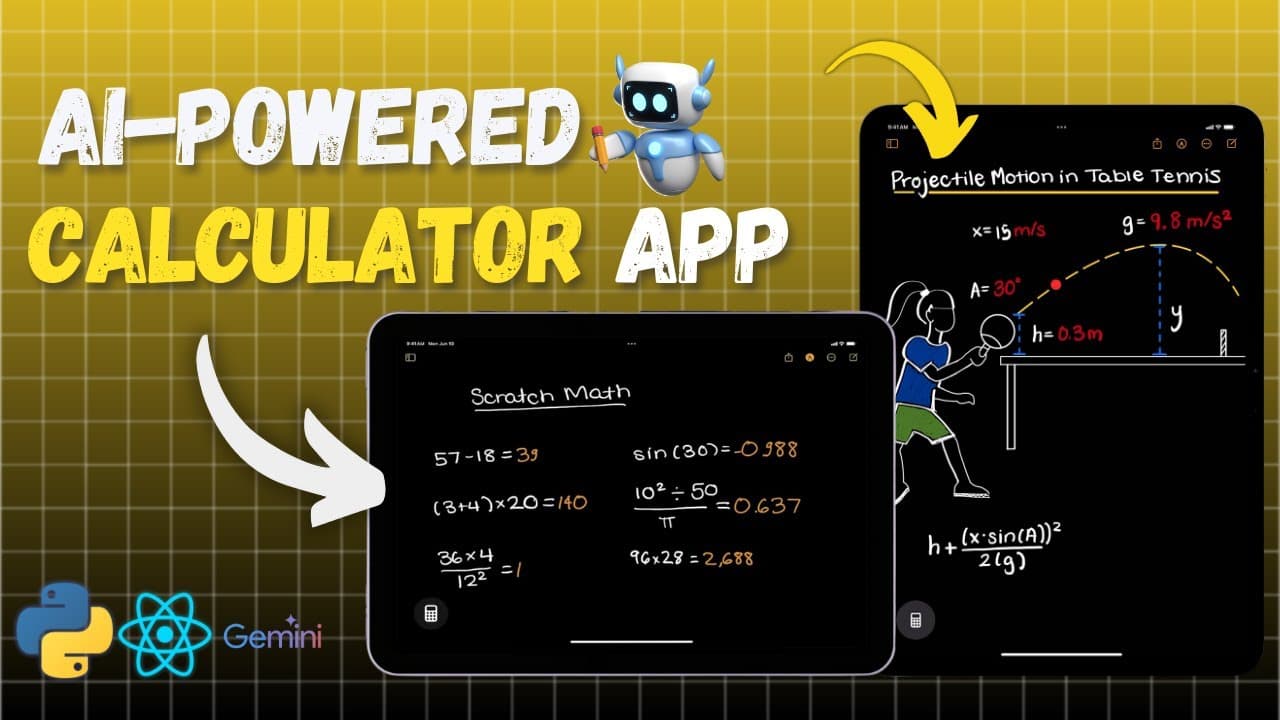
Build an advanced calculator app that uses AI to solve handwritten math equations and understand abstract drawings. This tutorial covers the full development process, including frontend with React and backend using FastAPI, integrating the Gemini Flash AI API, and rendering results in LaTeX.
Transcript
that's right we're bringing calculator to iPad so finally they have done it Apple has pulled an apple and launched the greatest calculator ever math noes is a game changer turning handwriting into digital equations solving problems even graphing on the fly but hey wait it's only for iPad not everyone has that what about us A... Read More
Key Insights
- The project aims to create an AI-powered calculator app inspired by iPad Math Notes, capable of interpreting and solving handwritten math problems.
- The application leverages the Gemini Flash AI API to enhance its functionality, allowing it to recognize and calculate complex equations.
- A detailed walkthrough is provided for setting up the project, including initializing with Python, installing dependencies, and configuring the environment.
- The frontend is developed using React, focusing on creating an interactive and responsive user interface that supports drawing and real-time calculations.
- The app can interpret abstract concepts from drawings, such as determining the sequence of a chicken and egg or the meaning behind Captain America's shield.
- The project also includes a backend setup using FastAPI, facilitating asynchronous server communication and handling AI API requests.
- Integration of the MathJax library allows rendering of mathematical expressions in LaTeX, enhancing the visual presentation of results.
- The application is designed to be accessible for beginners, providing a comprehensive guide to learning Python, React, and API integration.
Install to Summarize YouTube Videos and Get Transcripts
Explore YouTube Video Summarizer or Get YouTube Transcript Extractor
Questions & Answers
Q: What is the main purpose of the AI-powered calculator app?
The main purpose of the AI-powered calculator app is to interpret and solve handwritten math problems, inspired by the iPad Math Notes application. It uses the Gemini Flash AI API to enhance its functionality, allowing it to recognize complex equations and provide real-time calculations.
Q: How does the app handle abstract concepts in drawings?
The app is designed to interpret abstract concepts depicted in drawings. For example, it can analyze a drawing of a chicken and an egg to address the age-old question of which came first, or find the deeper meaning behind symbols like Captain America's shield. This feature showcases the app's ability to process and understand abstract ideas beyond basic arithmetic.
Q: What technologies are used in the frontend development of the app?
The frontend of the app is developed using React, a popular JavaScript library for building user interfaces. The project focuses on creating an interactive and responsive UI that supports drawing and real-time calculations. Additional libraries like Shadcn and MathJax are used to enhance the user experience and render mathematical expressions.
Q: What role does the Gemini Flash AI API play in the app?
The Gemini Flash AI API is integral to the app's functionality, as it enables the recognition and solving of handwritten math problems. By integrating this API, the app can process complex equations and provide accurate results in real-time. This API is a key component in making the app a powerful tool for interpreting mathematical expressions.
Q: How is the backend of the app structured?
The backend of the app is structured using FastAPI, which allows for asynchronous server communication. This setup is crucial for handling requests to the AI API and managing data flow between the frontend and backend. The project includes setting up environment variables and configuring server routes to ensure smooth operation.
Q: What is the significance of using MathJax in the app?
MathJax is used in the app to render mathematical expressions in LaTeX, providing a visually appealing presentation of results. This feature enhances the user experience by displaying equations in a clear and professional format, similar to those found in academic publications. MathJax's integration is a testament to the app's attention to detail in its design.
Q: Can the app be used by beginners in programming?
Yes, the app is designed to be accessible for beginners in programming. The video tutorial provides a detailed walkthrough of each phase of the project, ensuring that viewers understand the concepts and processes involved. By following the guide, beginners can gain practical skills in Python, React, and API integration, making it a valuable learning resource.
Q: What are some potential applications of the skills learned from this project?
The skills learned from this project, such as Python programming, React development, and API integration, can be applied to a wide range of applications. These include developing interactive web applications, integrating AI functionalities into projects, and creating tools that require real-time data processing. The project equips learners with a versatile skill set for future technological endeavors.
Summary & Key Takeaways
-
This video tutorial guides viewers through the process of building an AI-powered calculator app, inspired by iPad Math Notes. The project involves setting up both frontend and backend components, utilizing React for the user interface and FastAPI for server communication.
-
Key features include the integration of the Gemini Flash AI API, which enables the app to recognize and solve handwritten math problems. The tutorial provides a step-by-step walkthrough, making it accessible for developers of all experience levels.
-
Additional functionalities include the ability to interpret abstract drawings and render mathematical expressions in LaTeX using MathJax. The video aims to equip viewers with practical skills in Python, React, and API integration for future projects.
Read in Other Languages (beta)
Share This Summary 📚
Summarize YouTube Videos and Get Video Transcripts with 1-Click
Try YouTube Summary with ChatGPT & Claude or YouTube Transcript Generator
Explore More Summaries from Error By Night 📚



Summarize YouTube Videos and Get Video Transcripts with 1-Click
Try YouTube Summary with ChatGPT & Claude or YouTube Transcript Generator