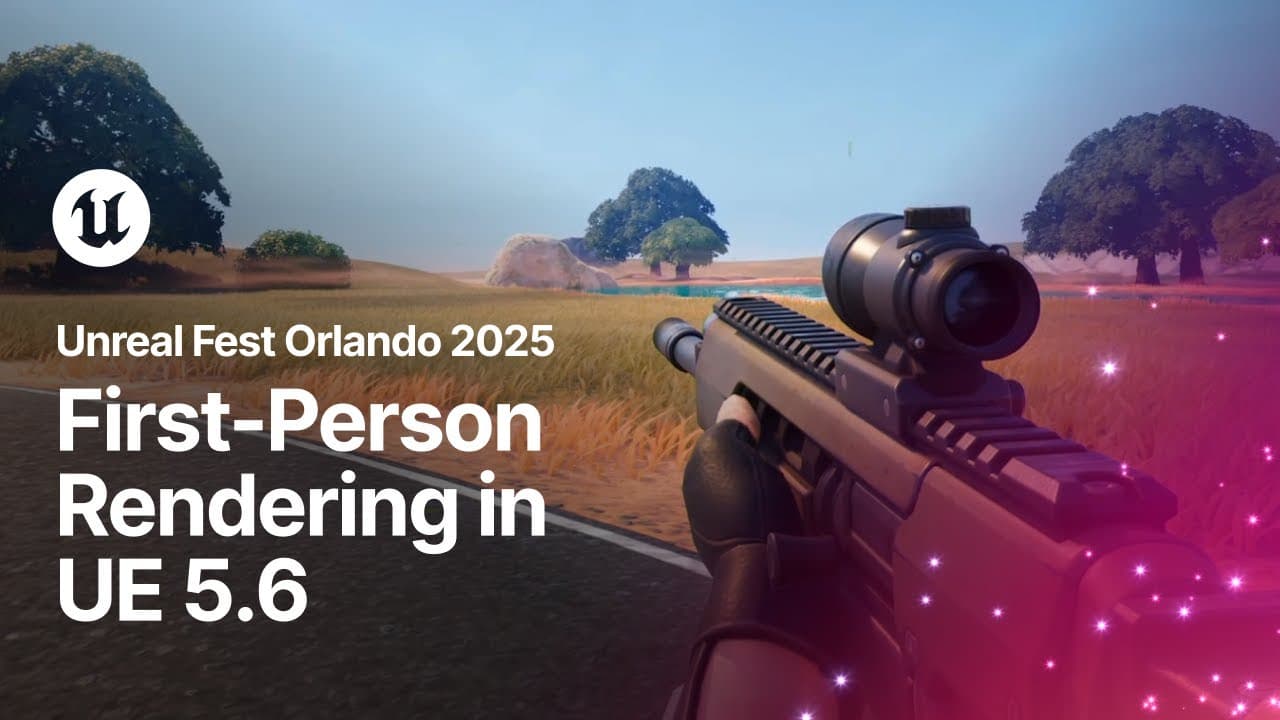
First-Person Rendering in Unreal Engine 5.6 | Unreal Fest Orlando 2025
TL;DR
Exploring first-person rendering solutions in Unreal Engine 5.6.
Transcript
Read and summarize the transcript of this video on Glasp Reader (beta).
Key Insights
- First-person rendering in Unreal Engine 5.6 addresses challenges like scene clipping, custom field of view, and lighting consistency.
- Traditional first-person games often use floating arms and a gun, but this method struggles with shadows and reflections.
- Unreal Engine 5.6 introduces a new approach using scaling and morphing to solve clipping and field of view issues.
- The solution involves a matrix transformation applied to first-person geometry for consistent rendering.
- Advanced features include world space interpolation, self-shadowing, and hardware ray tracing reflections.
- The system supports multiple approaches for rendering legs, including full first-person body and separate geometry.
- First-person rendering is integrated into the material graph, allowing for custom transformations and queries.
- Challenges remain with Nanite support and fixed function post effects, with plans to address these in future updates.
Install to Summarize YouTube Videos and Get Transcripts
Explore YouTube Video Summarizer or Get YouTube Transcript Extractor
Questions & Answers
Q: What are the main challenges of first-person rendering?
The main challenges of first-person rendering include scene clipping, maintaining a consistent field of view, ensuring proper lighting and shadows, and achieving realistic reflections. These challenges arise because first-person geometry often needs to be rendered differently from the rest of the scene, requiring creative solutions to maintain immersion and visual fidelity.
Q: How does Unreal Engine 5.6 address scene clipping?
Unreal Engine 5.6 addresses scene clipping by using a technique that involves scaling and morphing first-person geometry. This approach applies a matrix transformation to the geometry, allowing it to be rendered without clipping into the scene. The transformation is carefully calculated to ensure that the geometry appears correctly from the player's perspective while avoiding physical intersections with the environment.
Q: What is the role of the world space representation in first-person rendering?
The world space representation in first-person rendering serves as a third-person version of the player character that is used for casting shadows and reflections. This representation is invisible to the player camera but is integrated into the rendering pipeline to ensure that shadows and reflections appear consistent with the rest of the scene. It allows for a more realistic rendering of the player's presence in the game world.
Q: How are lighting and shadows handled for first-person geometry?
Lighting and shadows for first-person geometry can be handled by calculating lighting on either the full-scale or scaled-down geometry. Full-scale lighting ensures consistent shadows but may cause normally clipping geometry to appear dark. Scaled-down lighting provides expected visual results by maintaining the appearance of the geometry, even though it may lead to slightly incorrect shadows. The choice depends on the desired visual outcome.
Q: What advanced features are available in Unreal Engine 5.6 for first-person rendering?
Advanced features in Unreal Engine 5.6 for first-person rendering include world space interpolation, which allows blending between world space and first-person space for geometry like legs. The engine also supports self-shadowing, where first-person geometry can cast shadows onto itself. Additionally, hardware ray tracing reflections are available, allowing realistic reflections of the player's character in the game environment.
Q: How does the new system integrate with the material graph?
The new first-person rendering system integrates with the material graph by providing nodes for transforming positions to first-person space and querying whether a primitive is first-person. This integration allows developers to customize the rendering process and apply specific transformations or effects to first-person geometry, enhancing the flexibility and control over the visual appearance of first-person elements.
Q: What are the future plans for first-person rendering in Unreal Engine?
Future plans for first-person rendering in Unreal Engine include adding support for Nanite and fixed function post effects. Currently, Nanite falls back to non-Nanite geometry when tagged as first-person, and post effects do not account for first-person pixels. The goal is to address these limitations and move towards a production-ready status in Unreal Engine 5.7, enhancing the system's capabilities and performance.
Q: What practical tips are provided for implementing first-person rendering?
Practical tips for implementing first-person rendering include tagging first-person primitives and configuring camera parameters for field of view and scale. Developers are advised to use separate geometry for the lower body or a single connected first-person body. Attention should be paid to camera intersection with the torso, and self-shadowing can be enabled per light for performance optimization. The system supports various primitive types, including particle systems and Niagara effects.
Summary & Key Takeaways
-
The session discusses first-person rendering challenges and solutions in Unreal Engine 5.6, focusing on scene clipping and field of view. It introduces a new approach using scaling and morphing to address these issues.
-
Advanced features like self-shadowing and ray tracing reflections are explored, along with practical tips for implementing first-person rendering in projects. The session highlights integration into the material graph for custom transformations.
-
Future work includes addressing Nanite support and post effects. The session emphasizes the benefits of the new system, which is already implemented in Fortnite Ballistic and UEFN, and aims for production-ready status in Unreal Engine 5.7.
Read in Other Languages (beta)
Share This Summary 📚
Summarize YouTube Videos and Get Video Transcripts with 1-Click
Try YouTube Summary with ChatGPT & Claude or YouTube Transcript Generator
Explore More Summaries from Unreal Engine 📚


Summarize YouTube Videos and Get Video Transcripts with 1-Click
Try YouTube Summary with ChatGPT & Claude or YouTube Transcript Generator