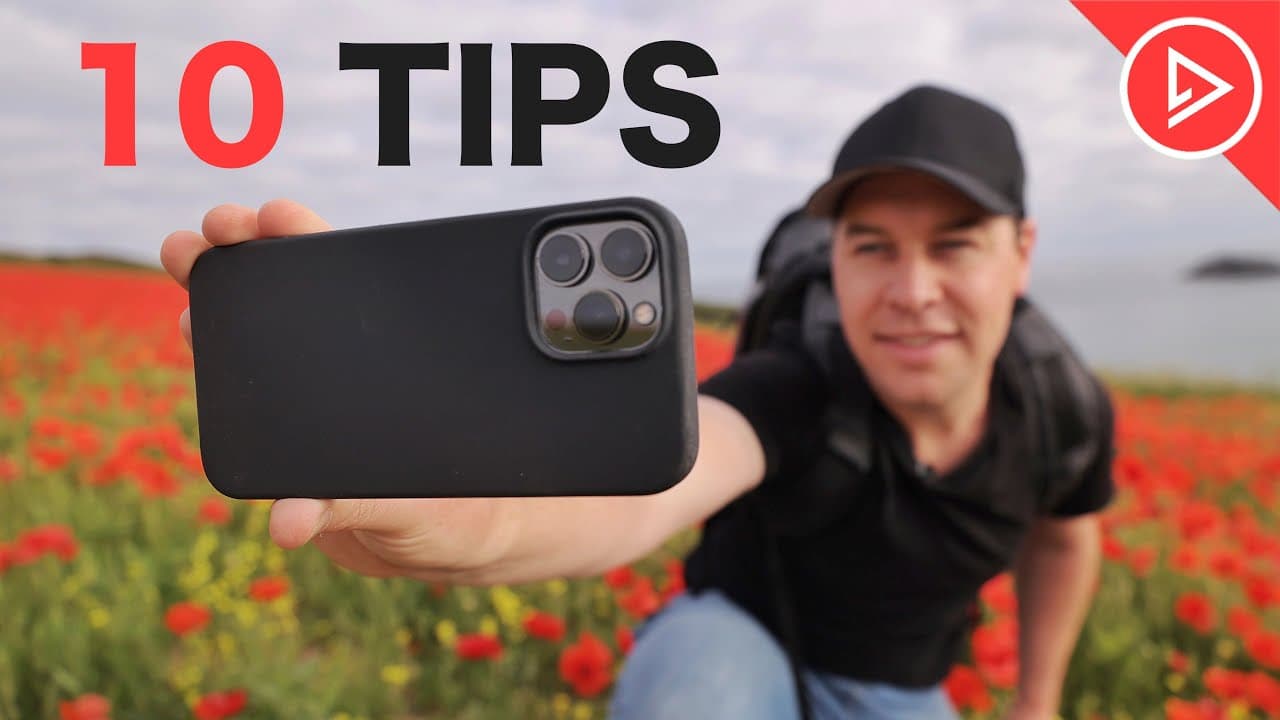
10 Mobile Videography Tips For Beginners
TL;DR
Learn 10 tips to enhance smartphone video quality.
Transcript
Read and summarize the transcript of this video on Glasp Reader (beta).
Key Insights
- Experimenting with different camera angles, such as low or top-down shots, can make your footage more dynamic and engaging.
- Smooth and consistent camera movements are crucial for a professional look. Consider the story you're telling with each movement.
- Accessories like gimbals, cages, and lenses can significantly enhance video quality by providing stability and creative shooting options.
- Slow motion can add drama and clarity to your footage, allowing the audience to absorb more details and information.
- Utilizing different lenses, such as ultra-wide or telephoto, can offer variety in shots and keep viewers engaged.
- Incorporating music and sound effects can transform the mood and feel of your footage, making it more immersive.
- Camera phone features like cinematic mode and time-lapse can increase production value and add creative elements to your videos.
- Color grading is essential for stylizing footage. Experiment with different looks to match the tone of your video.
Install to Summarize YouTube Videos and Get Transcripts
Explore YouTube Video Summarizer or Get YouTube Transcript Extractor
Questions & Answers
Q: How can different camera angles improve smartphone video quality?
Different camera angles, such as low, top-down, or upward shots, add visual interest and variety to your footage. These angles can create unique perspectives that engage viewers and make your videos stand out from typical eye-level shots. Experimenting with angles helps convey different emotions and enhances storytelling.
Q: What role do accessories play in smartphone videography?
Accessories like gimbals, cages, and lenses play a crucial role in enhancing smartphone videography by providing stability, creative shooting options, and improved image quality. Gimbals help achieve smooth shots, cages offer mounting options for additional gear, and lenses expand the range of possible shots, adding professional touches to your videos.
Q: Why is slow motion beneficial in video production?
Slow motion is beneficial in video production as it adds drama and clarity by allowing viewers to absorb more details. It smooths out footage, especially when shot handheld, and can convey emotions or highlight specific actions. Slow motion also helps set the mood or tone of a scene, enhancing the overall storytelling.
Q: How do music and sound effects transform video content?
Music and sound effects transform video content by setting the mood, enhancing emotions, and creating an immersive experience for the audience. They can mask unwanted audio, such as wind noise, and add depth to scenes. The right audio elements can significantly change the perception of a video, making it more engaging and professional.
Q: What camera phone features are useful for videography?
Useful camera phone features for videography include cinematic mode, which simulates shallow depth of field, and time-lapse mode for capturing movement over time. These features add creative elements and increase production value. Additionally, professional camera apps offer manual control over settings like ISO and shutter speed, providing more flexibility and consistency.
Q: How does color grading affect smartphone video footage?
Color grading affects smartphone video footage by allowing creators to stylize and enhance the visual appeal of their videos. It involves adjusting contrast, saturation, and white balance to achieve a desired look or mood. Effective color grading can transform standard footage into cinematic-quality content, making it more visually compelling and professional.
Q: What are the benefits of using a professional camera app?
Using a professional camera app provides benefits such as manual control over camera settings, including ISO, shutter speed, and white balance. This allows for greater precision and consistency in footage. These apps often offer advanced features not available in native apps, enabling users to achieve higher-quality videos with more creative control.
Q: How can creativity enhance smartphone videography?
Creativity enhances smartphone videography by encouraging unique and engaging content. By experimenting with angles, transitions, and editing styles, creators can capture attention and differentiate their videos. Creative use of locations, storytelling elements, and environmental factors can also enrich the narrative, making the footage more memorable and impactful.
Summary & Key Takeaways
-
This video provides 10 essential tips for improving smartphone video quality, covering angles, movements, and accessories.
-
Steve from Learn Online Video shares insights on using slow motion, music, and sound effects to enhance video storytelling.
-
Explore camera features, apps, and color grading techniques to elevate your smartphone videography skills and creativity.
Read in Other Languages (beta)
Share This Summary 📚
Summarize YouTube Videos and Get Video Transcripts with 1-Click
Try YouTube Summary with ChatGPT & Claude or YouTube Transcript Generator
Explore More Summaries from Learn Online Video 📚
Summarize YouTube Videos and Get Video Transcripts with 1-Click
Try YouTube Summary with ChatGPT & Claude or YouTube Transcript Generator