Exchange choice change - Tkinter tutorial Python 3.4 part 20
TL;DR
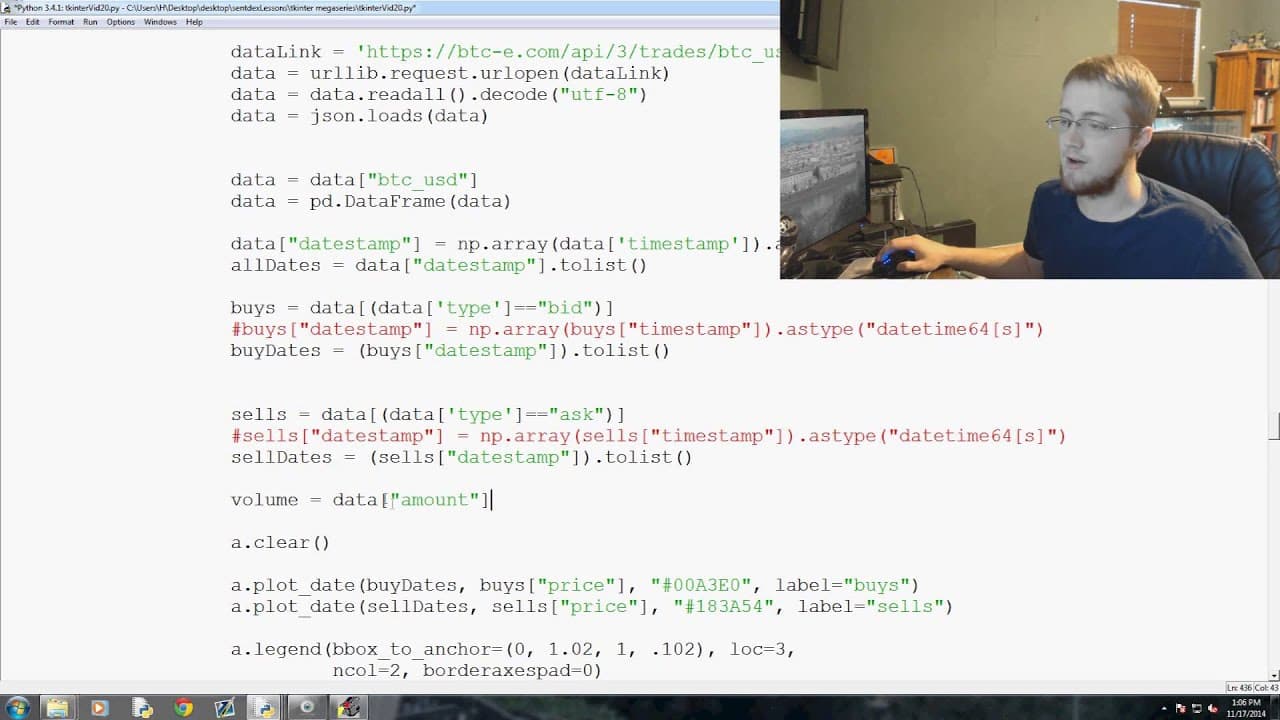
This tutorial explains how to integrate backend operations for data visualization in Tkinter using Candlestick charts and plot functionalities from the Matplotlib library.
Transcript
what is going on everybody welcome to the 20th tkinter tutorial video in our ticket omega series so to speak here where we are making an actual program so what are we left off we've got you know a nice baseline and we've got all of our options and stuff that we want in our program but we haven't actually tied any back end operation to do them so fo... Read More
Key Insights
- 👤 The tutorial emphasizes the importance of tying backend operations to user choices in a Tkinter program for functionality.
- 👻 The integration of Candlestick charts and plot functionalities from Matplotlib allows for the visualization of non-tick data with date modifications.
- 😒 The use of Matplotlib.dates and Matplotlib.ticker libraries enables the modification of dates and ticker information on the graphs.
- 🖼️ The tutorial guides users on how to modify the code to support various data frames and time frames for animation.
- 🔇 Adding volume data to the graph provides additional insights into the trading volume associated with the price data.
- 📈 By using subplots and grid customization, the tutorial offers flexibility for future expansion and customization of the graph.
- 💋 Further customization options, such as displaying more marks and formatting the date display, are discussed.
Install to Summarize YouTube Videos and Get Transcripts
Explore YouTube Video Summarizer or Get YouTube Transcript Extractor
Questions & Answers
Q: How does the tutorial explain the need to tie backend operations to user choices in a Tkinter program?
The tutorial states that currently the program's options do not perform any backend operations. In order to actually execute the chosen options, backend functions need to be applied.
Q: What additional libraries are imported to support date modification and ticker modification?
The two additional libraries imported are Matplotlib.dates as Mdates and Matplotlib.ticker as Mticker. These libraries enable the program to modify dates and ticker information on the graphs.
Q: How does the tutorial handle the animation function to support different data frames?
The tutorial explains that the animation function needs to be programmed to support various data frames. Several global and conditional statements are added to ensure that the animation works correctly with different data frames and time frames.
Q: Why is the volume data added to the graph, and how is it done?
The tutorial explains that volume data is useful to understand the volume involved in the price data. To add volume data to the graph, a fill_between function is used with the color set to display the volume data between the buy and sell dates.
Summary & Key Takeaways
-
The video tutorial discusses the need to tie backend operations to user choices in a Tkinter program created in previous tutorials.
-
It introduces the use of Candlestick charts and plot functionalities from Matplotlib to display non-tick data with date modifications.
-
A step-by-step demonstration is provided on how to modify the code to support various data frames and time frames for animation.
Read in Other Languages (beta)
Share This Summary 📚
Summarize YouTube Videos and Get Video Transcripts with 1-Click
Try YouTube Summary with ChatGPT & Claude or YouTube Transcript Generator
Explore More Summaries from sentdex 📚






Summarize YouTube Videos and Get Video Transcripts with 1-Click
Try YouTube Summary with ChatGPT & Claude or YouTube Transcript Generator