Human in Blender
TL;DR
Human Generator simplifies creating detailed human models in Blender.
Transcript
Read and summarize the transcript of this video on Glasp Reader (beta).
Key Insights
- The Human Generator add-on is a powerful tool in Blender for creating realistic human models with ease and customization options.
- Using Human Generator, users can avoid the complexity of switching between different software, streamlining the modeling process within Blender.
- The add-on offers default male and female models, which can be customized in terms of body type, skin texture, and facial features.
- Users can modify the model's appearance using sliders for different ethnic features, skin tones, and hairstyles, providing a high degree of artistic control.
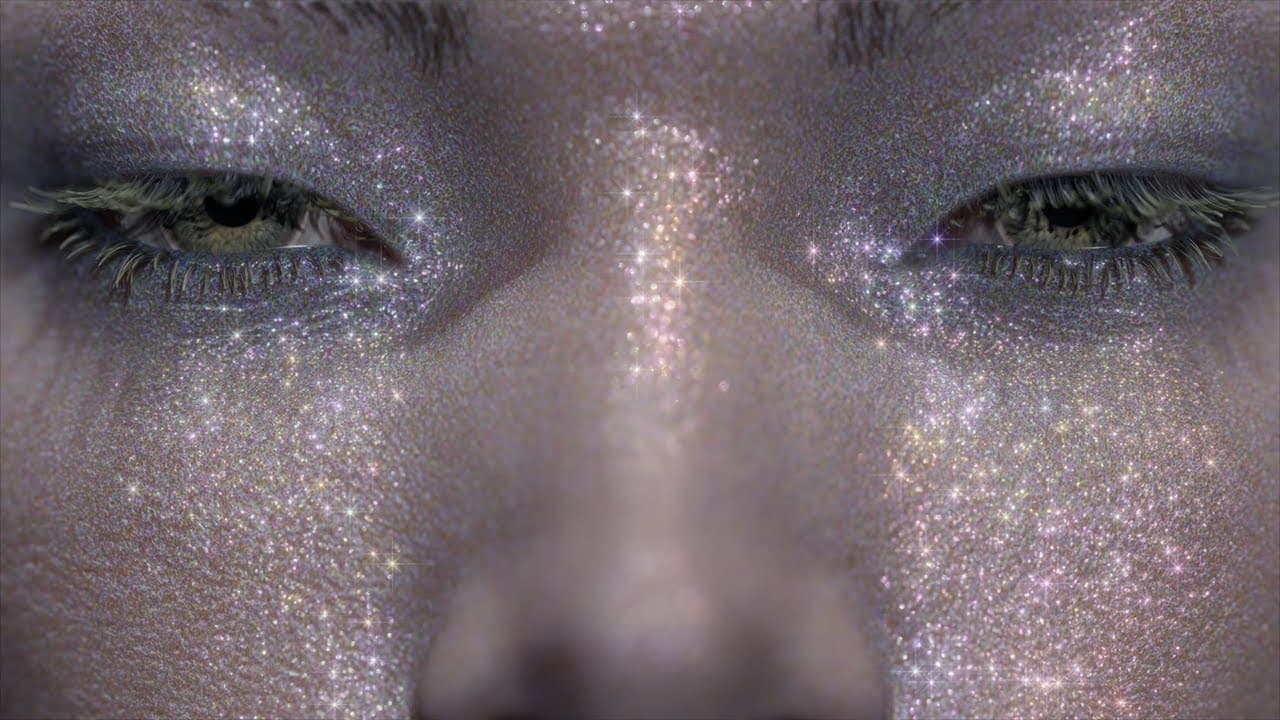
- The add-on supports high-resolution textures up to 8K, allowing for detailed skin textures and realistic rendering in Blender's Eevee and Cycles engines.
- Human Generator includes a pose library feature, enabling users to create, save, and apply custom poses to their models easily.
- The sculpting feature allows for further refinement of models by adjusting details like bone structure and facial features, enhancing realism.
- The add-on integrates a face rigging system, facilitating the creation of facial expressions and animations for more dynamic models.
Install to Summarize YouTube Videos and Get Transcripts
Explore YouTube Video Summarizer or Get YouTube Transcript Extractor
Questions & Answers
Q: What is the main benefit of using the Human Generator add-on in Blender?
The main benefit of using the Human Generator add-on in Blender is its ability to streamline the creation of realistic human models, offering a comprehensive set of customization options for body types, skin textures, and hairstyles. This eliminates the need to switch between different software, making the modeling process more efficient and user-friendly.
Q: How does Human Generator simplify the posing process for models?
Human Generator simplifies the posing process by providing a pose library feature that allows users to create, save, and apply custom poses to their models easily. This feature enhances workflow efficiency by enabling quick adjustments to model poses without the need for complex rigging or external tools.
Q: What customization options are available in Human Generator?
Human Generator offers a variety of customization options, including different body types, skin tones, facial features, and hairstyles. Users can adjust these elements using sliders, allowing for precise control over the model's appearance. The add-on also supports high-resolution textures and detailed sculpting for further refinement.
Q: How does the sculpting feature in Human Generator enhance model realism?
The sculpting feature in Human Generator enhances model realism by allowing users to refine details such as bone structure and facial features. This feature provides the flexibility to adjust specific areas of the model, leading to more accurate and lifelike representations, especially when combined with high-resolution textures.
Q: What role does the face rigging system play in Human Generator?
The face rigging system in Human Generator plays a crucial role in enabling the creation of facial expressions and animations. This system allows users to manipulate facial features to convey emotions and dynamics, adding a layer of realism and versatility to the models, which is essential for animation projects.
Q: Can Human Generator be used for creating models with different ethnic features?
Yes, Human Generator can be used to create models with different ethnic features. The add-on provides sliders that allow users to adjust the model's appearance to reflect various ethnic characteristics, such as Asian, Black, or Caucasian features, offering a wide range of diversity in model creation.
Q: What is the maximum texture resolution supported by Human Generator?
Human Generator supports texture resolutions up to 8K, allowing for highly detailed skin textures and realistic rendering in Blender's Eevee and Cycles engines. This high level of detail is beneficial for producing professional-quality models and renders.
Q: How can users integrate Human Generator into their Blender projects?
Users can integrate Human Generator into their Blender projects by installing the add-on and using its features to create and customize human models directly within Blender. The add-on's capabilities, such as pose libraries, sculpting tools, and face rigging, can be utilized to enhance projects, providing a seamless workflow for model creation and animation.
Summary & Key Takeaways
-
The Human Generator add-on for Blender is designed to simplify the creation of realistic human models, offering a range of customization options for body types, skin tones, and hairstyles. It allows users to work entirely within Blender, avoiding the need to switch between different software.
-
The add-on provides high-resolution textures and a pose library, enabling users to create detailed models with custom poses. It also includes a sculpting feature for refining model details, enhancing the realism of the final output.
-
Human Generator includes a face rigging system that supports the creation of facial expressions and animations. Users can apply shape keys to customize their models further and integrate them seamlessly into their Blender projects.
Read in Other Languages (beta)
Share This Summary 📚
Summarize YouTube Videos and Get Video Transcripts with 1-Click
Try YouTube Summary with ChatGPT & Claude or YouTube Transcript Generator
Explore More Summaries from NENGHUO 📚
Summarize YouTube Videos and Get Video Transcripts with 1-Click
Try YouTube Summary with ChatGPT & Claude or YouTube Transcript Generator