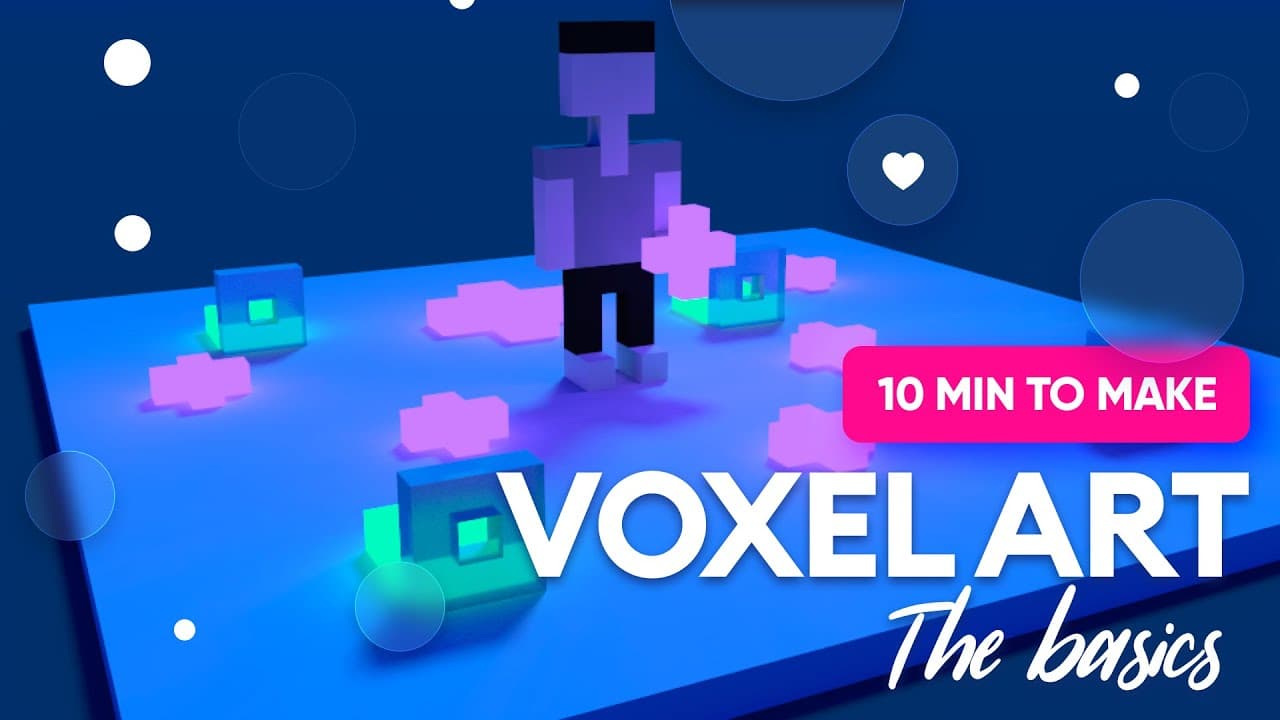
How to make voxel art - basic tutorial in Magica Voxel
TL;DR
Learn the basics of using Magica Voxel, a free tool for creating voxel art, with step-by-step instructions and tips.
Transcript
hey guys as you probably know i think that ui designers and ux designers should explore many different areas around their craft to be better as designers so today i have something slightly different for you it's a free tool called magica voxel and you can use it to create voxel art and i'm not gonna make a lot of tutorials in this tool my plan is t... Read More
Key Insights
- 🥰 Voxel art created using Magica Voxel offers a unique and visually appealing 3D experience for designers.
- 🥰 The tool provides various features for creating and manipulating voxel art, including rotating, panning, zooming, and changing colors.
- 🎨 Start with a simple design and gradually increase complexity as you become more comfortable with the tool.
- 🩵 Lights and glowing objects can be added to enhance the overall look and feel of your voxel art.
- 👻 Magica Voxel allows you to create detailed designs by increasing the viewport and adding more intricate elements.
- ⚾ The tutorial encourages experimentation and creativity, with the ability to create unique designs based on personal preferences.
- 👻 Sharing your creations with others is encouraged, as it allows for inspiration and the exploration of different design possibilities.
Install to Summarize YouTube Videos and Get Transcripts
Explore YouTube Video Summarizer or Get YouTube Transcript Extractor
Questions & Answers
Q: What is Magica Voxel?
Magica Voxel is a free tool that designers can use to create voxel art, which uses 3D cubes to build objects and characters.
Q: How do I navigate the interface in Magica Voxel?
Use the right mouse button to rotate objects, hold space and drag to pan, and use the mouse wheel to zoom in and out. These features make it easy to navigate and view your designs.
Q: Can I create detailed designs with Magica Voxel?
Yes, while the tutorial focuses on creating a simple minimalist character, you can increase the viewport and make more detailed designs, including facial features, objects, and intricate designs.
Q: How can I add lights and create a more visually appealing design?
By switching to the render mode and using the emission feature, you can create glowing objects. Experimenting with different colors and glow intensities can enhance your design.
Summary & Key Takeaways
-
Magica Voxel is a free tool that allows users to create voxel art, offering a unique 3D experience for designers.
-
The tutorial provides an introduction to the interface and basic features of Magica Voxel, including rotating, panning, zooming, creating shapes, and changing colors.
-
Step-by-step instructions are given to create a simple minimalist character and add lights, resulting in a more visually appealing design.
Read in Other Languages (beta)
Share This Summary 📚
Summarize YouTube Videos and Get Video Transcripts with 1-Click
Try YouTube Summary with ChatGPT & Claude or YouTube Transcript Generator
Explore More Summaries from Malewicz 📚




Summarize YouTube Videos and Get Video Transcripts with 1-Click
Try YouTube Summary with ChatGPT & Claude or YouTube Transcript Generator