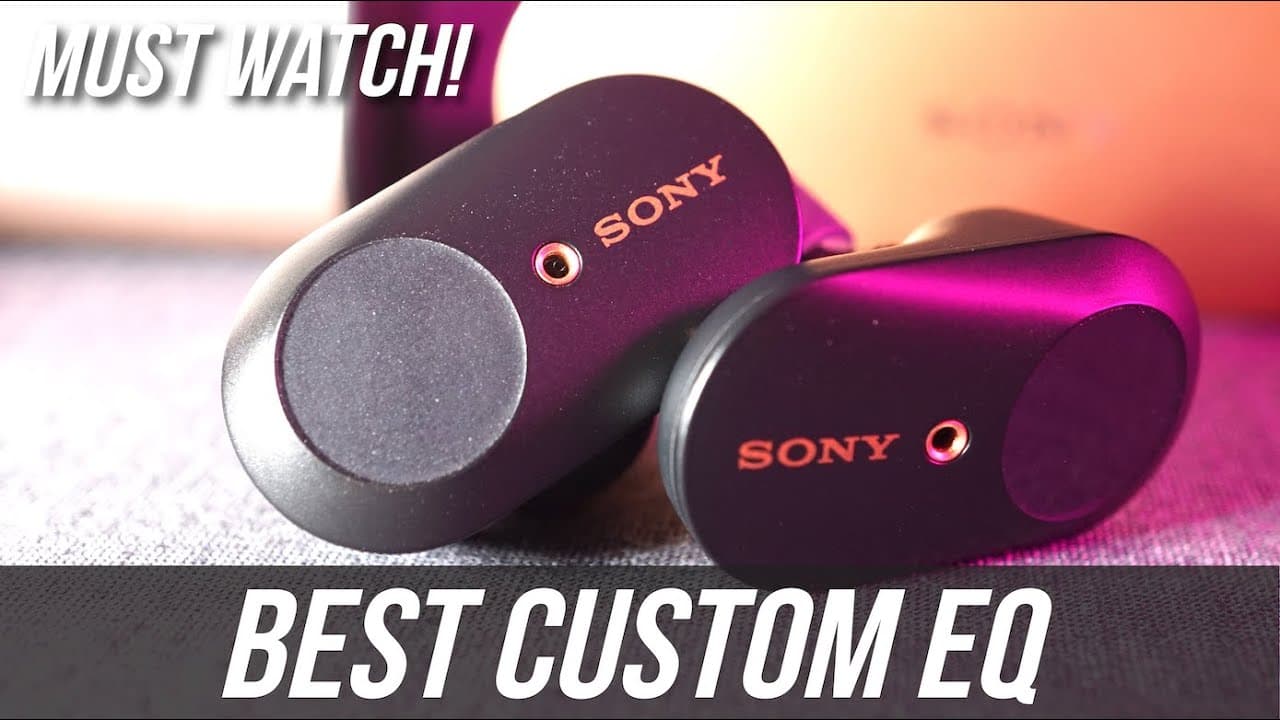
Sony WF-1000XM3 Earbuds Best Custom EQ Settings
TL;DR
Learn how to customize EQ settings for Sony earbuds for optimal sound quality.
Transcript
hey Oscar bros my name is Aaron welcome back to another video last week in this video I talked about what are the best custom settings to use for your new Heusen xm3 earbuds this week however we're going to talk about EQ what are the EQ settings that I use now before we get started equalizing the earbuds we need to make sure of a few things first o... Read More
Key Insights
- 👂 Good earbud fit is essential for optimal audio performance; the right ear tips can enhance bass and overall sound quality.
- 😀 It is crucial to standardize initial settings in the Sony headphones app to ensure consistency during EQ adjustments.
- 💱 Familiarity with a specific song during EQ setup helps in gauging the effectiveness of changes made to the audio settings.
- 🤕 The equalizer consists of a five-band structure, allowing users to manipulate different frequency ranges to personalize sound.
- 😘 Clear bass adjustments can significantly enhance low-frequency outputs, catering to users who prefer strong bass in their audio experience.
- 👂 Individual preferences are paramount in sound adjustments, as perceived sound quality can vary greatly among listeners.
- 👤 Upcoming content promises in-depth insights on the Sony WF-1000XM3, aiming to deepen user understanding and engagement with the product.
Install to Summarize YouTube Videos and Get Transcripts
Explore YouTube Video Summarizer or Get YouTube Transcript Extractor
Summary & Key Takeaways
-
The video discusses the importance of achieving a good seal with Sony WF-1000XM3 earbuds to ensure proper bass response and sound quality. The right ear tips are essential for optimal fit.
-
Aaron guides viewers through the steps of using a five-band equalizer within the Sony headphones connect app, providing specific settings for bass, mid-range, and treble frequencies to enhance listening experiences.
-
He emphasizes that these custom settings are flexible and should be adjusted according to individual preferences while also inviting viewers to provide feedback on the effectiveness of the settings shared.
Read in Other Languages (beta)
Share This Summary 📚
Summarize YouTube Videos and Get Video Transcripts with 1-Click
Try YouTube Summary with ChatGPT & Claude or YouTube Transcript Generator
Explore More Summaries from Aaron X Loud and Wireless 📚


Summarize YouTube Videos and Get Video Transcripts with 1-Click
Try YouTube Summary with ChatGPT & Claude or YouTube Transcript Generator