Products
Features
YouTube Video Summarizer
Summarize YouTube videos
Web & PDF Highlighter
Highlight web pages & PDFs
Chat with PDF
Ask any PDF questions with AI
Ask AI Clone
Chat with your highlights & memories
Audio Transcriber
Transcribe audio files to text
Glasp Reader
Read and highlight articles
Kindle Highlight Export
Export your Kindle highlights
Idea Hatch
Hatch ideas from your highlights
Integrations
Obsidian Plugin
Notion Integration
Pocket Integration
Instapaper Integration
Medium Integration
Readwise Integration
Snipd Integration
Hypothesis Integration
Apps & Extensions
Chrome Extension
Safari Extension
Edge Add-ons
Firefox Add-ons
iOS App
Android App
Discover
Discover
Ideas
Discover new ideas and insights
Articles
Curated articles and insights
Books
Book recommendations by great minds
Posts
Essays and notes from readers
Quotes
Inspiring quotes collection
Videos
Curated videos and summaries
Explore Glasp
Glasp Story
How we grew from 0 to 3 million users
Glasp Newsletter
Weekly insights and updates
Glasp Talk
Interview series with great minds
Glasp Blog
Latest news and articles
Glasp Use Cases
Learn how others use Glasp
Build & Support
Glasp API
Access Glasp's API for developers
MCP Connector
Connect Glasp to Claude & ChatGPT
Community
Glasp Reddit Community
Students
Student discount and benefits
FAQs
Frequently Asked Questions
AboutPricing
DashboardLog inSign up

Midjourney V5 - How To Use Reference Images To Create UNBELIEVABLE Cartoons And Avatars - Tutorial
170.5K views
•
March 17, 2023
by
Curtis Pyke
YouTube video player
Midjourney V5 - How To Use Reference Images To Create UNBELIEVABLE Cartoons And Avatars - Tutorial

TL;DR

Mid Journey Version 5 offers a range of over 150 different Cartoon Avatar Styles, allowing users to create highly photorealistic or abstract AI-generated avatars and illustrations.

Transcript

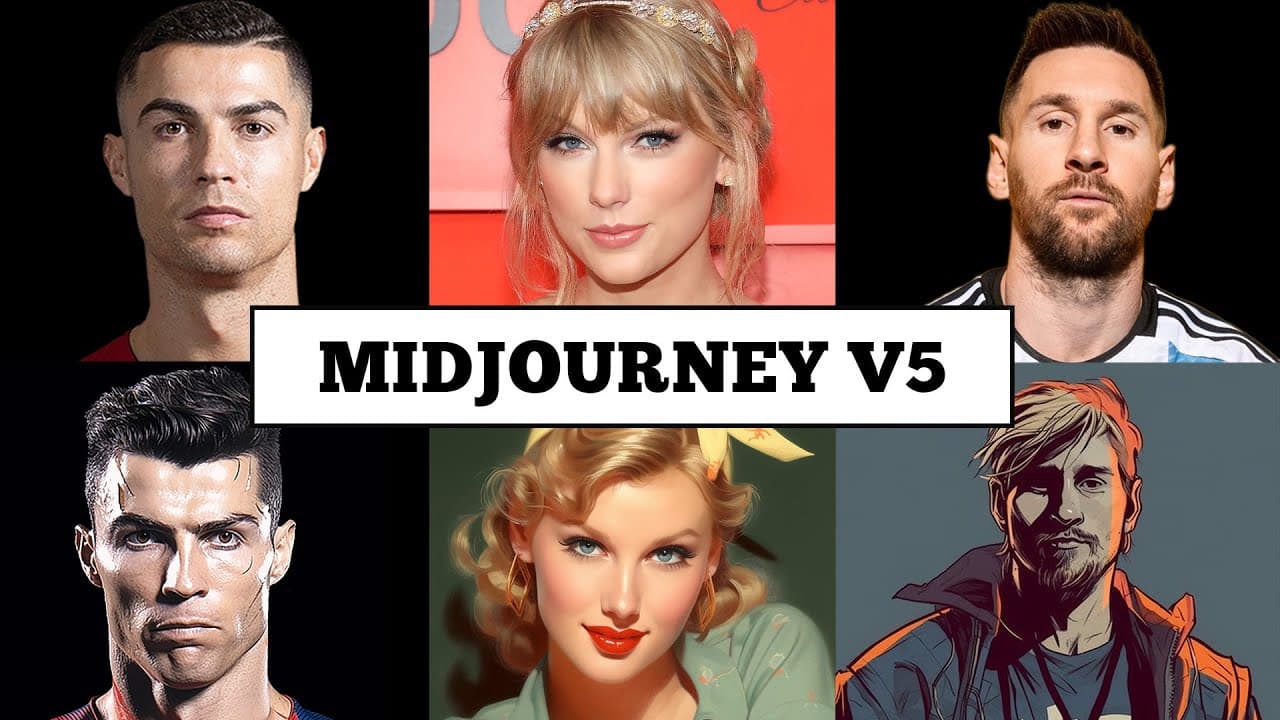
Hello everybody welcome back to another mid-journey version 5 tutorial version five just launched and holy smokes you remember in the past you people were making AI avatars and cartoons and illustrations well version five has taken it to the next level and let me show you here here's some just some images here I've got a Ronaldo Messi Taylor Swift ... Read More

Key Insights

  • 🎨 The latest version of Mid Journey (version 5) allows users to create highly realistic and stylistic AI-generated avatars, cartoons, and illustrations.
  • 🌟 The platform provides access to over 150 different Cartoon Avatar Styles, allowing users to choose from a wide range of artistic styles and options.
  • 💡 The tutorial demonstrates how to refine and customize the generated artwork, giving users the ability to create highly photorealistic or abstract pieces with flexibility and control.
  • 💻 The process starts by selecting an image to work with, which is then copied and pasted into the Discord botter.
  • 📚 Additional resources are available, including a list of illustrators, cartoonists, and caricature artists, providing inspiration and styles to work with.
  • 🖼️ Users can experiment with different weights and prompts to achieve the desired artistic effect, with options to adjust image weight and prompt weight.
  • 🔄 The remixing feature allows users to create variations of the generated artwork, providing endless possibilities for customization and exploration.
  • 🌌 Swapping artists is also possible, giving users the opportunity to work with different styles and aesthetics by simply changing the artist's name in the prompt.

Install to Summarize YouTube Videos and Get Transcripts

Explore YouTube Video Summarizer or Get YouTube Transcript Extractor

Summary & Key Takeaways

  • Version 5 of Mid Journey introduces advanced features for creating AI-generated cartoon avatars and illustrations.

  • Users can access a wide range of over 150 different Cartoon Avatar Styles, from highly photorealistic to abstract.

  • The tutorial demonstrates how to refine the avatar styles and create unique AI-generated art.


Read in Other Languages (beta)

English

Share This Summary 📚

Summarize YouTube Videos and Get Video Transcripts with 1-Click

Download browser extensions on:

Try YouTube Summary with ChatGPT & Claude or YouTube Transcript Generator

Explore More Summaries from Curtis Pyke 📚
Best Dashcam AI 2026? DDPAI Z90 Master Sees EVERYTHING — Full Review thumbnail
Best Dashcam AI 2026? DDPAI Z90 Master Sees EVERYTHING — Full Review
Kingy AI
How to Create Consistent AI Characters and Videos with Artlist AI Toolkit thumbnail
How to Create Consistent AI Characters and Videos with Artlist AI Toolkit
Kingy AI
How to Use Chat GPT for Writing Essays with Citations thumbnail
How to Use Chat GPT for Writing Essays with Citations
Curtis Pyke
Boya Notra Review: The Best AI Voice Recorder for 2026? thumbnail
Boya Notra Review: The Best AI Voice Recorder for 2026?
Kingy AI
What Are the Key Differences Between Threads and Twitter? thumbnail
What Are the Key Differences Between Threads and Twitter?
Curtis Pyke
How to Create Free Narrated Video Summaries Online thumbnail
How to Create Free Narrated Video Summaries Online
Curtis Pyke

Summarize YouTube Videos and Get Video Transcripts with 1-Click

Download browser extensions on:

Try YouTube Summary with ChatGPT & Claude or YouTube Transcript Generator

Apps & Extensions

  • Chrome Extension
  • Safari Extension
  • Edge Add-ons
  • Firefox Add-ons
  • iOS App
  • Android App

Key Features

  • YouTube Video Summarizer
  • Web & PDF Summarizer
  • Web & PDF Highlighter
  • Chat with PDF
  • Ask AI Clone
  • Audio Transcriber
  • Glasp Reader
  • Kindle Highlight Export
  • Idea Hatch

Integrations

  • Obsidian Plugin
  • Notion Integration
  • Pocket Integration
  • Instapaper Integration
  • Medium Integration
  • Readwise Integration
  • Snipd Integration
  • Hypothesis Integration

More Features

  • APIs
  • MCP Connector
  • Blog & Post
  • Embed Links
  • Image Highlight
  • Personality Test
  • Quote Shots
  • Open Graph Checker

Company

  • About us
  • Our Story
  • Blog
  • Community
  • FAQs
  • Job Board
  • Newsletter
  • Pricing
Terms

•

Privacy

•

Guidelines

© 2026 Glasp Inc. All rights reserved.