How to animate Picking up an Onject in Blender 2.80
TL;DR
Learn to animate object pickup in Blender using constraints.
Transcript
hello and welcome to this blender tutorial project ID Louis at my name is Emmanuel kaavo and I would like to wish you guys a happy new year welcome to 2019 I hope you guys had a nice holiday with your family and friends so for today I'll be showing you guys how to create the pickup animation so it's just basically maybe animating a ... Read More
Key Insights
- The tutorial focuses on creating a pickup animation in Blender 2.80, specifically animating a character picking up an object using constraints.
- Emmanuel Kaavo guides users through setting up the scene, emphasizing the importance of the parent-child relationship for controlling object movement.
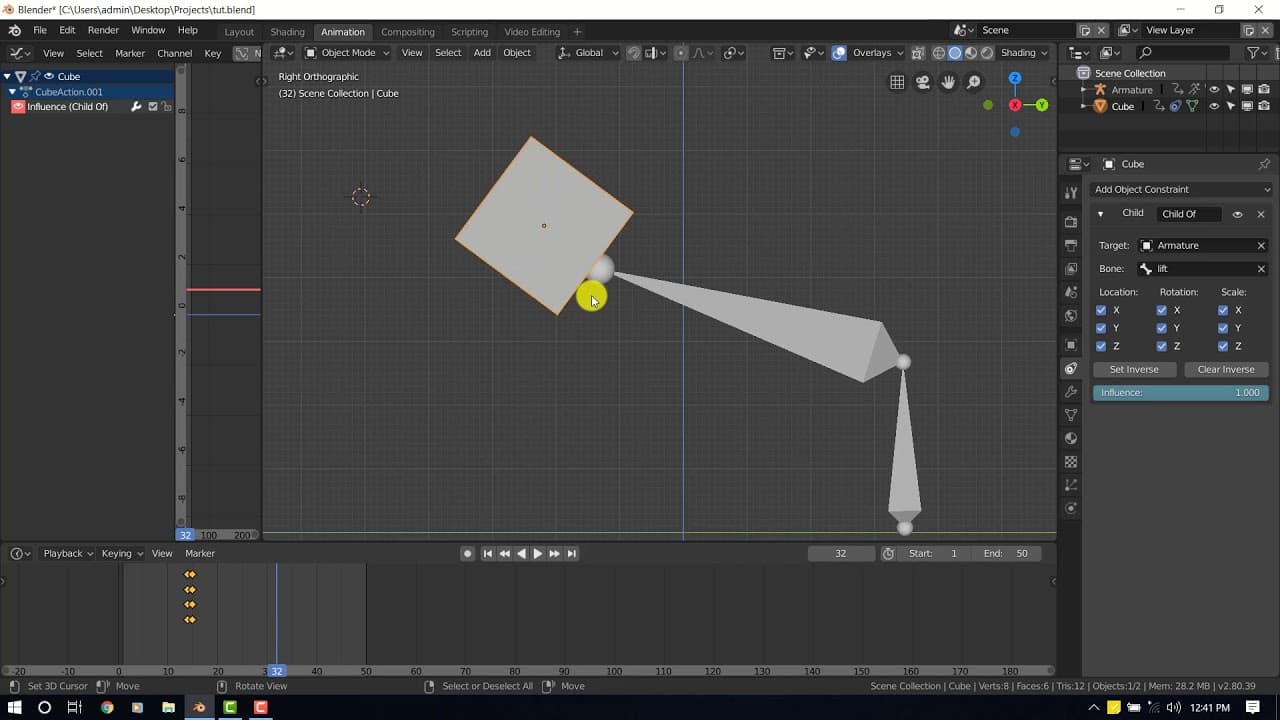
- The tutorial highlights the use of the 'Child of' constraint to manage the influence of the bone on the cube, allowing for precise animation control.
- Keyframing is essential in this animation process, with specific instructions on inserting keyframes for both the cube and the influence to achieve the desired effect.
- The tutorial addresses potential issues with object placement and offers solutions like using the annotation tool or duplicating objects as placeholders.
- Emmanuel explains the importance of setting and clearing inverses to maintain object positions during animation transitions.
- The tutorial provides a step-by-step approach to animating the object losing its parent influence, ensuring a seamless transition back to its original position.
- Emmanuel concludes with encouragement for viewers to experiment and refine their animations, emphasizing the tutorial's role as a foundational guide.
Install to Summarize YouTube Videos and Get Transcripts
Explore YouTube Video Summarizer or Get YouTube Transcript Extractor
Summary & Key Takeaways
-
This Blender tutorial by Emmanuel Kaavo teaches users how to animate a character picking up an object using the 'Child of' constraint. The process involves setting up the scene, managing parent-child relationships, and using keyframes to control the animation.
-
Emmanuel provides detailed instructions on adjusting the influence of the bone on the object, ensuring smooth transitions and accurate placement. He also shares tips for handling potential issues with object positioning during the animation.
-
The tutorial is designed for both beginners and more experienced users, offering a comprehensive guide to creating a basic pickup animation in Blender 2.80. Emmanuel encourages viewers to experiment and refine their techniques for better results.
Read in Other Languages (beta)
Share This Summary 📚
Summarize YouTube Videos and Get Video Transcripts with 1-Click
Try YouTube Summary with ChatGPT & Claude or YouTube Transcript Generator
Summarize YouTube Videos and Get Video Transcripts with 1-Click
Try YouTube Summary with ChatGPT & Claude or YouTube Transcript Generator