How to Optimize Minecraft Ray Tracing for Low-End PCs
TL;DR
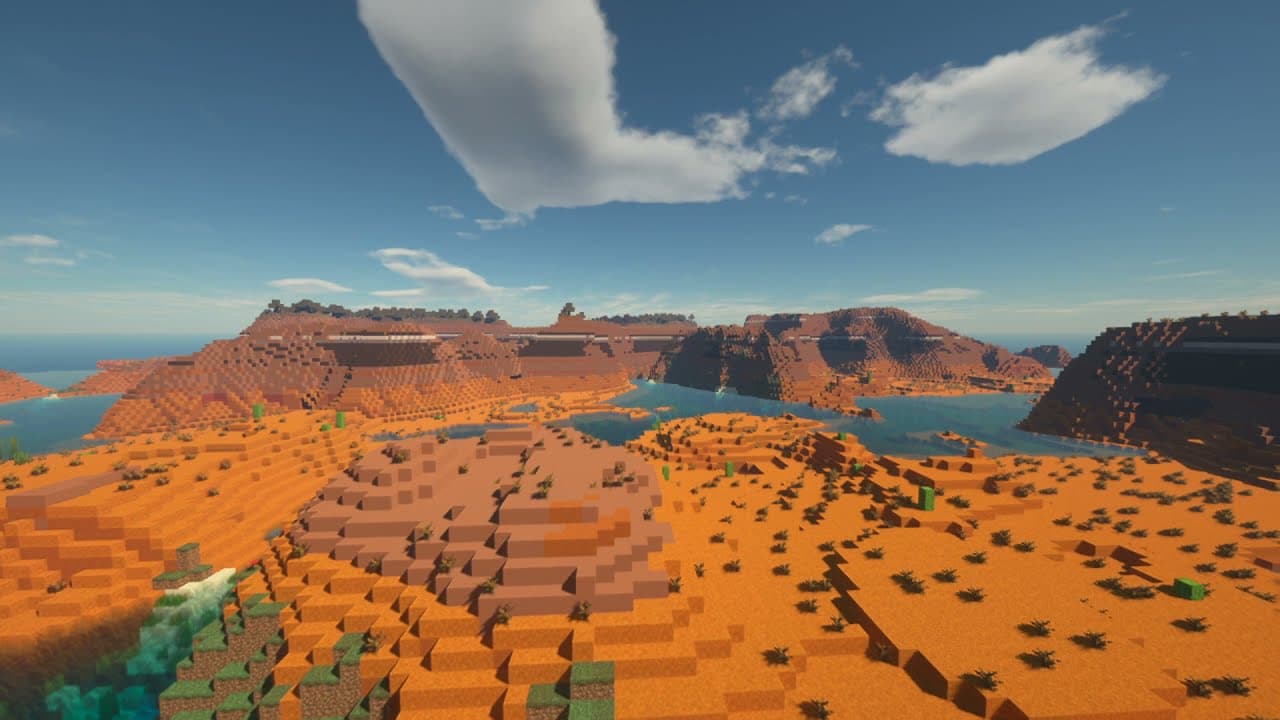
To optimize Minecraft for ray tracing on low-end PCs, adjust OptiFine and shader settings. Key changes include turning off smooth lighting, lowering shadow distance, and changing particle settings to minimal. Additionally, use a lower render quality for shaders to significantly improve FPS while still maintaining good visual quality.
Transcript
before we start today's video i'd just like to give a shout out to microsoft for never working when i was about to make this video i booted up the minecraft launcher the one that we've had for years and i noticed that apparently there's a new improved launcher so i went and i downloaded it it's now on the microsoft store and it just doesn't work at... Read More
Key Insights
- 💦 Microsoft's new Minecraft launcher on the Microsoft Store has encountered compatibility issues and may not work properly.
- 😘 Ray tracing shaders significantly decrease frame rates, especially on low-end PCs.
- 🙌 Optimization settings in both Minecraft and shader options can greatly enhance ray tracing performance.
- ❓ Adjusting regular OptiFine settings, shader settings, and render quality can all contribute to better performance and visual experience.
Install to Summarize YouTube Videos and Get Transcripts
Explore YouTube Video Summarizer or Get YouTube Transcript Extractor
Summary & Key Takeaways
-
The video discusses how to optimize Minecraft settings and shader settings to improve ray tracing performance.
-
Various options within Minecraft and the shader settings can be adjusted to increase frame rate and maintain a beautiful image.
-
Tips and strategies are provided for low-end PCs to help them run ray tracing shaders effectively.
Read in Other Languages (beta)
Share This Summary 📚
Summarize YouTube Videos and Get Video Transcripts with 1-Click
Try YouTube Summary with ChatGPT & Claude or YouTube Transcript Generator
Explore More Summaries from MattVidPro AI 📚

Summarize YouTube Videos and Get Video Transcripts with 1-Click
Try YouTube Summary with ChatGPT & Claude or YouTube Transcript Generator