Important Settings for the X100VI & Other Fujifilm Cameras (Auto ISO, Dials, & Buttons)
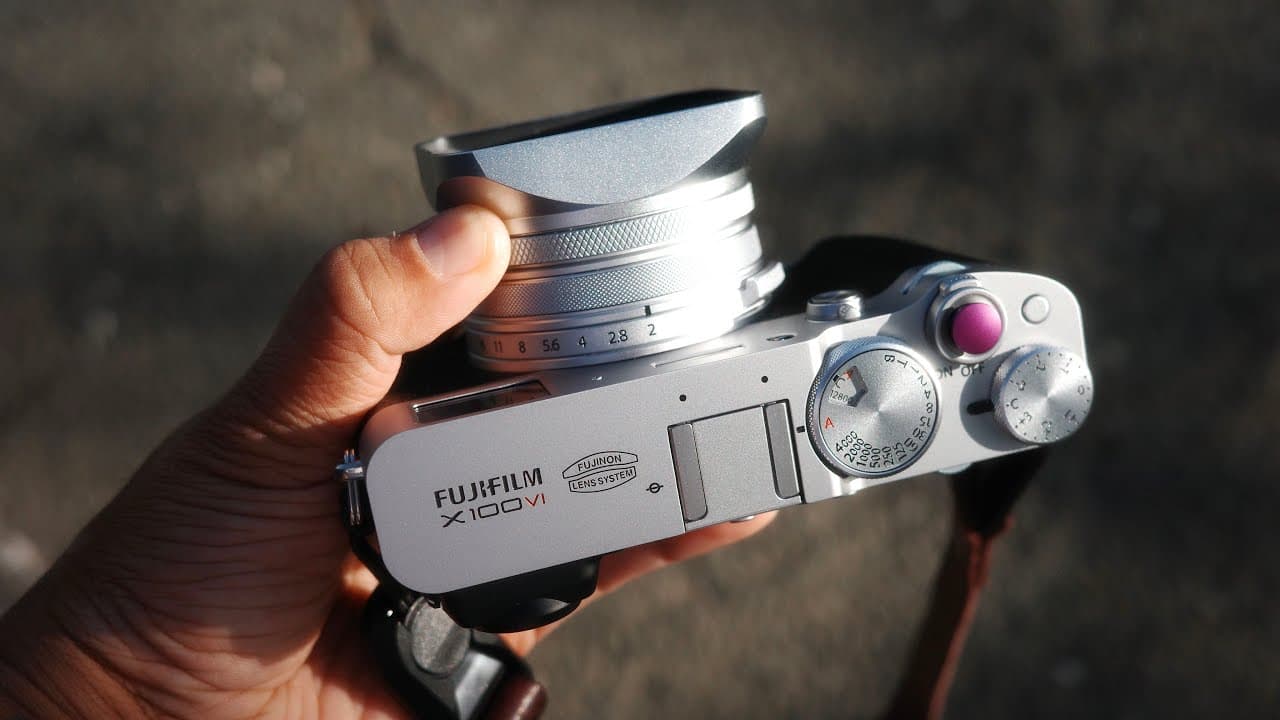
TL;DR
The video discusses effective camera settings for everyday documentation and professional photography.
Transcript
(ethereal music) - So today I'm gonna talk to you a little bit about how I set up my camera for everyday documentation and also works for pro work and different types of genres as well. (upbeat music) (upbeat music) I wanted to thank today's video sponsor, Squarespace. I've actually been using Squarespace for over 10 years now. Their templates and ... Read More
Key Insights
- 🧑🦽 Manual controls on the Fuji X100VI promote a more personalized shooting experience, essential for dynamic photography.
- 💀 Customizable auto ISO settings enhance shooting in varied environments, providing flexibility for different genres such as portrait and event photography.
- 🍧 Effective exposure compensation is crucial, as settings should be adjusted based on specific scenes instead of having a one-size-fits-all approach.
- ✋ Utilizing a well-calibrated LCD screen is vital for ensuring that exposure levels are accurate, particularly when shooting in high-contrast lighting.
- 😫 Setting up dedicated function buttons for frequent adjustments can significantly improve workflow efficiency while shooting.
- 🧑🦽 The importance of mastering manual focusing techniques is emphasized for photographers transitioning from systems with advanced autofocus capabilities.
- 👻 A dual film simulation approach to shooting allows for quick transitions between color and black & white photography.
Install to Summarize YouTube Videos and Get Transcripts
Explore YouTube Video Summarizer or Get YouTube Transcript Extractor
Questions & Answers
Q: What advantages does the speaker find in using the Fuji X100VI for photography?
The speaker appreciates the Fuji X100VI's manual controls, which allow for a more intuitive shooting experience. By utilizing the rear command dial for shutter speed adjustments and aperture rings for quick changes, he can maintain control without disrupting his grip. This personalized setup enhances his shooting effectiveness, especially for professional work.
Q: How does the speaker utilize the auto ISO settings?
The speaker customizes three different auto ISO settings, each tailored for varying conditions. For general subjects, he prefers a minimum shutter speed of 1/160. In low-light scenarios, he adjusts it to 1/15, which, along with the camera's In-body stabilization (IBIS), minimizes motion blur. This flexibility allows him to quickly adapt to different shooting environments.
Q: Why does the speaker prefer to shoot his photos in JPEG format?
He shares a preference for shooting in JPEG due to straightforward editing and sharing capabilities. Capturing in JPEG offers a more convenient workflow, especially for photographers intending to showcase images rapidly, like in event photography. His specific camera settings, including LCD calibration, further ensure that shadows and colors appear correctly in JPEGs.
Q: What are the speaker's recommended autofocus techniques for shooting moving subjects?
The speaker suggests using autofocus single for most situations, even if the subject is in motion. To anticipate movement accurately, he emphasizes the need for predicting where the subject will be, rather than solely relying on continuous autofocus. This method allows for precise focus and prevents missed shots, particularly in fluctuating lighting conditions.
Summary & Key Takeaways
-
The speaker explains his preferred camera settings for shooting with the Fuji X100VI, focusing on manual mode and aperture priority to enhance shooting efficiency.
-
Key features of the camera, such as customizable ISO auto settings and film simulations, are emphasized to adapt to various lighting conditions and photography styles.
-
The importance of mastering autofocus techniques, especially in challenging scenarios, is discussed, highlighting the difference between Fujifilm and other camera systems.
Read in Other Languages (beta)
Share This Summary 📚
Summarize YouTube Videos and Get Video Transcripts with 1-Click
Try YouTube Summary with ChatGPT & Claude or YouTube Transcript Generator
Explore More Summaries from Reggie Ballesteros 📚
Summarize YouTube Videos and Get Video Transcripts with 1-Click
Try YouTube Summary with ChatGPT & Claude or YouTube Transcript Generator