My Top 5 Productivity Tools That Can Make You Better, Faster & Stronger - SPI TV Ep. 3
TL;DR
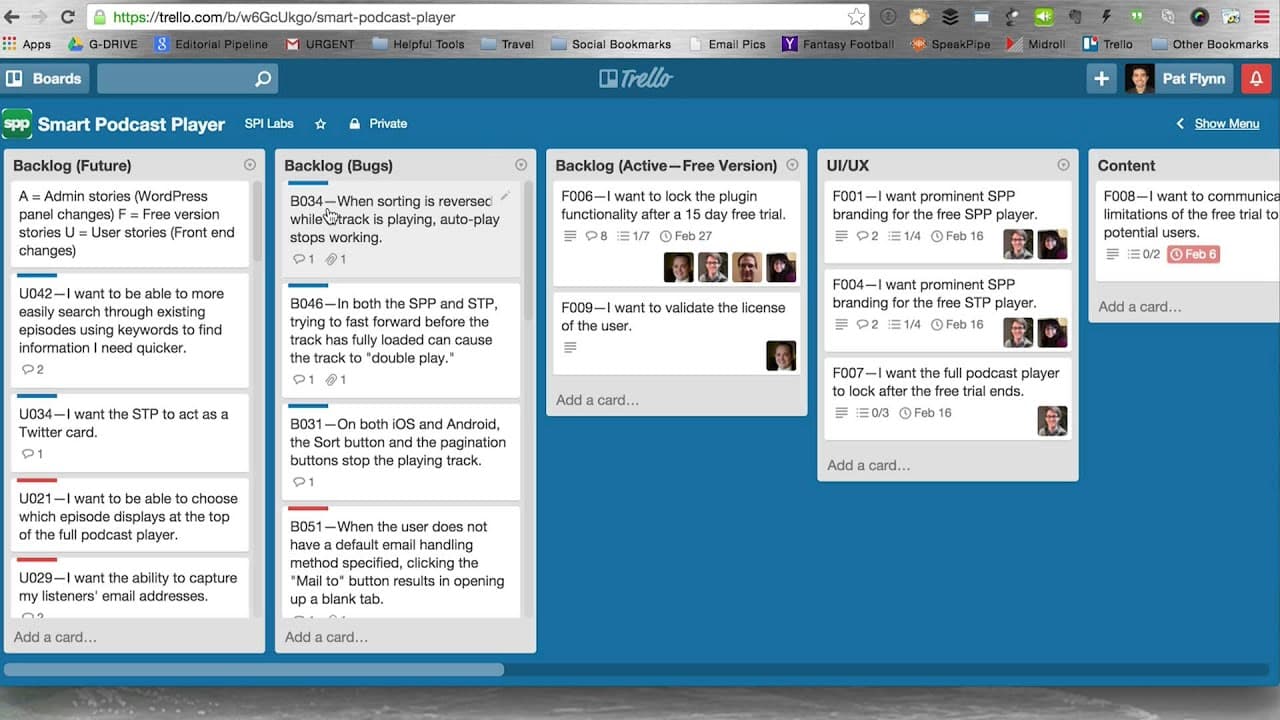
This video discusses five productivity tools, including distraction-free writing software, the use of post-it notes for brainstorming, a workflow for faster blog post writing, a scheduling tool called Calendly, and a project management tool called Trello.
Transcript
Hey, what's up? This is Pat and welcome to episode three of SPI TV. In this video, I'm going to give you my five favorite productivity tools that are going to help you get more work done faster, better and stronger. Here we go. Okay, so this first tool I want to share with you is called "by word" and this is distraction-free writing. This is essent... Read More
Key Insights
- 🥶 Distraction-free writing software can significantly improve productivity by eliminating distractions and allowing writers to focus solely on their words.
- 🏣 Post-it notes are a useful tool for brainstorming and organizing ideas, whether for blog posts, books, or other projects.
- 😥 The workflow of identifying a transformation, creating support points, and crafting a conclusion and call to action can streamline the blog post writing process.
- 🛀 Calendly simplifies scheduling by providing a link that shows available time slots based on the user's calendar, eliminating the need for back-and-forth communication.
Install to Summarize YouTube Videos and Get Transcripts
Explore YouTube Video Summarizer or Get YouTube Transcript Extractor
Questions & Answers
Q: How can distraction-free writing software improve productivity?
Distraction-free writing software, such as Byword or Ommwriter, eliminates distractions and enables writers to focus solely on their words, leading to increased productivity and better writing quality.
Q: How can the use of post-it notes help with brainstorming and organizing ideas?
Post-it notes are a tangible way to capture and organize ideas. Writers can use them to brainstorm and then physically reorganize the notes into sections or chapters, making it easier to structure their writing.
Q: What is the workflow for fast blog post writing mentioned in the video?
The workflow involves first identifying the desired transformation for the reader, then creating three support points to convince the reader of this transformation. This is followed by writing a conclusion and call to action. Finally, the introduction and title are crafted to engage the reader.
Q: How can Calendly improve scheduling efficiency?
Calendly simplifies the process of scheduling interviews or meetings by providing a link that shows available time slots based on the user's calendar. This eliminates the back-and-forth of email communication and streamlines the scheduling process.
Q: How can Trello be used as a project management tool?
Trello allows users to create boards, lists, and tasks to organize projects. It enables collaboration by assigning tasks to team members, setting due dates, and providing a visual representation of progress.
Summary & Key Takeaways
-
The video highlights the use of distraction-free writing software, such as Byword or Ommwriter, to improve focus and productivity when writing blog posts or books.
-
The use of post-it notes is suggested as a method for brainstorming and organizing ideas for blog posts or book chapters.
-
A workflow for fast blog post writing is outlined, starting with identifying the transformation desired for the reader and then organizing support points and a conclusion.
-
Calendly is introduced as a tool for efficiently scheduling interviews or meetings, eliminating the back-and-forth of email communication.
-
Trello is recommended as a project management tool for organizing tasks and allowing collaboration within a team.
Read in Other Languages (beta)
Share This Summary 📚
Summarize YouTube Videos and Get Video Transcripts with 1-Click
Try YouTube Summary with ChatGPT & Claude or YouTube Transcript Generator
Explore More Summaries from Pat Flynn 📚



Summarize YouTube Videos and Get Video Transcripts with 1-Click
Try YouTube Summary with ChatGPT & Claude or YouTube Transcript Generator