How to Create an Electronic Whiteboard Effectively
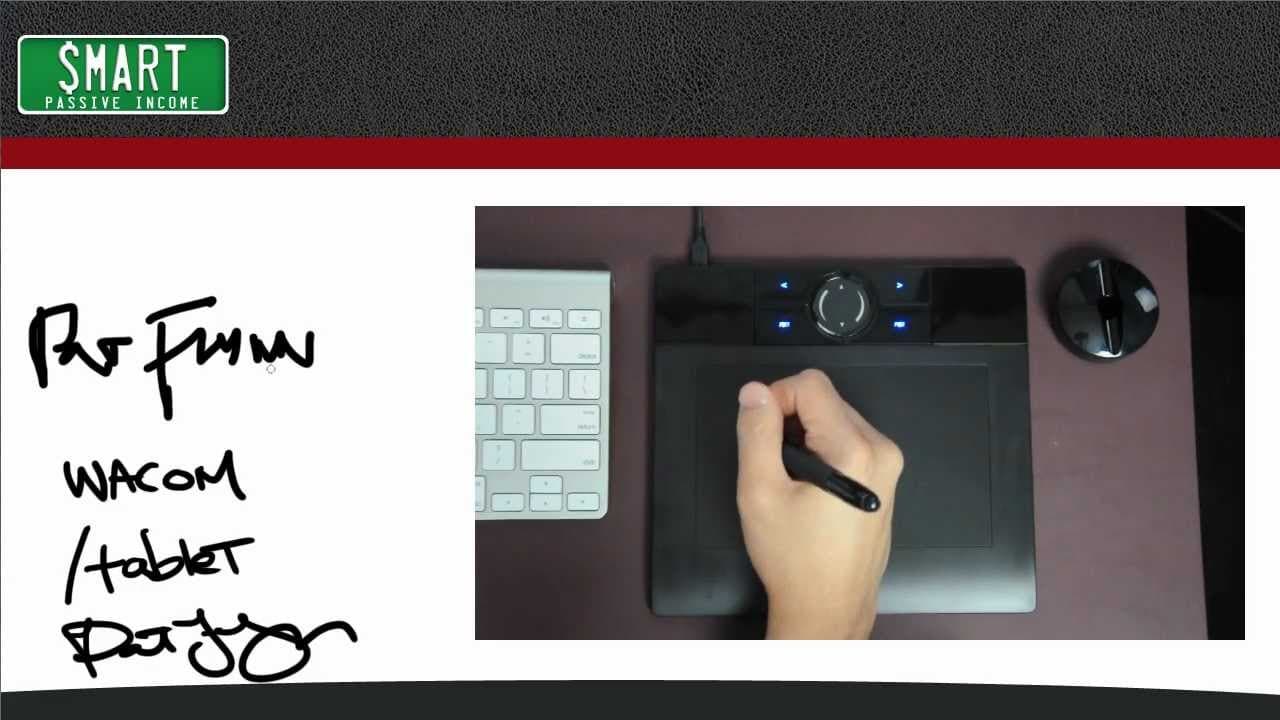
TL;DR
To create an electronic whiteboard, start by designing a 1280x720 pixel background image for HD quality. Use tools like Photoshop or GIMP, or outsource the design. Incorporate a pen and tablet for a more realistic writing experience, and choose suitable recording software to capture your tutorials effectively.
Transcript
hey what's up everybody this is pat flynn from smart passive income comm and today i want to share with you how I create my electronic whiteboards now you might be wondering well what's an electronic whiteboard well it's exactly what you're seeing on the screen right now it's almost like a virtual chalkboard or virtual dry erase board which allows ... Read More
Key Insights
- 💨 Electronic whiteboards provide an interactive and effective way to teach.
- 🗯️ Creating a background image with the right dimensions is crucial for HD quality.
- 🎨 Options for creating the background image include Photoshop, GIMP, or outsourcing the design.
- 👤 Mac users can use iDazzle or a pen and tablet tool in Photoshop, while PC users can use Camtasia Studio with a pen tool.
- 🤗 Investing in a pen and tablet tool improves the writing experience and produces more realistic results.
- 👤 Camtasia Studio is a recommended recording software for PC users, while Mac users can choose between Camtasia for Mac and ScreenFlow.
- 🤗 Using HD resolution and a pen and tablet tool make videos more professional and engaging.
Install to Summarize YouTube Videos and Get Transcripts
Explore YouTube Video Summarizer or Get YouTube Transcript Extractor
Questions & Answers
Q: What is an electronic whiteboard, and how can it be useful for teaching?
An electronic whiteboard is a digital alternative to traditional whiteboards, allowing teachers to write, draw, and teach various concepts. It provides an engaging and interactive learning experience for students.
Q: What are the recommended dimensions for creating a background image for electronic whiteboards?
The recommended dimensions are 1280x720 pixels, which is the standard HD resolution. This ensures a clear and high-quality video when uploaded to platforms like YouTube.
Q: What options do I have for creating the background image if I don't have Photoshop?
If you don't have Photoshop, you can use a free Photoshop-like program called GIMP. It has similar features and allows you to create the background image. Alternatively, you can outsource the design to a graphic designer on platforms like Elance or oDesk.
Q: What tools can I use to draw and record on the electronic whiteboard?
For Mac users, you can use the free tool "iDazzle" or a pen and tablet tool in Photoshop. If you're on a PC, Camtasia Studio is recommended, which comes with its own pen tool. These tools allow you to record yourself drawing and writing on the screen.
Summary & Key Takeaways
-
An electronic whiteboard is a virtual chalkboard or dry erase board used for teaching and tutorials.
-
To create a background image, use dimensions of 1280x720 pixels to ensure HD quality.
-
You can create the image in Photoshop, use a free Photoshop-like program, or outsource the design.
Read in Other Languages (beta)
Share This Summary 📚
Summarize YouTube Videos and Get Video Transcripts with 1-Click
Try YouTube Summary with ChatGPT & Claude or YouTube Transcript Generator
Explore More Summaries from Pat Flynn 📚



Summarize YouTube Videos and Get Video Transcripts with 1-Click
Try YouTube Summary with ChatGPT & Claude or YouTube Transcript Generator